
What's in this verdict
- What a retail POS system does
- Retail POS versus restaurant POS
- What people mean by a retail system
- The right POS system for a retail store
- POS systems for retail stores: what changes by store type
- Apparel and boutique retail
- Liquor, tobacco, and other specialty or age-restricted stores
- Grocery and convenience stores
- Multi-location retail chains
- POS needs by store type, side by side
- Retail POS software vs a full POS system
- What a POS system for a retail store needs at the counter
- The must-have features of a retail POS
- Barcode scanning and fast checkout
- Inventory and stock management for retail
- Ticketing in a retail POS: price tickets, labels, and support tickets
- Ecommerce and omnichannel sync
- Customer data and loyalty
- Retail reporting and analytics
- Cloud tablet POS versus traditional terminal
- How to build a retail POS shortlist from nothing
- A retail POS scorecard you can fill in
- How to compare retail POS features
- What a retail POS system costs
- Hardware for a retail counter
- Payment processing for retail
- A retail POS for a single store
- A retail POS for multiple locations
- A worked example: a boutique and a three-store chain
- Common mistakes buying a retail POS
- When to upgrade or switch your retail POS
- The bottom line
Short answer: Choose a retail POS built around inventory: barcode scanning, product variants, real-time stock counts and reordering, all tied to the sale. For most single stores a cloud tablet system wins on cost and flexibility. Price all three cost parts across a full year: software at an illustrative $0 to roughly $60 to $80 a month, hardware from near free to around $1,500, and a processing fee in the mid-2 to low-3 percent range.
A retail POS system has one job above all others: it takes the payment and updates the stock in the same motion, so the counter and the stockroom never fall out of agreement. That sounds simple, and at a single busy till it is anything but, because a retail POS is quietly juggling barcode lookups, product variants, card processing, receipt printing, loyalty records, and a stock count that has to stay right across every sale, refund, and return. Choose the wrong one and a shop feels it every day: slow checkout lines, a stock number nobody trusts, an online store that oversells what is already gone, and reports that cannot tell you what actually made money. Choose the right one and most of that friction disappears into a tool that just works while your staff serve customers.
This verdict is written for retailers specifically, not for restaurants or general buyers, because a retail counter asks different things of a POS than a dining room does. It covers what a retail POS system actually does, what people mean when they shop for a retail system, how it differs from a restaurant system, how POS systems for retail stores change by store type, and where retail POS software ends and a full system begins.
From there it turns decisive: a side-by-side of what each store type needs at the counter, four filters that build a shortlist from nothing, a weighted scorecard you can fill in, the two main types (a cloud tablet system versus a traditional terminal), the honest three-part cost, an illustrative first year by store type, and how the choice changes from a single store to several. It sits alongside our step-by-step walkthrough on how to choose a POS system and our full breakdown of how much a POS system costs, and it leans on our retail inventory software coverage where stock handling gets deep. Keep the true-cost calculator and the companion on this page open as you read, and price your own store as you go.
Key takeaways
- A retail POS is built around inventory: barcode scanning, product variants, real-time stock counts, and reordering, all tied to the sale. That focus is what separates it from a restaurant POS built around tables and kitchen screens.
- Most modern retail systems are cloud tablet POS: lighter hardware, automatic updates, and a monthly subscription. A traditional on-premise terminal still suits a store that owns register hardware or cannot rely on its connection.
- A retail POS costs three things at once: software (monthly), hardware (one-time), and the payment-processing fee (a percent of every sale). The processing fee is usually the largest lifetime cost, so price all three across a full year.
- If you sell online too, an omnichannel sync that keeps one stock count across the counter and the website is a real must-have, not a nice-to-have, because two drifting counts lead to overselling.
- Multiple locations raise the stakes on centralized inventory, consolidated reporting, and per-store permissions, and give you real leverage to negotiate the processing rate down at volume.
What a retail POS system does
A retail POS system is the software and hardware that runs the front of a shop, and it is worth being precise about the jobs it holds, because the word register undersells it badly. At the surface it does what a cash register always did: it rings up items, takes the money, and prints or emails a receipt. Underneath, a modern retail POS is doing several things at once that a register never could. It looks up each item by barcode or SKU, applies the right price and any discount, processes the card through a payment processor, and records the sale against a stock count that falls in real time as the item leaves the shelf.
That last part is the heart of it. A retail POS is fundamentally an inventory tool with a payment screen attached, which is the opposite emphasis from a restaurant system. When you sell the last blue medium shirt, a good retail POS knows the blue medium is gone, can warn you it is low before it runs out, and can feed that into a reorder. It also builds a record of who bought what, which powers loyalty and repeat marketing, and it produces the reports that tell you which products, categories, and hours actually make money.

The practical test of a retail POS is whether it holds all of that together reliably at speed. A system that scans fast, keeps the stock count honest, and posts clean sales into your books is doing its job; one that fumbles a scan, drifts on stock, or drops the connection during a rush is failing at the work that defines it. Everything later in this verdict comes back to that core: the features, the types, and the cost all serve the same goal of taking the payment and keeping the stock right.
Retail POS versus restaurant POS
The single most useful distinction when buying is that a retail POS and a restaurant POS are built around different jobs, and choosing the one made for your format saves a great deal of daily friction. Providers tend to specialize, and the specialty shows up in what is native and what is bolted on. A retail POS is organized around inventory: a large catalog, products with variants like size and color, barcode scanning, stock counts, purchase orders, and margin reporting. A restaurant POS is organized around service: table maps, seat and course tracking, modifiers, tipping, and kitchen display screens or ticket printers.
Force a shop onto a restaurant tool and the mismatch is constant. You spend time working around table and coursing features you never use while fighting inventory handling that was never the product’s focus, and your staff learn a flow designed for waiters rather than cashiers. The reverse is just as awkward: a restaurant running a retail-first POS finds no clean way to send an order to the kitchen or split a check by seat. The features you do not need are not free; they sit in the way, slow the interface, and complicate training.
This is why the format question comes before any brand or price comparison. A retailer should shortlist systems that describe themselves as retail POS or point-of-sale for shops, and confirm that inventory, variants, and scanning are core rather than add-ons. Our general walkthrough on choosing a POS makes the same point across every format: name how you sell first, then judge whether a system is built for it. For a shop, built for it means built around stock.
What people mean by a retail system
Retailers do not always arrive at this decision with the word POS in hand. Plenty search for a retail system, a retail systems POS, or a retail point of sales system, and mean anything from the till at the front to the whole set of tools a shop runs on. Being clear about which one you are shopping for saves a wasted month, because the layers are sold separately, priced separately, and solve different problems. In practice a retail system is a small stack of layers, and the POS is the one at the counter that most people mean first.
The table below sets out those layers, what each one owns, and the signal that you have outgrown it. It describes how these tools generally divide the work rather than making a claim about any particular provider, and the boundaries move a little from vendor to vendor.
| Layer | What it owns | When it is enough on its own | The sign you have outgrown it |
|---|---|---|---|
| Retail POS | Checkout, card acceptance, catalog and variants, live stock counts, sales and margin reporting | Most single stores and small chains, where the counter and the stock count are the whole job | Purchasing, forecasting, or warehouse handling stop fitting inside the POS inventory module |
| Retail management or inventory system | Purchase orders, receiving, transfers, demand forecasting, stock across warehouses | The POS runs the counter well and stock depth is the part that hurts | Finance and payroll start needing the same product and cost data |
| Ecommerce platform | Online catalog, online checkout, shipping and fulfillment | The website is a real channel rather than an occasional one | Two stock counts drift and the shop starts overselling |
| Accounting system | Ledger, tax, payables and receivables, statements | Always a separate layer; the POS should post clean totals into it | Reconciliation is manual because the POS export does not match the books |
| Retail ERP | Every layer above on one shared data model | Rarely, and only at a scale where each separate layer already strains | Not the relevant question for most shops; the cost and the project size are the barrier |
Two practical conclusions come out of that. Most shops asking for a retail system want the first row plus clean posting into the fourth, which is a POS with a working accounting connection rather than a platform. And as soon as you add rows, integration becomes the thing you are actually buying: the value sits in whether the layers agree on one product and one count, not in any single tool’s feature list.
Buy in that order too. Get the POS layer right first, because it is the one your staff touch every day and the one that holds the stock count everything else reads from. Our coverage of inventory management software, ecommerce platform cost, and accounting software cost takes the neighboring layers apart, and the true cost of business software explains why a stack costs more than the sum of its plans. Price only the layers you are genuinely buying now in the true-cost calculator, and let the rest be later decisions made with a year of real data behind them.
The right POS system for a retail store
Buyers arrive at this decision under several names, and it is worth saying plainly that they all point at the same tool. Whether you search for a retail POS system, a POS retail system, or a POS system for retail store checkout, what you are pricing is one product: the software and hardware that ring up sales, take the payment, and keep the stock count honest at a shop counter. Vendors use the phrasings interchangeably too, so read nothing into the word order on a pricing page. What matters is whether the system underneath is actually built for a store, and that is a short, checkable list rather than a label.
A store-focused system shows its focus in four places. Products: it handles a real catalog with variants for size and color, and it looks items up by barcode or SKU fast enough for a queue. Stock: the count falls with every sale and return, low-stock alerts fire before a bestseller runs out, and reordering starts from the same screen. Payments: it takes cards and tap reliably, keeps working when the connection drops, and posts clean totals into your books. Reporting: it ties sales to stock and margin so you know what earned, not just what moved. A system missing any of these is a general or restaurant tool wearing a retail label, and the sections on features and stock handling below show what each looks like done well.
The store test is more useful than the name on the box. In a trial, ring a variant sale, process a return, pull a margin-by-category report, and watch the stock count stay right through all three. A POS built for a retail store passes those quietly; anything else makes the counter work harder every day. Keep your own numbers in the companion on this page while you test, so the tier that unlocks the store features you need is priced before the demo makes them feel free.
POS systems for retail stores: what changes by store type
Retail is not one format, and POS systems for retail stores differ in ways that only show up once you name what you actually sell. The core is constant: scan the item, take the payment, drop the stock count, report on it later. What changes is which part of that core carries the weight, which handling or compliance rules sit on top of it, and which module a provider will charge you extra for. A shop selling hundreds of size and color combinations asks something different of the catalog than a shop selling fifty high-value items under a licence. Place your own store in one of the groups below before you compare providers, then read the features, types, and cost sections through it.
Apparel and boutique retail
Apparel stresses the product catalog harder than any other common format, because one style can carry twenty or more sellable combinations once size and color are counted. A POS built for clothing treats those as variants under a single product rather than as twenty unrelated items, so a style has one price, one description, one photo, and a stock count per combination. That matters at the counter, where a cashier has to ring the right variant in one scan while a queue builds, and it matters in reporting, where you want to see that a style sold well while one size sat untouched all season.
The second apparel pressure is returns and exchanges. Clothing comes back more often than most retail, and a size exchange has to move two stock counts in opposite directions inside a single transaction without leaving either wrong. Test that in a trial rather than assuming it works. Beyond that, boutiques lean on customer records and loyalty, because the business runs on regulars, and on a shared stock count with the website, because the same rail is being sold in two places at once. Weight variants, exchange handling, and omnichannel sync heavily here, and treat the rest as secondary.
Liquor, tobacco, and other specialty or age-restricted stores
Age-restricted retail, whether that means a liquor store, a tobacco or vape shop, or an adult store, adds requirements a general retail POS may not carry natively. The first is an age prompt at the point of sale: the system stops the transaction and asks the cashier to check or scan an ID, with the prompt attached to the product or category rather than left to staff memory. The second is category-level rule handling, so one setting covers every item in a category instead of being set line by line. What you must actually verify and record is set by your own jurisdiction and changes over time, so confirm the requirement with your local licensing authority rather than assuming a feature name covers it.
Payments are the other thing specialty retail changes, and it is the one that can end a shortlist early. Some categories, including adult retail and parts of the vape and firearms trade, are treated by card processors as higher risk, which can mean longer underwriting, a different rate structure, or a flat refusal from a mainstream provider. A POS you cannot get a merchant account for is not a candidate at any price, so resolve this before you invest time in demos. Ask each provider directly whether it serves your category, get the answer in writing, and read the merchant account side of the decision alongside the software.
Specialty stores also carry catalog quirks that general systems handle unevenly. Bottle deposits and container fees, mixed cases and bundles priced differently from the sum of their parts, selling by unit of measure, batch or serial tracking, and case-break receiving where one purchased case becomes twelve sellable units. None of those is exotic, but each is a place a shallow inventory module quietly fails and pushes the work back onto a spreadsheet. Write down the ones your catalog actually uses and test each of them specifically in the trial, because a demo built on a simple T-shirt will never reveal them.
Grocery and convenience stores
Grocery and convenience is the format where scan speed and price accuracy outrank almost everything else, because baskets are large, margins are thin, and a queue at the busiest hour is the whole business. The catalog is wide rather than deep: thousands of items, few variants, and prices that move constantly. That pushes you toward a system with fast scanning, batch price updates you can run in minutes rather than hours, shelf-label and price-ticket printing straight from the catalog, and a scale integration if you sell anything by weight.
Convenience adds a second layer on top. Age-restricted lines sit alongside ordinary groceries, so the prompts described above apply to part of the catalog rather than none of it. Fuel, lottery, and bill-pay lines, where you carry them, often live in separate systems the POS has to coexist with rather than replace, and how gracefully it does that is a real selection criterion. Shrink matters more here than in most retail, so cycle counts and variance reporting earn their weight. Price a grocery or convenience POS on scan speed, price maintenance, and its handling of the parts of the counter it does not own.
Multi-location retail chains
Once you run more than one store, the format question shifts from what you sell to how the stores relate to each other. A chain needs one catalog and one price list that reach every site, stock visibility across all of them so a customer can be told where an item actually is, transfers that move the count in both directions, and consolidated reporting that adds the stores for you instead of leaving you to combine exports. Per-location permissions matter as soon as you have managers who should see their own store and not everyone else’s.
The cost shape changes as well, and the section on multiple locations later takes it apart in full. In short, software is normally priced per location, hardware repeats per counter, and processing tracks the combined volume across every store, which is the one line where being a chain works in your favor. Model your store count in the companion on this page so the multiplication is visible to you before a provider does it for you at renewal.
POS needs by store type, side by side
The store-type sections above go deep one format at a time. Set side by side, the differences compress into four columns a buyer can carry into a demo: what stresses the catalog, which counter hardware earns its place, the single feature that decides the choice, and where the money concentrates once you price it. Find your row, then test that row’s decisive feature first rather than working down a vendor’s feature list from the top.
| Store type | What stresses the catalog | Counter kit that matters most | The feature that decides it | Where the money concentrates |
|---|---|---|---|---|
| Apparel and boutique | Variants: one style carrying twenty or more size and color combinations | Tablet on a stand, handheld scanner, label printer for price tickets | Variant handling that survives an exchange inside one transaction | Software tier, since variants and omnichannel often sit above the entry plan |
| Liquor, tobacco, and other age-restricted | Case breaks, deposits, bundles, unit-of-measure and batch tracking | Scanner with ID reading if your rules call for it, receipt printer, drawer | An age prompt tied to the product or category rather than to staff memory | Processing, because some categories draw a higher rate or slower underwriting |
| Grocery and convenience | Width: thousands of items, few variants, prices that move constantly | Fast fixed scanner, scale integration, shelf-label printing, often two lanes | Batch price updates and shelf tags you can run in minutes | Hardware, because lanes multiply and a scale is a line of its own |
| Multi-location chain | One catalog that has to stay identical everywhere, plus transfers between stores | One full kit per counter per site | Central price and product changes that reach every store cleanly | Software, priced per location, against a rate worth negotiating on combined volume |
| Pop-up, market, and mobile retail | A small catalog that changes between events | Phone or tablet reader, nothing fixed, an offline mode that genuinely works | Taking cards when the connection is poor, then reconciling cleanly later | Processing, since the plan and the hardware can be close to nothing |
Read that last column as the place to spend your negotiating attention, not as a ranking of what matters. A boutique that fights hard on the processing rate and accepts whatever tier the vendor suggests usually saves less than one that does the reverse, because its variant and omnichannel needs decide the tier and the tier decides a fixed monthly line it will pay whatever it sells. A chain that compares plan prices while ignoring per-location multiplication usually discovers the real shape of the bill at renewal.
Use the row as a demo script rather than a summary. Ask each candidate to show you the decisive feature in your column, with your own catalog if the trial allows it, before anyone opens a pricing page. A system that handles your row’s hard case well is worth more than one that scores higher on a feature list built for a store that is not yours. Our POS cost breakdown prices each of the three parts in full, and the cost table further down puts an illustrative first-year number against each of these types.
Retail POS software vs a full POS system
Two phrases get used as though they named the same product, and the gap between them is where retail budgets go wrong. Retail POS software is the application layer: the catalog, the inventory engine, the checkout screen, the reporting, the customer records, and the connections out to your accounting system and online store. A full retail POS system is that software plus everything physical and contractual it needs in order to take money at a counter: a terminal or tablet to run on, a card reader, a scanner, a receipt printer, a cash drawer, and a merchant account with a processor that charges you on every sale. A pricing page advertising retail POS software at a monthly figure is quoting the first of those, never the second.
The distinction matters in three practical ways. First, the advertised software price is the smallest of the three cost parts, so a software-only comparison ranks providers on the line that matters least to your total. Second, some systems present the software as independent while quietly requiring their own processing, which means the rate travels with the software whether or not you thought to compare it. Third, hardware compatibility is a property of the software: a system that runs on devices you already own is a genuinely different purchase from one that requires its own terminal, even at an identical monthly price.
Three questions separate the layers cleanly, and they are worth asking in the first call rather than the third. Which devices does the software run on, and can it use hardware I already have? Is payment processing bundled with the software, open to a choice of processors, or open to any processor I bring? And what exactly is included at the tier you are quoting, as opposed to gated one tier above it? The answers turn a software price into a system price, and only a system price can be compared between two providers honestly.
There is one narrow case where the software layer alone is the right purchase. A shop that already owns working tablets, a scanner, and a printer, and that is content with its current processor, can buy the software and keep everything else, which is a real saving. A shop opening a new counter cannot, because it has no layer to keep. Be honest about which of the two you are, because the first case is how a provider builds its cheapest quote and the second is what most buyers actually need. Price the whole system, software plus counter plus rate, in the true-cost calculator before you let a software figure become your budget.
What a POS system for a retail store needs at the counter
A POS system for a retail store carries one requirement an online-only seller never has: physical equipment that has to work on a counter, all day, with a customer standing in front of it. A web store needs software and a payment gateway and nothing anyone can trip over. A POS for a retail store has to run the software on something a cashier can reach, read a barcode, take a card, print a receipt, and hold the cash, and each of those is a separate piece of hardware you either buy, inherit, or deliberately skip. Sizing that kit honestly is what turns a plan for a POS system for a retail shop into a real number rather than a monthly plan price.
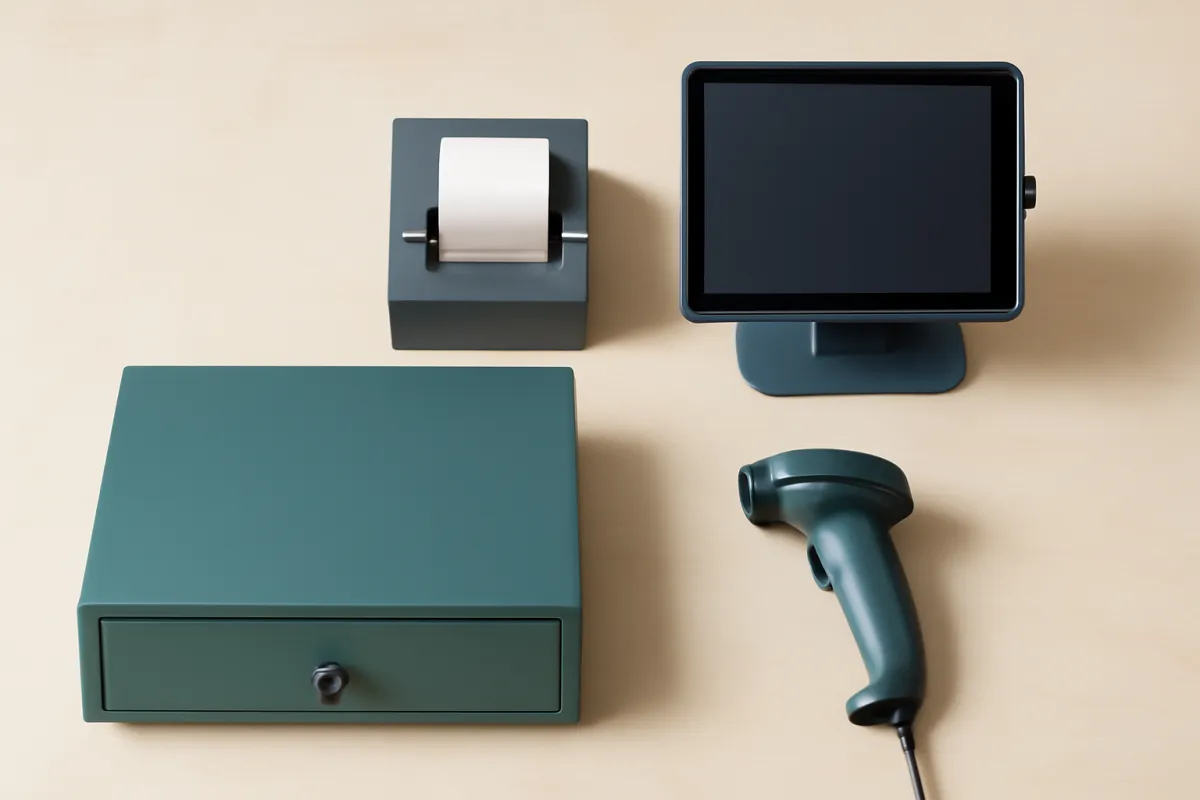
The counter kit for a typical shop comes down to five pieces, and each one earns its place for a specific reason.
- Terminal or tablet. The screen the POS software runs on and the cashier works from. A tablet on a stand is the common modern choice; a purpose-built smart terminal or a full register is the heavier option for a busy or multi-lane store.
- Barcode scanner. The piece that makes checkout speed possible once you carry more than a handful of products. A handheld or counter-mounted scanner rings the right variant instantly instead of making a cashier hunt for it by name while a queue builds.
- Card reader. Tap, chip, and mobile wallets, sold or supplied by whoever processes your payments. This is the piece most often bundled cheaply or free, which is exactly why it is worth asking what processing rate the offer is protecting.
- Receipt printer. Still expected at most physical counters even when you also email receipts, and it needs to keep up at the pace your busiest hour actually runs.
- Cash drawer. Only relevant to a shop that takes cash, which most still do, and usually the cheapest item in the kit. An online seller has no equivalent at all.
That list is the honest difference between a physical shop and an online-only seller pricing the same software. The seller who ships from a spare room pays for a plan and a gateway; a store pays for a plan, a gateway, and a counter, commonly cited as an illustrative few hundred dollars up to around $1,500 for a full kit, once per lane. It is a one-time cost rather than a recurring one, which is why it sits well below processing in the first-year split further down, but it is real money at the start and it is the part a pricing page does not show you. Buy the kit your counter needs now, confirm whether the hardware is locked to a single processor before you accept a cheap bundle, and let a second lane wait until the volume asks for it.
The must-have features of a retail POS
With the format settled, turn your needs into a short list of features a retail counter genuinely must have, kept separate from the ones that merely sound good in a demo. A must-have is something the shop cannot run its day without; a nice-to-have is something you would enjoy but could live without for a year. Most retailers have only a handful of true must-haves and a long tail of extras that vendors will happily reframe as essential.
The non-negotiable core for retail is short. First, fast and reliable card acceptance for the payment types your customers use, including tap and mobile wallets, because a POS that fumbles payment fails at its one core job. Second, barcode or SKU scanning that rings items up quickly, since checkout speed is a real retail metric and manual entry does not scale. Third, inventory management with product variants and low-stock alerts, because stock is the retail POS’s defining work. Fourth, reporting that answers what sold, what is profitable, and what to reorder.
Only after those come the customer-facing extras: loyalty programs, gift cards, customer accounts, and an ecommerce tie-in. Each is valuable to the right shop and dead weight to the wrong one, so weigh each against whether you will actually use it. Rank your list, mark the true must-haves, and use it as the rubric you score finalists against in a trial. Enter your store’s numbers in the companion on this page so the cost of covering these features stays visible while you compare, and revisit the list if it starts to grow past a handful of genuine needs.
Barcode scanning and fast checkout
Checkout speed deserves its own section because in retail it is a feature, not a detail. A queue that moves slowly costs sales at the moment a customer is ready to hand you money, and the difference between a POS that scans cleanly and one that stalls is felt on every busy Saturday. Barcode scanning is the backbone of that speed: a cashier passes an item over a scanner, the POS looks up the price and variant instantly, and the running total updates without anyone typing a SKU. For a shop with more than a handful of products, that lookup speed is the difference between a line that clears and one that backs up.
Look closely at how a candidate handles the messy cases, because the happy path always demos well. Test scanning an item with variants so the right size and color ring up, applying a discount mid-sale, handling a return or exchange, and ringing a sale when the barcode will not scan and a cashier has to search by name. A good retail POS makes each of those fast; a weak one turns any deviation from the simple case into a slow, error-prone hunt while a customer waits.
Speed also depends on the hardware and the connection, which later sections cover. A scanner that pairs reliably, a receipt printer that keeps up, and an offline mode that still takes cards when the internet drops all protect checkout speed. When you trial finalists, do it at something like real pace, with a staff member who has not been coached, and watch whether they can run a normal transaction and the awkward ones without slowing down. Cashier ease of use during a rush is a genuine retail selection criterion, and it is invisible on a feature list.
Inventory and stock management for retail
Inventory is where a retail POS earns its place over a plain card reader, so it deserves the most scrutiny of any feature area. At minimum, a retail POS should track products with variants (size, color, style), look them up by barcode or SKU, hold a real-time stock count that falls as items sell and rises as you receive them, and warn you before something runs out. Those basics keep the number on the screen matching the number on the shelf, which is the whole point.
Beyond the basics, retailers with larger catalogs should weigh the deeper stock features. Purchase orders and reordering let you restock without leaving the system. Cost tracking and margin reporting show not just what sold but what was profitable, which is where many shops discover their best-selling item is not their best-earning one. Multi-location inventory, covered later, keeps stock consistent across stores. Bundles, serial numbers, and unit-of-measure handling matter for specific retail types. Match the depth to your catalog: a small shop with fifty products needs far less than a boutique carrying thousands of variants.
There is a real question of where the POS’s inventory ends and a dedicated stock tool begins. For many shops the POS module is enough; for a business with complex purchasing, multiple warehouses, or heavy reordering, a specialized system may overtake it, a trade-off our inventory management software coverage takes apart in full. Decide honestly how much stock complexity you carry, weight inventory accordingly in the comparison, and model the cost of the tier that unlocks the stock depth you need in the companion here, because that tier choice is often what moves the price.
Ticketing in a retail POS: price tickets, labels, and support tickets
Ticketing is one of the least precise words on a POS shortlist, and it costs retailers real time because three unrelated features share it. Sorting them out before the first demo prevents the classic outcome where a vendor confirms ticketing, you buy on that answer, and the thing you actually meant turns out to be missing or sold as a module.
Price ticketing and labelling is the meaning most retailers intend. It is the ability to print barcode labels, shelf-edge tags, and price tickets from the catalog you already hold, ideally as a batch straight after a delivery is received, so new stock reaches the floor scannable and correctly priced the same day. A system that does this well lets you select a receiving or a purchase order, print one label per unit received, and reprint a shelf tag when a price changes, without retyping anything anywhere. A system that does it badly leaves you exporting to a spreadsheet and running a separate label program, which is slow enough that prices quietly stop being updated at the shelf.
Work-order or repair ticketing is a different feature entirely. It means taking an item in from a customer, opening a job against it, tracking its status while the work happens, and ringing it out later against the same record with parts and labor attached. Shops that do alterations, repairs, engraving, or servicing genuinely need it. Most general retail POS systems do not include it, and the ones that do usually treat it as an add-on module rather than a core screen. If this is your ticketing, say so on the first call, because it narrows the shortlist sharply and changes which tier you would be quoted.
Event and admission ticketing is the third meaning: selling entry to a class, a tasting, or a show as though it were a product, with a capacity limit and a check-in at the door. Retail POS systems rarely own this well, and the usual working answer is a dedicated ticketing tool connected to the POS so the sale still lands in one set of reporting rather than two. Confirm how the connection carries the revenue back, because a ticket sale that never reaches your POS reporting is a hole in every sales report you pull afterwards.
A fourth use of the word has nothing to do with your customers at all. Some vendors say ticketing when they mean their own support queue, the system you raise a case in when something breaks. That is worth knowing about, since support responsiveness is a real selection criterion, but it answers a completely different question from the three above. Name which ticketing you mean, get the answer in writing rather than as a nod in a demo, and test it in the trial with your own labels, your own job, or your own event.
Ecommerce and omnichannel sync
If your shop sells online as well as in person, the connection between the counter and the website moves from a nice extra to a core requirement, and it is worth treating as such before you choose. The value of an omnichannel sync is one shared stock count across every channel: when you sell an item at the till or on the website, the same number falls, so you do not sell online something that walked out the door an hour ago. Two drifting stock counts are how a store oversells, disappoints a customer, and spends staff time reconciling numbers by hand.
The important thing to verify is the depth and direction of the sync. The word integration covers everything from a deep two-way sync that keeps both systems current automatically to a shallow one-way export that moves a single field and leaves the rest to you. Ask exactly what data flows, in which direction, and how often, and confirm the connection reaches the online store platform you actually use or plan to use. Also confirm whether omnichannel features are included in the plan you are pricing or gated to a higher tier, because they are a common upsell.
Sizing the online side against your real business keeps you from over- or under-buying. A shop whose website is central to revenue should weight omnichannel heavily and lean toward a POS built for it from the start, since bolting a store onto a counter-first tool rarely matches a system designed around both. A shop that sells online only occasionally can treat the sync as lighter. If the online store is a real channel, price its integration into the comparison, and remember that the shared inventory it protects is also part of the counter’s job, tying back to the stock section above.
Customer data and loyalty
A retail POS does not only track products; it can track people, and for shops that live on repeat business that customer data is a quiet asset. Every sale can attach to a customer record, building a history of what someone bought and how often, which powers loyalty programs, targeted offers, and repeat marketing. For a boutique, a specialty shop, or any store where a returning customer is worth far more than a one-time visitor, the ability to recognize and reward regulars is a feature worth real weight.
Loyalty comes in several shapes, and the right one depends on your shop. Points-based programs reward spend, visit-based programs reward frequency, and simple customer accounts just keep contact details and history for marketing. Some retail POS systems include a loyalty engine; others connect to a separate loyalty or email tool, which is where the customer list the POS builds feeds the rest of your stack. That connection to marketing tools, and to a CRM if you run one, is part of the POS’s value, because the customer data is only useful if it can reach the tools that act on it.
Treat loyalty honestly as a must-have or a nice-to-have rather than assuming it. For a high-repeat store it can be a genuine driver; for a shop with mostly one-time foot traffic it can be a module you pay for and never open. Ask whether loyalty is included or an add-on, whether the customer data exports cleanly, and whether it flows to your marketing tools. As with every feature here, the aim is to buy the customer features you will actually use, not the ones that photograph well in a demo.
Retail reporting and analytics
Reporting is where a retail POS turns a year of transactions into decisions, and it is easy to undervalue until you need an answer the system cannot give. The reports a shop actually uses are specific: sales by product, category, and time so you know what sells and when; stock and reorder reports so you know what to buy; margin reports so you know what earns rather than just what moves; and staff or register reports if you have several cashiers. A POS that produces those cleanly saves hours a week; one that makes you export raw data and rebuild reports in a spreadsheet quietly costs that time back.
The reports that matter most for retail tie sales to stock and margin, because that link is the retail POS’s whole reason to exist. Knowing your best-selling item is useful; knowing your best-earning item, after cost, is what changes what you buy and how you price. Look for a system whose reporting answers the questions you are actually asked at the end of a week, not one with a wall of dashboards you will never open. Depth is only valuable if it maps to real decisions.
When you compare finalists, pull the specific report you rely on during the trial rather than admiring the dashboard the vendor shows you. Confirm you can get sales, stock, and margin views at the level of detail you need, that the numbers export cleanly for your accountant, and that the reporting is in the plan you are pricing rather than gated to a higher tier. Model the tier that unlocks the reporting depth you need in the companion, because reporting is another feature that can move you up a rung.
Cloud tablet POS versus traditional terminal
One structural choice shapes the shortlist before any single feature does: whether you buy a cloud tablet POS or a traditional terminal, and the two differ in cost, hardware, and how they behave day to day. A cloud tablet POS runs its software over the internet on a tablet or smart terminal, stores your catalog and sales on the provider’s servers, updates itself, and is billed as a monthly subscription. Most modern retail systems work this way, and it is why a lightweight setup on a tablet is now realistic even for a small shop. A traditional POS is the older on-premise model: software installed on a dedicated register or local server, often heavier hardware, with data kept in the building.
Each has a real case. The cloud route usually wins on cost and flexibility for a single store or small chain: lighter hardware, automatic updates, remote access to reports from home, and easy addition of a terminal or a location. The traditional route still suits an established store that already owns working register hardware, cannot depend on a stable connection, or prefers its data on site. The key trade-off is connectivity: a cloud system needs a solid offline mode to keep taking cards when the internet drops, while a traditional system keeps ringing sales locally but syncs and updates less readily.
The table below sets out the main retail POS types with who each suits and how each is priced, all illustrative and worth confirming with providers.
| POS type | Best for | Cost model |
|---|---|---|
| Cloud tablet POS | Most single-store and small-chain retailers | Monthly software subscription, lighter hardware, processing on every sale |
| Traditional on-premise terminal | Established stores that own register hardware or cannot rely on connectivity | Higher one-time software and hardware, lower ongoing fees, updates less often |
| Mobile or mPOS | Pop-ups, markets, and line-busting inside a larger store | Near-free phone or tablet reader, app subscription or free tier, processing per sale |
| Multi-lane or enterprise retail POS | Larger stores and chains with several checkout lanes | Higher per-lane software and hardware, negotiated processing at volume |
Match the type to your store rather than to a trend. A market stall or pop-up leans mobile, a typical modern shop leans cloud tablet, a large multi-lane store may need enterprise retail hardware, and a store with existing register gear and a shaky connection may still prefer traditional. Model whichever type fits in the companion here so the cost of that structural choice is visible next to the features.
How to build a retail POS shortlist from nothing
Much of what comes before assumes you already have two or three names to compare. Plenty of retailers do not, and the market is large enough that starting from a search results page is how a shop ends up demoing seven systems and choosing the one whose salesperson called back first. Four filters, applied in that order, cut a long list to a workable three or four before you sit through a single demo.
Filter one is format. Keep only systems that describe themselves as built for retail, and confirm on the feature or pricing page that variants, barcode scanning, and stock counts are core rather than modules. That one filter removes restaurant-first systems and general payment tools, which between them are most of what a broad search returns. It costs you ten minutes and it is the highest-yield step in the whole process.
Filter two is your category. If you sell anything age-restricted, anything a processor treats as higher risk, or anything by weight, ask each remaining candidate whether it serves your category and will underwrite your kind of merchant account, and get the answer in writing rather than as a nod on a call. A system that cannot process your sales is not an expensive option, it is not an option, and learning that in week one instead of week five is worth more than any feature comparison you could run in the meantime.
Filter three is the layer you are buying. Decide honestly whether you need software only, because you already own working hardware and a processor you are content with, or a full system with a counter and a merchant account behind it. Then ask each candidate three things: which devices the software runs on, whether payment processing is bundled or open to a processor you bring, and exactly what is included at the tier being quoted rather than gated one rung above it. Candidates that will not answer those plainly can be dropped at that point, because the same vagueness will show up in the contract.
Filter four is your growth path. Name where the shop will be in two or three years: a second location, a real online channel, a catalog several times the size. Then check that each surviving candidate handles that natively rather than through an upgrade that is really a migration in disguise. Three or four names usually survive all four filters, which is a shortlist you can trial properly instead of a list you skim. Our step-by-step POS selection walkthrough runs the full method from there, and the scorecard below is how you score what survives.
A retail POS scorecard you can fill in
A shortlist becomes a decision when you score it against weights you set before the demos rather than impressions you form during them. The weights below are a starting point for a typical shop and they sum to 100, so a total reads as a percentage. Move them to fit your own store: a boutique carrying thousands of variants should push inventory higher, a convenience store should push checkout speed higher, and a shop that does not sell online should move the omnichannel weight into whichever row it actually cares about.
| Criterion | Weight | What earns a 5 | How to test it |
|---|---|---|---|
| Inventory depth and variants | 20 | Variants, live counts, low-stock alerts, purchase orders, cost and margin held per item | Ring a variant sale, receive a purchase order, and check the count and the cost after both |
| Payment acceptance and effective rate | 20 | Tap, chip, and wallets, an offline mode that still takes cards, a full effective rate in writing | Ask for the rate including per-transaction fees, then price a year of it at your real volume |
| Checkout speed and scanning | 18 | Instant lookup, clean mid-sale discounts, returns and exchanges that do not stall a queue | Have an uncoached staff member run ten sales including a return and a barcode that will not scan |
| Reporting that ties sales to margin | 12 | Sales by product and category, stock and reorder views, margin after cost, a clean export | Pull the one report you rely on weekly, not the dashboard the vendor wants to show |
| Omnichannel sync | 12 | Genuine two-way sync of one stock count with the store platform you actually use | Sell the same item on both sides and watch a single count fall for both |
| Ease of use and training | 8 | A cashier can run a normal day after a short session, without reaching for a manual | Time how long an untrained person needs to complete a sale and then a refund |
| Support and reliability | 6 | Reachable support, a published status history, and a clear escalation path | Raise a real question during the trial and time the answer you get |
| Growth headroom | 4 | A second location or lane added without a migration or a replatform | Ask what changes when you add a store, in features and in price |
Score each finalist 1 to 5 on every row, multiply by the weight, divide by five, and add the results. Two illustrative finalists show why the weights carry the decision. System A is a retail-first cloud system scoring 5 on inventory, 3 on payments because its rate is higher, 4 on checkout, 4 on reporting, 5 on omnichannel, 4 on ease, 3 on support, and 4 on growth, for a weighted 81 out of 100. System B is a general system with a better rate: 3 on inventory, 5 on payments, 4 on checkout, 3 on reporting, 2 on omnichannel, 4 on ease, 4 on support, and 3 on growth, for 72. On weights set for a shop that sells online and carries variants, the retail-first system wins by nine points despite the worse rate.
Neither system is a real product and neither set of scores is a review. They exist to show the mechanism: the same two systems scored on a convenience store’s weights, with checkout speed at 20 and omnichannel at 4, would land far closer together, and a shop with no website could reasonably prefer the cheaper rate outright. The scorecard does not tell you which system is better. It tells you which one is better for the store you actually run, which is the only version of the question that has an answer.
Then check a close result against money before you sign, because a scorecard ranks fit and does not price it. Half a point of processing on an illustrative $45,000 a month in sales is about $2,700 a year, which is larger than most plan differences and quite capable of outweighing a narrow win on fit. When two finalists land within a few points of each other, let the annual rate difference decide. When they are nine points apart on weights you set honestly, the fit is the stronger signal. Put both through the true-cost calculator and the companion here with their real rates, so fit and cost are scored in one conversation rather than two.
How to compare retail POS features
Once you have a shortlist that fits your format and type, comparing them well is a matter of scoring against your own list rather than the vendor’s. Bring the ranked must-have list from earlier and score each finalist on it: card acceptance, scanning and checkout speed, inventory depth, reporting, and any omnichannel or loyalty features you marked as needs. Weight the items by how much they matter to your shop rather than treating every feature as equal, because a retailer with a large catalog should weight inventory far above loyalty, while a high-repeat boutique might do the reverse.
Then look past the feature checkboxes to how each feature actually performs, because a system can list inventory and still handle it poorly. Does the stock count stay accurate through a return? Does the variant lookup ring up the right item fast? Does the omnichannel sync run two ways or one? A feature present in name but weak in practice scores lower than one done well, and only a hands-on trial reveals the difference. Score the behavior, not the label.
Finish the comparison by folding cost back in, because the best-scoring system on features is not automatically the right buy if it prices badly. A finalist that covers your must-haves at a reasonable software tier and a competitive processing rate beats one that scores slightly higher on features but carries a high rate you will pay on every sale for years. Hold features and cost together, score finalists on one rubric, and let the trial break any tie. Our general POS choosing walkthrough lays out the full seven-step method if you want the process end to end.
What a retail POS system costs
A retail POS is priced in three parts that never appear as one number: a monthly software subscription, one-time hardware for each counter, and the payment-processing fee taken as a percentage of every sale. Illustrative planning bands run from $0 to a few hundred dollars a month for software, from a near-free phone reader to around $1,500 for a full counter, and in the mid-2 to low-3 percent range per card sale for processing. The plan price is the one you can see and the smallest of the three, while processing is the one that decides the total for any shop with real volume. Our POS system cost verdict prices all three parts in full, including the monthly fees, the terminal hardware, and the fee lines on a merchant statement, so this page stays on the retail decision and sends the pricing question there.
Where a retail POS system's first-year cost goes
Illustrative first year for a single store at $45k a month: software $948, hardware $1,000, processing about $14,040. Shares sum to 100.
For a store with real sales volume, the processing fee is by far the largest first-year line, not the software plan or the hardware. The exact split depends on your volume and rate, which is why the advertised plan alone is a poor budget.
The one cost view a general pricing page cannot give you is the retail store type comparison, so it stays here. The table models one illustrative first year for each type on the same arithmetic used everywhere else on this page: software at $79 per store each month, processing as a percentage of card sales, and hardware bought once per counter.
| Store type | Illustrative sales | Counters | Rate | Software, year one | Processing, year one | Hardware, once | Illustrative first year |
|---|---|---|---|---|---|---|---|
| Boutique, one store | $45,000 / mo | 1 | 2.6% | $948 | $14,040 | $1,000 | about $16,000 |
| Specialty or age-restricted, one store | $30,000 / mo | 1 | 3.2% | $948 | $11,520 | $1,000 | about $13,500 |
| Convenience, one store, two lanes | $80,000 / mo | 2 | 2.6% | $948 | $24,960 | $2,000 | about $27,900 |
| Three-store chain | $135,000 / mo combined | 3 | 2.6% | $2,844 | $42,120 | $3,000 | about $48,000 |
Every figure there is illustrative and internally consistent with the worked example and the charts on this page rather than a quote from any provider, and the rates in particular are planning placeholders. Confirm current plan pricing and your own effective processing rate directly, because both move often and both depend on your category and volume.
Three things are worth reading out of the table. The specialty row pays less in total than the boutique while carrying a higher rate, which is the whole point of comparing rates as annual dollars rather than as percentages: a rate is only expensive against the volume it applies to. The convenience row shows hardware doubling for a second lane and still landing far below processing, so a lane is rarely the line to agonize over. And the chain row shows software tripling while processing remains a single rate negotiated over combined volume, which is why a multi-location buyer should read the per-location plan price carefully and then push hardest on the rate.
Hardware for a retail counter
Hardware is the part of a retail POS you can see and touch, and it is where two decisions hide that outlast the purchase: how much you spend once, and whether that spend locks you to a single processor. Start from your format and your counter, because a market stall, a single-register boutique, and a multi-lane store need very different kits. A phone or tablet card reader can be near free and serve a pop-up; a full retail counter with a tablet stand, receipt printer, cash drawer, and barcode scanner commonly runs from a few hundred dollars up to around $1,500; and a multi-lane store multiplies that per lane.
Buy the hardware your daily work needs now, and let the rest wait, because hardware is a one-time cost you can add to later without redoing the whole decision. Many shops can start lean, a scanner, a reader, and a tablet, and add a second printer or lane when the volume justifies it. Match the kit to your counter rather than to the provider’s most complete bundle, since a bundle sized for a busy store is money spent early for a shop that has not grown into it yet.
The decision that matters more is whether the hardware is locked to one payment processor. Some providers sell or require hardware that only works with their own processing, which means the rate you agreed to is the rate you are stuck with, because leaving the processor means replacing the hardware. Ask directly whether the hardware is proprietary or works with other processors, and treat a cheap or free hardware offer as a signal to check the processing rate that pays for it. As the cost section showed, the rate is where the real money goes, and locked hardware is how a provider protects a rate you might otherwise negotiate or leave.
Payment processing for retail
The payment-processing fee is the single largest cost of owning a retail POS for any shop with real sales, and it deserves the attention most buyers spend on the software plan. It is a percentage of every card sale, commonly cited in the mid-2 to low-3 percent range plus a small per-transaction charge, and because it applies to every dollar that crosses the counter, it compounds into the biggest lifetime line while software and hardware stay roughly flat. The arithmetic is what makes it dominate: a store doing $45,000 a month at 2.6 percent pays about $1,170 a month, or roughly $14,000 a year, in processing alone.
Because the fee is a percentage rather than a plan price, it climbs with the store rather than with the tier, which is the shape the chart below shows.
Illustrative monthly retail POS cost by store sales
Software held at ~$79 a month plus processing at ~2.6% of card sales, per store. Illustrative, varies by provider and rate.
Widths are drawn from each total against the $150k figure (~$3,979). The software plan is fixed at $79; the entire climb in the bar is processing, which is why the per-month POS cost tracks your sales, not the pricing page.
Processing fees come in two common shapes worth knowing. Flat-rate pricing charges one simple percentage plus a fixed amount per transaction, which is predictable and easy to understand, which is why small shops are steered toward it. Interchange-plus pricing passes through the card networks’ actual cost and adds a fixed markup, which is more transparent and often cheaper at higher volume but harder to compare at a glance. For a low-volume shop the flat rate is usually fine; for a store moving real money, interchange-plus can save meaningfully, so ask about both.
The practical retail move is to get the full effective rate in writing, including per-transaction fees and any markup, not just the headline percentage, and to negotiate it as volume grows. Rate is negotiable at volume in a way it rarely is at the start, and because it applies to every sale, even a small reduction returns real money. When you compare providers, weight the processing rate heavily, and price a full year of it at your real volume in the companion before you let a cheap software plan decide.
A retail POS for a single store
A single-store retailer has the simplest version of the decision, and the goal is a clean, focused system that covers the counter well without paying for multi-location machinery you do not need. Your must-haves are the retail core: reliable card acceptance, fast scanning, inventory with variants and low-stock alerts, and reporting that ties sales to stock and margin. A cloud tablet POS on a single terminal, or two at a busy counter, usually fits well, with a hardware kit sized to one counter and a software plan on the single-store tier.
The cost picture for one store is the three-part stack at your own volume: a single software plan, one hardware kit, and processing on your sales. For a shop doing an illustrative $45,000 a month, processing dominates, so the single most valuable thing you can negotiate is the rate, not the plan. Keep the hardware lean, cover your real feature needs on the tier that unlocks them, and spend your attention on the effective processing rate, because it is the line that grows with the shop.
Watch out for buying multi-location features a single store will not use for a year, or for a plan tier sold on a feature you can defer. A focused single-store setup is faster to run and train on than a system crowded with capabilities aimed at chains. Price your one store honestly in the companion here and in the true-cost calculator, and let the tier and rate that fit today, with a clear view of where you are heading, decide the choice.
A retail POS for multiple locations
Running more than one store changes the requirements in specific ways, and a POS that was fine for a single shop can struggle across several. The features that a single store treats lightly become central: centralized inventory and pricing so a change made once reaches every location, consolidated reporting that rolls all stores into one view rather than making you add spreadsheets by hand, and per-location staff permissions so each store’s team sees only what it should. Transfers of stock between locations and location-level analytics matter too.

The cost model shifts as well. Software is typically priced per location, so several stores mean several plans, plus one hardware kit per counter, while processing still tracks total sales across all of them. That larger combined volume is also your advantage: a multi-location retailer has real leverage to negotiate the processing rate down, and because the rate applies to every sale across every store, even a small reduction returns significant money. Price the software per location plus one kit per counter across a full year, and treat the rate as the main negotiation.
When you trial finalists for multiple stores, test the things that only break at scale. Make a central price or product change and confirm it reaches each location cleanly, pull a consolidated report and check it rolls all stores together rather than making you combine them, and confirm the plan genuinely supports multiple locations rather than billing each as an isolated subscription. Model your store count and combined volume in the companion here so the multi-location cost is a real number before you commit.
A worked example: a boutique and a three-store chain
Numbers make the retail decision concrete, so here are two shops running it with illustrative figures that stay internally consistent. A single-location boutique does $45,000 a month, carries a large catalog of clothing with size and color variants, and sells a little online. A growing chain runs three stores doing a combined $135,000 a month, needs centralized inventory and consolidated reporting across all three, and negotiates from that larger volume. Every figure here is illustrative, and current provider pricing and rates should be confirmed directly.
The boutique picks a cloud tablet POS on a single-store plan at an illustrative $79 a month, buys one full counter kit for about $1,000, and pays a flat 2.6 percent processing rate. Processing on $45,000 is about $1,170 a month, so its first year runs roughly $948 in software, plus about $14,040 in processing, plus $1,000 in hardware, near $16,000 all in, of which processing is about 88 percent. Its highest-leverage move is not a cheaper plan but shaving the rate, and it weights inventory and its omnichannel sync heavily because variants and a shared online stock count are its daily reality.
The chain prices three software plans at $79 each, three counter kits, and the same processing rate applied to $135,000 a month, about $3,510 a month in processing. It weights centralized inventory, consolidated reporting, and per-store permissions as must-haves, and it uses its combined volume to negotiate the rate down, since half a point off a rate applied to $1.6 million a year in sales is real money. Both shops reach a calm, well-evidenced choice by pricing all three parts and spending their attention on the rate. Model your own version, single store or several, in the companion on this page.
Common mistakes buying a retail POS
The same handful of mistakes sink most retail POS decisions, and all of them come from letting the vendor or the advertised plan set the terms instead of your own store’s needs and numbers. Naming them makes them easy to avoid.
- Pricing only the software and ignoring processing. The monthly plan is the smallest and most visible of the three costs, and the processing fee is usually the largest over time. Choosing on the plan alone compares the wrong number, so price all three parts across a full year at your real volume and treat the effective rate as the line that matters most.
- Buying a restaurant-first or general POS for a shop. A system built around tables or a generic feature set makes a retailer fight weak inventory while working around features it never uses. Start from a POS built for retail, with variants, scanning, and stock handling native.
- Underweighting inventory depth. A shop with a large catalog or frequent reordering needs real stock features, and a POS with a shallow inventory module pushes that work back onto spreadsheets. Match inventory depth to your catalog, and consider a dedicated tool if purchasing is complex.
- Treating omnichannel as a nice-to-have. If you sell online, two drifting stock counts lead to overselling. Confirm the sync is genuine two-way, reaches your store platform, and is included in the plan you price.
- Getting locked into hardware. Accepting cheap or free hardware that only works with one processor means the rate you agreed to is the rate you are stuck with. Ask whether the hardware is proprietary before you take the offer.
- Ignoring checkout speed and reliability. A POS that is pleasant in a calm demo and slow or offline during a rush costs sales when they matter most. Test scanning, returns, and offline card acceptance at real pace in a trial.
When to upgrade or switch your retail POS
A retail POS decision is not permanent, and treating it as final is how shops end up paying for a system, and a processing rate, that stopped fitting stages ago. Put a reminder on the calendar to reassess once a year, when you have a full year of real use and a clear memory of what your staff actually used, what quietly went unopened, and how the effective processing rate looked across twelve merchant statements rather than one sales quote. The questions are simple: did the register run reliably through your busiest days, did the stock count stay honest, and has the total cost, above all the rate, stayed matched to the value it delivers?
Reassess sooner if any of a few things happen. Your sales volume changes sharply, because the processing fee scales with it and higher volume can earn a better rate simply by asking, while a rate that looked fine at low volume can become your largest line as sales climb. You add a location or an online channel, because multi-location and omnichannel selling raise the stakes on centralized inventory and a shared stock count that your current system may handle poorly. Or your catalog grows past what the inventory module handles well, at which point a deeper stock tool or a different POS is worth pricing.
Switching a retail POS carries real cost, so weigh it deliberately rather than chasing a slightly cheaper plan. Moving means migrating your catalog and customer data, possibly replacing hardware, and retraining staff, all of which our software migration walkthrough accounts for. Reassess on a schedule with the same criteria you used to choose, and switch when the gap between what you have and what you need is large enough to clear that cost. Run your current setup through the true-cost calculator each time, so a renewal is a decision rather than a habit.
The bottom line
A POS system for retail is, at its core, an inventory tool with a payment screen, and the right one takes the payment and keeps the stock honest reliably at speed, for the way your shop actually sells. That focus on stock is what separates a retail POS from a restaurant system, and it is why the choice starts with your format, then your must-have features (card acceptance, scanning, inventory, reporting, and omnichannel if you sell online), then the structural pick between a cloud tablet system and a traditional terminal, and only then the price. Price a retail POS whole, across software, hardware, and above all the payment-processing fee that dominates the lifetime cost, and weight your attention toward the rate, because that is where the money goes and where providers compete least visibly. Do that, whether you run one store or several, and a retail POS becomes a deliberate, well-understood tool that speeds the counter and keeps the stockroom in agreement, instead of a merchant statement that grows every year for reasons the pricing page never explains. Price your own store in the true-cost calculator and the companion on this page before you sign anything.
VetLoft works for the retailers who buy software, never for the companies that sell it, and this verdict reflects that: it is educational material, not procurement, payments, tax, or financial advice for any specific POS or payment-processing decision. Every software band, processing percentage, hardware figure, and dollar total in these pages is an illustrative planning number rather than a quote, and retail POS and payment pricing change often enough that a figure that was typical when we wrote this may not be typical when you read it. Your real cost turns on your store’s sales volume, your negotiated processing rate, the plan and modules your catalog needs, and the hardware your counter requires, so confirm current pricing, effective rates, contract terms, and integration details directly with each provider, and have any processing agreement or hardware lease reviewed by the person who owns those numbers in your business before you commit.
Frequently asked questions
What is a retail POS system?
A retail POS system is the software and hardware a shop uses to ring up sales, take card payments, scan barcodes, and track the stock behind every sale. It is more than a cash register, because a retail POS also manages inventory across products and variants, records customer and loyalty data, and reports on what sold and what is running low. Most current systems are cloud based, meaning the software runs on a tablet or terminal over the internet and syncs your catalog, sales, and stock to the provider's servers. The core promise for a shop is that the same tool takes the payment and updates the stock count in one step, so the counter and the back office stay in agreement.
What features should a retail POS system have?
Start with the features that a retail counter cannot run without: fast and reliable card acceptance including tap and mobile wallets, barcode scanning for quick checkout, and inventory management with product variants and low-stock alerts. Then add reporting that answers what sold, what is profitable, and what to reorder, plus customer records and a loyalty option if repeat business matters to you. If you sell online as well as in store, an ecommerce or omnichannel sync that keeps one stock count across both channels becomes a genuine must-have rather than a nice-to-have. Keep the list short and tied to how your shop actually sells, because a crowded feature set is slower to run at the counter and harder to train new staff on than a focused retail tool.
How is a retail POS different from a restaurant POS?
A retail POS and a restaurant POS do genuinely different work, which is why buying the one built for your format matters. A retail POS is organized around inventory: many products, sizes and colors as variants, barcode scanning, stock counts, and reordering. A restaurant POS is organized around service flow: table maps, coursing and modifiers, tip handling, and kitchen display screens. A retailer forced onto a restaurant tool spends its life working around table features it never uses while fighting weak inventory, and the reverse is just as awkward. Choosing a system designed for retail means the stock features you need are native and the seating features you do not need are simply absent.
Should a retail store use a cloud tablet POS or a traditional terminal?
For most single-store and small-chain retailers, a cloud tablet POS wins on cost and flexibility: lighter hardware, automatic updates, a monthly subscription, and remote access to reports from anywhere. A traditional on-premise terminal still suits an established store that already owns working register hardware, cannot depend on a stable internet connection, or wants its data kept on site. The trade-off is that a cloud system needs a solid offline mode to keep taking cards when the connection drops, while a traditional system keeps ringing sales locally but updates and syncs less readily. Weigh the two against how reliable your connection is and how much hardware you already own before you decide.
How much does a retail POS system cost?
A retail POS costs three things at once, and pricing only the first is the classic mistake. There is a monthly software subscription, commonly cited illustrative bands running from $0 on a free tier to roughly $60 to $80 a month for a single store and into the hundreds for multi-location plans; there is one-time hardware, from a near-free phone reader to around $1,500 for a full counter with a scanner, printer, and drawer; and there is the payment-processing fee, a percentage of every sale commonly cited in the mid-2 to low-3 percent range. For any store with real sales volume the processing fee is by far the largest lifetime cost, because it scales with revenue while software stays roughly flat. Price all three across a full year at your real volume, and confirm current pricing and the effective processing rate directly with the provider.
Do retail POS systems handle inventory and ticketing?
Inventory yes, and ticketing depends entirely on which ticketing you mean, which is why the word causes so much confusion on a shortlist. Inventory is the retail POS's defining job: product variants, barcode or SKU lookup, real-time stock counts, low-stock alerts, and reordering. Ticketing usually means one of three separate things. Price ticketing is printing barcode labels, shelf tags, and price tickets from the catalog you already hold, which many retail systems do natively or through a label printer. Work-order or repair ticketing is taking an item in, tracking it through a job, and ringing it out later, which is common in specialist shops and far less common in a general retail POS. Event or admission ticketing is selling tickets as products, which is usually a separate tool connected to the POS. Ask which one a vendor means before you accept ticketing as a checked box.
Can a retail POS sync with an online store?
Many retail POS systems offer an ecommerce or omnichannel sync, and for a store that sells both in person and online it is one of the most valuable connections to get right. The point of the sync is a single stock count shared across the counter and the website, so selling an item in either place lowers the same number and you avoid overselling something that is already gone. Confirm it is a genuine two-way sync rather than a shallow one-way export, and check whether it connects to the online store platform you use or want to use. Also confirm whether the sync is included in the plan you are pricing or gated to a higher tier, because omnichannel features are a common upsell. If online is central to your business, a POS built for omnichannel from the start usually beats bolting a store onto a counter-first tool.
What POS systems work for retail stores with multiple locations?
The POS systems that work for retail stores with multiple locations are the ones that treat several stores as one business rather than as several unrelated subscriptions. Look for centralized inventory and pricing so a change made once reaches every store, stock transfers between locations, consolidated reporting that rolls all stores into one view rather than making you add spreadsheets by hand, and per-location staff permissions. Confirm the plan you are pricing genuinely supports multiple locations rather than billing each store separately, and in a trial test how a central price change reaches each site and how a combined report reads. The processing rate matters more at this scale too, because volume across several stores gives you real leverage to negotiate it down. Price the software per location plus one hardware kit per counter across a full year before you commit.
What is the best POS system for retail store owners?
There is no single best POS system for retail store owners, because the right choice depends on your catalog size, your sales volume, and whether you sell online as well as in person. The honest method is to shortlist systems built for retail rather than restaurants, confirm the store essentials are native (barcode scanning, product variants, real-time stock counts, and reporting that ties sales to margin), and then price all three cost parts, software, hardware, and the payment-processing rate, across a full year at your real volume. Trial the finalists at real checkout pace with a variant sale and a return before you commit. The best system is the one that passes that test at a total cost you have actually priced, not the one with the biggest brand.