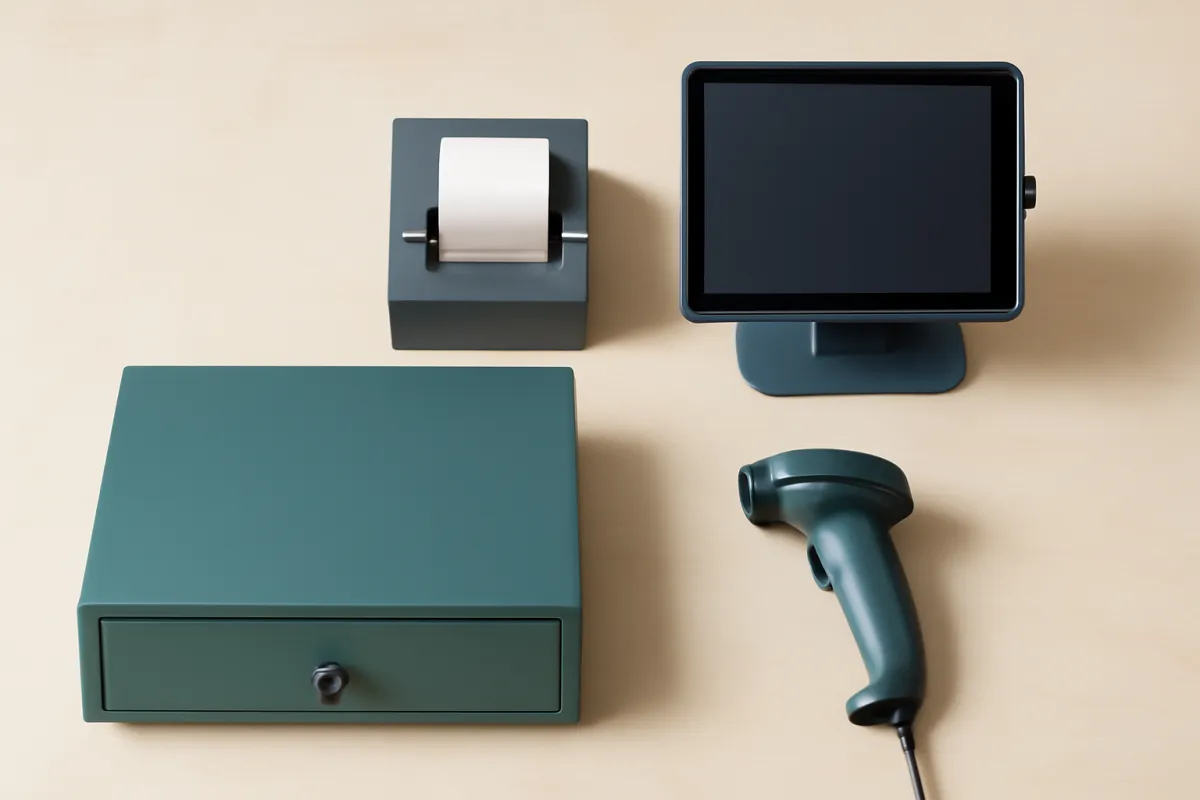
What's in this verdict
- What is inventory management software?
- Types of inventory management software
- What inventory management software does
- Who needs inventory management software
- Stock management: tracking stock and stock levels
- Reorder points and low-stock alerts
- Overstock management: dealing with excess stock
- Barcodes, SKUs, and scanning
- Multi-location and warehouse management
- Purchase orders and supplier management
- Reporting and inventory analytics
- Features to compare across systems
- Integration with POS, accounting, and ecommerce
- Inventory management software for retail
- Who needs it: warehouse, ecommerce, and restaurant
- Pricing models and what drives cost
- Free vs paid inventory software
- Cloud vs on-premise inventory software
- How to choose inventory management software by size
- How to weight inventory software criteria
- A feature and tier comparison table
- Worked example: a retail shop chooses inventory software
- Common mistakes when choosing inventory software
- How to run a real trial
- When to revisit your inventory software choice
- The bottom line
Short answer: Inventory management software keeps one live, trustworthy count of your stock: it tracks stock in real time, sets reorder points, handles barcodes and SKUs, manages multiple locations, raises purchase orders and reports on what is selling. Choose one from your own operation outward, by product count, locations, sales channels and the point-of-sale, ecommerce and accounting tools it must connect to, then price the subscription, setup and add-ons across a full year.
What is inventory management software, and which one should you buy? It is the software that keeps one live, trustworthy count of your stock, and for a retail shop the right system is almost never the one with the longest feature list or the lowest advertised plan. It is the one that keeps your stock counts accurate through a normal week of selling, reorders the right products before they run out, and connects cleanly to the point-of-sale and accounting tools you already run, all at a total cost you have actually priced across a full year. Most owners approach it backward. They pick a system on a low monthly sticker, import their products, and discover a month later that the plan caps the number of locations they need, that a promised integration is a shallow one-way export, and that the stock count still drifts because sales in the online store never reduced the shelf. The software becomes another place to re-key numbers instead of the single source of truth it was supposed to be.
This verdict runs the decision the other direction, from your own business outward. It covers what inventory management software actually does, the types you will meet, who genuinely needs it, the core features worth comparing, how integration with your point-of-sale, accounting, and ecommerce tools decides whether the system helps or hurts, the pricing models and free versus paid reality, the cloud versus on-premise choice, and how to choose inventory management software at your own size. It sits alongside our walkthroughs for choosing a POS system and accounting software, our POS cost verdict, and our true-cost method, because a retail stock tool almost never stands alone. Keep the true-cost calculator and the companion on this page open as you read, and price your own choice as you go.
Key takeaways
- Inventory management software tracks stock in real time, sets reorder points, handles barcodes and SKUs, manages multiple locations, raises purchase orders, and reports on what is selling. Its core job is one accurate, live count you can trust.
- Choose from your own operation outward: your product count, locations, sales channels, and the tools you already run. The right system covers your few real must-haves, not the modules that demo well and sit unused.
- Integration decides most of the value. For a retailer the point-of-sale connection matters most, with ecommerce sync and an accounting link close behind, so every sale reduces the count without anyone re-keying it.
- Price the whole thing across a full year: the subscription, one-time setup and data import, and any per-location or per-integration add-ons. The plan sticker alone is rarely the real number.
- Size the choice for where you are heading. A free or starter tier can run a genuinely small shop, but confirm the paid tier you would grow into before a cheap start becomes an expensive forced switch.
What is inventory management software?
Inventory management software is the tool that keeps a live, accurate record of the products a business owns: how many there are, where they sit, and what they are worth, updated automatically as stock is sold, received, transferred, and written off. That one sentence is the whole category. Everything else, reorder alerts, barcode scanning, purchase orders, multi-location transfers, and reporting, is machinery built around keeping that single count trustworthy and putting it to work. If a spreadsheet is a photograph of your stock that goes stale the moment someone forgets to update it, inventory software is a live feed wired into your sales. The same thing is sold under several names, stock control, stock management software, or inventory and stock management software, and none of those names marks a different category.
The category comes in a few shapes worth telling apart before you shop, from a standalone system down to the stock module already sitting inside a point-of-sale platform, and the next section sets them side by side. Nearly all of them today are cloud subscriptions billed monthly, a model the pricing sections later in this verdict take apart.
Who is it for? Any business whose stock moves faster than a person can track by hand: retailers selling in store and online, ecommerce sellers spread across marketplaces, warehouses filling orders, and food businesses racing expiry dates. The definitional test is simple. If you are asking what inventory management software is because your counts keep drifting or you keep selling items you do not have, you are already the buyer it was built for, and the rest of this verdict is about choosing one from your own operation outward rather than from a vendor pitch inward.
Types of inventory management software
The types of inventory management software differ less in what they do than in where they live, and telling them apart before you shop saves you from comparing a stock module against a warehouse platform as though they were the same purchase. Four shapes cover most of what a small or mid-sized business will meet, and the right one falls out of how you sell rather than from any ranking.
Standalone inventory systems are dedicated tools that sit between your point-of-sale, accounting, and online store, and they carry the deepest stock features: multi-location transfers, lead-time-aware reorder points, purchase orders across several suppliers, and fuller reporting. They cost a second subscription, and they earn it once stock is the part of the business that actually hurts.
Built-in inventory modules ship inside point-of-sale and ecommerce platforms. They are lighter, they are already wired to the sales that drive the count, and they add no separate bill, which makes them a sensible default for a small single-channel shop. The limit tends to show at multi-location transfers, purchase orders, and forecasting, which is usually where a business outgrows the module rather than the platform around it.
Warehouse management systems add bin and shelf locations, picking and packing workflows, and receiving against purchase orders. They suit distribution and fulfillment operations where finding the item is as much work as counting it. Industry-specific tools are the fourth shape: food and hospitality systems track ingredients, batches, and expiry dates, while manufacturing tools add a bill of materials so finished goods draw down their components. If your stock has a shelf life or gets assembled, that specialization is usually worth more than a longer general feature list.
Two further choices cut across all four rather than forming types of their own. Cloud or on-premise decides where the software runs and how it is billed, and free or paid decides which limits you live with; both get their own sections later in this verdict. Pick the shape first, from your channels, locations, and what your stock actually is, then compare products inside it, because a starter module priced against a warehouse platform is a comparison with no useful answer.
What inventory management software does
Inventory management software keeps a live, accurate count of what you have, where it is, and what it is worth, and it automates the work of keeping that count right as stock moves in and out. At its simplest it replaces the spreadsheet and the clipboard with one shared record that updates as you sell, receive, and transfer goods. At its fullest it plans your reordering, tracks products across several locations, and feeds accurate numbers to your point-of-sale, accounting, and online store so nobody re-enters them by hand. The core promise is a single source of truth for stock that every part of the business can rely on.
Underneath that promise sit a handful of jobs the software does repeatedly. It tracks stock levels in real time so the count on screen matches the shelf. It sets reorder points and raises low-stock alerts so you replenish before you run out. It handles barcodes and SKUs so items scan quickly and uniquely. It manages stock across multiple locations and moves it between them. It creates purchase orders to suppliers and records what arrives. And it reports on what is selling, what is sitting, and what your stock is worth, so buying and pricing decisions rest on numbers rather than guesses.

The reason this matters is money hiding in two failure modes. Too little stock means stockouts, lost sales, and disappointed customers who buy elsewhere. Too much stock means cash tied up on shelves, storage cost, and goods that age or expire. Good inventory software is the tool that keeps you between those two edges by making the count trustworthy and the reordering timely, which is why a retailer moving real volume usually reaches the point where the manual method costs more in lost sales and wasted hours than the subscription ever will.
Who needs inventory management software
Not every business needs dedicated inventory software, and pretending otherwise wastes money. A one-person shop with a dozen products and a single sales channel can often run on a spreadsheet or the basic stock feature built into a point-of-sale app. The need appears when stock moves in more than one place at once, when the product count climbs past what a person can hold in their head, or when the cost of a stockout or an oversell starts to sting. The clearest signal is simple: if you are re-keying stock numbers by hand, regularly selling items you do not actually have, or spending hours on manual counts, you have usually outgrown the manual method.
Four kinds of operation feel that need most sharply. Retailers, especially those selling both in a store and online, need the count to stay right across every channel at once. Warehouses and distributors need location, bin, and picking accuracy across large product ranges. Ecommerce sellers need live stock sync so a sold-out item disappears from the storefront before it oversells. And food businesses, from restaurants to cafes, need ingredient-level tracking with expiry dates so they order the right amount of perishable stock. Each of these pushes past what a spreadsheet handles well, and each values a different part of the software.
If your business sits below that line today, the honest answer is to wait, keep the spreadsheet, and revisit when the pain is real. If it sits above the line, the question is not whether to use inventory software but which one, and the rest of this verdict is about answering that from your own needs rather than a vendor pitch. Enter your product count, locations, and order volume in the companion on this page to see roughly where your business lands and what the software would cost you.
Stock management: tracking stock and stock levels
Real-time stock tracking is the feature everything else depends on, because a count that is wrong is worse than no count at all. The job sounds simple, always know how many of each item you have, but it only works if every event that changes stock updates the number automatically: a sale at the counter, an online order, a return, a transfer between locations, a delivery received, and a write-off for damage or shrinkage. When those events all feed one live count, the number on screen matches the shelf, and staff can trust it enough to sell against it and reorder from it. When they do not, the count drifts, and people stop believing it within weeks.
The practical test of a stock-tracking system is whether it stays accurate without constant manual correction. Look for a live count rather than a nightly batch update, support for the stock events your business actually generates, and a clean way to run periodic counts and adjustments so you can reconcile the software against a physical count without redoing everything. For a retailer selling across a store and an online shop, the tracking has to span both channels at once, because two separate counts that drift apart are the fastest route to overselling.
Watch for systems that treat stock tracking as a passive ledger you update rather than a live number driven by your sales. The difference shows up the first busy week, when a passive system falls behind and an active one keeps pace. Accurate tracking is also what makes every other feature trustworthy: reorder points only help if the count that triggers them is right, and reporting only informs if the stock values it rests on are real. Treat tracking accuracy as the non-negotiable core, and judge everything else against how well it keeps that count honest.
Reorder points and low-stock alerts
A reorder point is the stock level at which you should order more of an item, and a system that manages reorder points well quietly prevents most stockouts. The software watches each product’s count, and when it drops to the level you set, it flags the item as needing a reorder or, in more advanced tools, drafts the purchase order for you. Done properly, this turns replenishment from a memory task into a routine the software prompts, so you stop discovering a bestseller is out only when a customer asks for it. Low-stock alerts are the same idea surfaced actively, a notification rather than a report you have to remember to open.
The sophistication varies a lot between tiers and is worth comparing directly. A basic system lets you set a fixed reorder point per product by hand. A better one accounts for how fast an item sells and how long the supplier takes to deliver, so the reorder point reflects real lead time rather than a guess. The most advanced tools forecast demand from your sales history and adjust reorder points automatically, which matters most for businesses with seasonal swings or large product ranges where setting each point by hand is impractical.
Watch for two failure modes at the edges. Reorder points set too low still let you stock out during the supplier’s lead time, while points set too high tie up cash in stock you do not need yet. Neither the software nor a default setting knows your business, so plan to set the important points deliberately from your own sales speed and supplier reliability, then let the system watch them. For most retailers, getting reorder points right on the top-selling products is where inventory software pays back fastest, because those are the items a stockout costs you the most.
Overstock management: dealing with excess stock
Stockouts get the attention, but the opposite failure costs quietly and for longer. Overstock is cash sitting on a shelf: money you have already spent that cannot be spent again, plus the storage it occupies, plus the discount you will eventually take to move it, plus the risk that it ages, expires, or falls out of season before it sells. Searches for overstock management software usually land on the same systems covered here, because there is rarely a separate product for it. Managing overstock is the reporting, reordering, and purchasing side of an ordinary inventory system, used deliberately.
Four capabilities do most of that work, and they are worth checking on a shortlist if excess stock is your real problem rather than running out. Aging and slow-moving stock reports show what has not sold in a defined period, which is how dead stock becomes visible before it becomes a write-off. Stock cover, often shown as days or weeks of supply, sets what you hold against how fast it sells, so a big quantity of a fast seller and a small quantity of a slow one get judged correctly rather than by count alone. Maximum stock levels, the mirror of a reorder point, cap how much a replenishment suggestion will order. And multi-location transfers let you move stock to the site where it actually sells instead of discounting it where it does not.
The honest limit is that software surfaces the problem and rarely causes or cures it. Overstock usually comes from ordering on instinct, from supplier minimums that force a bigger buy than you need, or from a seasonal bet that did not land, and no report changes any of those on its own. What the software buys you is early sight: a weekly look at what is aging and what carries more cover than it deserves, in time to slow a reorder, run a promotion, or bundle the item rather than write it off at the end of the season. If excess stock is where your money is stuck, weight aging reports and stock cover heavily on your shortlist, and confirm they exist on the tier you are actually pricing rather than on the demo account.
Barcodes, SKUs, and scanning
A SKU, or stock keeping unit, is the unique code your business assigns to each distinct product, and it is the backbone that lets software tell one item from another. A barcode is the machine-readable version of that code, printed on a label and read by a scanner or a phone camera. Together they make stock work fast and accurate: instead of typing a product name and hoping it matches, staff scan a code and the exact item, size, and color come up. For any business past a small product count, barcode and SKU handling is what makes receiving, counting, and selling quick enough to keep up with real volume.
Good inventory software lets you build a clean SKU scheme, generate and print barcode labels, and scan items throughout their life in your business: when they arrive from a supplier, when you count them, when you transfer them between locations, and when you sell them. Mobile scanning, using a phone or a handheld device rather than a fixed station, matters especially for warehouses and for stock counts on the shop floor, because it lets the count happen where the stock is. Support for product variants, the same style in several sizes or colors each with its own SKU, is essential for apparel and similar retail.
Watch for the gap between claiming barcode support and doing it well. Some systems only read barcodes you paste in one at a time, while a genuinely useful one drives a scan-based receiving and counting workflow that saves real hours. If your products already carry manufacturer barcodes, check the software reads them rather than forcing you to relabel everything. And keep the SKU scheme simple and consistent from the start, because a messy coding system is painful to fix later and undermines every report that groups products by code.
Multi-location and warehouse management
The moment your stock lives in more than one place, a store and a stockroom, two shops, a shop and a warehouse, or several warehouses, inventory management gets meaningfully harder, and multi-location support becomes a real selection criterion rather than a nice-to-have. The core requirement is a single system that knows how much of each item sits in each location while still giving you one consolidated view across all of them. Without that, you are back to separate counts that drift apart, and the whole point of the software, one trustworthy number, is lost.
Beyond simply knowing what is where, multi-location systems handle stock transfers between sites, so moving goods from a warehouse to a store reduces one count and raises the other correctly. Warehouse-grade tools go further with bin and shelf locations, so a picker knows exactly where an item sits, and with picking and packing workflows that speed order fulfillment. If you run a genuine warehouse operation, those features separate a light retail tool from one built for the job, and forcing a single-location tool to fake multi-location usually fails the first time a transfer goes wrong.
Watch how plans price locations, because this is where costs climb quietly. Some systems include a set number of locations in a tier and charge for each one beyond it, so a two-location shop and a five-location chain can pay very different prices on the same product. Confirm the plan you are pricing genuinely supports your number of locations as first-class stock sites, not as a workaround, and test a transfer in the trial before you trust it. Enter your location count in the companion on this page to see how it moves your illustrative monthly and first-year cost.
Purchase orders and supplier management
A purchase order is the document you send a supplier to buy stock, and inventory software that handles purchase orders well closes the loop between knowing you are low and actually reordering. Instead of tracking reorders in a separate email thread or spreadsheet, you raise the purchase order inside the system, send it to the supplier, and when the goods arrive you receive them against that order, which updates your stock count automatically and records what you paid. This keeps your incoming stock, your on-hand count, and your costs in one place, which matters for both reordering and for the accurate cost of goods your accounting depends on.
The useful features here build on each other. At a minimum the system should let you create and send purchase orders and receive stock against them. Better tools store supplier details, lead times, and per-supplier pricing, so the reorder knows who to buy from and how long delivery takes. The most capable ones suggest or draft purchase orders automatically from reorder points, group items by supplier, and track partial deliveries when an order arrives in pieces. For a business that reorders regularly from several suppliers, this supplier management is a genuine time saver rather than a checkbox.
Watch for systems that treat purchase orders as an afterthought bolted onto stock tracking, because the receiving step is where accuracy is won or lost. If received goods do not update the count cleanly, or if partial deliveries confuse the system, your carefully tracked stock drifts at exactly the moment new stock arrives. If regular reordering from multiple suppliers is central to your operation, weight purchase order and supplier features heavily, and test a full cycle, raise an order, receive it partially, then complete it, during the trial.
Reporting and inventory analytics
Reporting is where inventory data turns into decisions, and it is often the difference between software that merely records stock and software that helps you run the business better. The reports worth having answer the questions you are actually asked: what is selling and how fast, what is sitting and tying up cash, what your total stock is worth, and which products make you the most margin. Inventory valuation reporting matters for your accounts and for understanding how much money is on your shelves, while sell-through and stock-turn reports tell you which products to reorder more of and which to stop buying.
The depth varies by tier and by how you sell. Basic reporting shows current stock counts and simple sales totals. Stronger tools add trends over time, so you can see a product’s velocity rise or fall, and slow-moving or dead-stock reports that flag what to discount or discontinue. The most advanced add demand forecasting, projecting future sales from history so you can plan buying ahead of a season. For a retailer, the reports that earn their keep are usually the plain ones, what is selling, what is not, and what stock is worth, because those drive the buying and pricing decisions you make every week.
Watch for the difference between a dashboard that looks impressive and reports that answer your real questions. A wall of charts is not the same as being able to pull, in two clicks, the numbers you actually act on. During a trial, try to produce the specific reports you rely on, or wish you had, rather than admiring the sample dashboard on the vendor’s demo data. And confirm you can export the underlying numbers, because a report you cannot get out of the system is a report you do not fully own.
Features to compare across systems
With the core features understood, comparing systems becomes a matter of scoring each against a short, honest list of what you genuinely need rather than a long list of what sounds good. The features worth putting side by side are the ones covered above, stock tracking accuracy, reorder points and alerts, barcode and SKU handling, multi-location support, purchase orders and supplier management, and reporting, plus the integrations covered next and the total cost. Most businesses have only a handful of true must-haves and a long tail of nice-to-haves that vendors will happily reframe as essentials.

A few extra capabilities are worth knowing about because they matter enormously to some businesses and not at all to others. Batch and lot tracking, and expiry-date management, are essential for food, cosmetics, and anything perishable or regulated, and irrelevant for hard goods. Serial-number tracking matters for electronics and high-value items you need to trace individually. Kitting and bundling, selling several components as one product, matters if you assemble or bundle goods. Manufacturing or bill-of-materials features matter only if you make rather than resell. Judge each of these by whether your specific business needs it, not by whether it lengthens the feature list.
The trap in comparing systems is letting the vendor set the criteria. A feature-rich platform demos beautifully and adds cost, configuration, and training you carry every day, while a focused tool that keeps your counts accurate and reorders on time often serves a real shop better. Rank your must-haves, mark the true non-negotiables, and use that ranked list as the rubric you score finalists against. The comparison table later in this verdict lays out how features typically differ across tiers so you can see where your must-haves are likely to sit.
Integration with POS, accounting, and ecommerce
Integration is where inventory software either becomes the single source of truth it promises or turns into one more island someone maintains by hand. Inventory does not live alone: stock is reduced by sales, valued in your accounts, and shown to customers on your storefront, so the software has to connect cleanly to your point-of-sale, accounting, and ecommerce tools. A system that cannot feed those connections leaves someone re-keying numbers, and hand-keyed stock and sales figures are exactly where costly errors and drift creep in. Before you get attached to any candidate, go back to the tools you already run and check each connection.

For a retailer the point-of-sale connection matters most, because every in-store sale should reduce the stock count without anyone touching it. If you sell online, the ecommerce sync is nearly as important and has to run both ways, so a sale online reduces the shelf count and a sale in store removes the item from the online shop before it oversells. The accounting connection comes next: your inventory value and cost of goods should post cleanly into your accounting software rather than being re-entered. Some businesses run inventory as a feature of their point-of-sale system instead of a separate tool, which is a legitimate route worth weighing.
People sometimes shop for accounting and stock management software as if it were a single bundled category. In practice the two stay separate tools that talk to each other: accounting software tracks the money, inventory software tracks the physical stock, and the connection between them, not a merger of the two, is what gives you accurate cost of goods and a stock value your accountant can trust. Our accounting software cost verdict covers the light built-in stock features accounting platforms offer and where they stop being enough for a real stockroom.
Watch the word integration closely, because it covers everything from a deep two-way sync to a shallow one-way export that moves a single field. Ask exactly what data flows, in which direction, and how often, and confirm the connection you need is included in the plan you are pricing rather than gated to a higher tier or metered as an add-on. A real-time two-way sync and a once-a-day one-way push are very different things when you are trying not to oversell, so test the actual sync in a trial rather than trusting the logo on a feature page.
Inventory management software for retail
Inventory management software for retail has its own shape, because a shop’s stock work differs from a warehouse’s or a factory’s. Retail leans on fast barcode scanning at the counter, product variants for size and color, a tight point-of-sale connection so sales reduce stock live, and increasingly an ecommerce sync because so many shops now sell online as well as in person. The reporting a retailer wants is practical: what is selling, what is sitting, what to reorder, and what the stock on the floor is worth. A retail-focused system has these native rather than bolted on, and leaves out the manufacturing features a shop will never use.
The single biggest retail complication is selling across more than one channel at once. A shop with a physical counter and an online store has to keep one accurate count that both draw from, or it will sell the last item twice, once in person and once online, and disappoint a customer. This is why the point-of-sale and ecommerce integrations matter more for retail than almost any single feature: they are what keep the multi-channel count honest. A retailer choosing inventory software should treat those connections as core must-haves, not as extras to add later.
Retail also spans a wide range of sizes, from a single boutique to a multi-store chain, and the right tool shifts a lot across that range. A single small shop may be well served by the inventory built into its point-of-sale platform, avoiding a separate subscription entirely. A growing multi-location retailer usually needs a dedicated system with real multi-location support, transfers, and consolidated reporting. Name your retail format and size honestly first, then judge whether a point-of-sale feature or a standalone inventory system fits, and price both routes across a full year before you decide.
Who needs it: warehouse, ecommerce, and restaurant
Beyond retail, three other operation types push hardest on inventory software, each valuing a different part of it. A warehouse or distribution business needs location accuracy above all: bin and shelf tracking so pickers find items fast, efficient picking and packing workflows, and the ability to handle large product ranges and high order volumes without slowing down. For these operations, mobile scanning and a genuine multi-location, multi-bin model are not optional, and a light retail tool forced into the role usually breaks under the volume and the need for precise put-away and picking.
An ecommerce seller lives and dies on live stock sync, because the storefront must reflect what is actually available or it oversells and cancels orders, which costs both money and reputation. The must-haves here are a real-time, two-way connection to the online store or stores, clean handling of orders flowing in from several sales channels at once, and often the ability to manage stock across multiple marketplaces from one place. An ecommerce seller who sells on more than one platform needs the inventory system to be the hub that keeps every channel’s count in step, which is a different emphasis from the in-store scanning a shop prioritizes.
A restaurant or food business needs something different again: ingredient-level tracking, recipe or bill-of-materials features that reduce ingredient stock as dishes sell, and expiry-date and batch tracking so perishable stock is used and reordered on time. Waste control and food-cost reporting matter more here than in almost any other setting, because margins are thin and stock spoils. A restaurant often handles this through its point-of-sale or a specialized food-inventory tool rather than a general retail system. Across all four cases, retail, warehouse, ecommerce, and restaurant, the lesson is the same: start from what your specific operation does with stock, and pick the tool built for that shape.
Pricing models and what drives cost
Inventory management software is almost always sold as a subscription, but the price you pay depends on more than the headline plan, and understanding the pricing model is how you avoid a nasty surprise in month two. The subscription itself is usually the visible number, billed monthly or annually, and often tiered so higher plans unlock more products, locations, users, orders, or features. On top of that sit costs the plan page tends to underplay: one-time setup and data import to get your existing products into the system, per-location or per-user charges as you grow, and paid integrations or add-ons for connections beyond the basic ones.
What drives your cost up is usually scale: more products, more locations, more users, and more orders per month all tend to push you into higher tiers or add per-unit charges. This is why two businesses on the same named plan can pay very different amounts, and why pricing has to be done at your real size rather than from the cheapest advertised tier. Commonly cited illustrative bands, which move constantly and vary by vendor, run from $0 on a free or starter tier to roughly $50 to $150 a month for a small-business plan and into the several hundreds a month for multi-location or warehouse-grade systems, plus setup that can run from little to a substantial one-time figure.
Where a retail shop's first-year inventory software cost goes
Illustrative split of a small retailer's first-year cost across the software subscription, one-time setup and data import, and integrations and add-ons. Shares sum to 100.
The subscription is usually the largest first-year line, but one-time setup and paid add-ons together can rival it, which is why the plan sticker alone is a poor budget. Your own split depends on your size and how much data you import, so always confirm current pricing with the vendor.
Treat those bands as planning ranges only, and always confirm the vendor’s current pricing and limits directly, because plan structures change often and the caps that matter to you, on products, locations, or orders, are exactly where a cheap tier can pinch. Price the whole first year, subscription plus setup plus any add-ons, at your real product and location count, and use the true-cost calculator and the companion here so the budget is a real number rather than the smallest slice of it.
Free vs paid inventory software
Free inventory management software genuinely exists and is a smart place to start for a genuinely small operation, so the free-versus-paid question deserves an honest answer rather than a reflexive push to pay. Free tools come in two shapes: standalone free tiers from inventory vendors, and the basic stock tracking built into point-of-sale or ecommerce platforms you may already use. For a shop with a modest product count, a single location, and low order volume, a free option can run the whole operation well, and paying for more would be spending money on capacity you will not use.
The catch, and it is a real one, is that free tiers cap something that matters as you grow. The limit might be the number of products or SKUs, the number of locations or users, the orders you can process each month, or the integrations you can connect, and the features you most need at scale, purchase orders, multi-location transfers, demand forecasting, and deeper reporting, tend to sit behind the paid tiers by design. Free is often a carefully engineered on-ramp: genuinely useful, and also built to make upgrading feel natural once you outgrow it. That is not a trick, but it is worth seeing clearly.
The practical way to handle free versus paid mirrors the approach in our free versus paid CRM verdict: start free if your size genuinely fits, but price the paid tier you would grow into before you commit, so a free start does not become an expensive forced migration the moment your product count or locations climb. Ask specifically which limit you would hit first and what crossing it costs, because the jump from free to the first paid tier, and the jump between paid tiers, is where the real pricing decision sits. Model your own size in the companion to see where the free tier would likely run out.
Cloud vs on-premise inventory software
One structural choice shapes the shortlist before any single feature does: whether you run a cloud-based inventory system or an on-premise one. A cloud system runs its software over the internet, stores your data on the vendor’s servers, updates itself automatically, and is billed as a subscription, and it lets you check stock from anywhere, including a phone on the warehouse floor or a laptop at home. Most modern small-business inventory tools work this way, and for good reason: the low up-front cost, automatic updates, and anywhere access fit how most businesses now operate.
An on-premise system, by contrast, is installed on your own server or computers and keeps your data in the building. It trades a larger up-front cost and your own maintenance responsibility for local control, the ability to keep running without an internet connection, and data that never leaves your premises. On-premise still suits operations with strict data-control requirements, genuinely unreliable connectivity, or an existing system they have already paid for and that still works. For most small and mid-sized retailers, though, the cloud route wins on total cost, update cadence, and the remote access that matters when you are not standing at the one machine the software is installed on.
The trade-off to weigh is connectivity against control. A cloud system needs a working connection to stay current, so a business in a location with unreliable internet should ask about offline behavior and how it syncs when the connection returns. An on-premise system keeps running offline but updates less often, ties you to specific hardware, and puts backups and security on you. Decide which matters more to your operation day to day, and remember that migrating between the two later is real work, so it is worth getting the structural choice right the first time.
How to choose inventory management software by size
Business size shapes the right choice more than almost anything, so it is worth matching the tool to your stage deliberately rather than buying the most or least software on offer. A very small or new business, a single location with a modest product count and low order volume, is often best served by a free tier or the inventory built into its point-of-sale system, avoiding a separate subscription until real need appears. The goal at this stage is accurate basics, stock tracking and simple reorder alerts, without paying for multi-location or forecasting features that a single small shop will not touch for a year.

A growing small business, adding products, a second location, or an online channel, is usually the point where a dedicated inventory system earns its cost. Here the must-haves become real multi-location support with transfers, a solid point-of-sale and ecommerce sync, purchase orders for regular reordering, and reporting you act on weekly. This is also where sizing for the future matters most, because choosing a tool you will outgrow in six months means running the whole selection, and a data migration, again soon. Look one stage ahead and confirm the plan and its limits still fit at your projected product and location count, drawing on our migration walkthrough if a move is likely.
A larger or multi-location business needs the fuller systems: robust multi-location and warehouse features, demand forecasting, deeper analytics, broad integrations with an API, and the support and reliability that a high-volume operation depends on. Cost climbs at this scale, so the true-cost method and negotiating the price, covered in our SaaS negotiation walkthrough, both matter more. Whatever your size, enter your product count, locations, and order volume in the companion on this page to see roughly where you land and what an illustrative system would cost you across a full year.
How to weight inventory software criteria
The features and factors in this verdict are not equal, and part of choosing well is knowing which trade-offs to accept when two finalists are close. The weighting below puts stock-tracking accuracy and fit with how you sell at the top for a reason: a system whose count you cannot trust, or that does not match your retail, warehouse, or restaurant shape, fails at the jobs that decide whether it helps or hurts, no matter how many extras it lists. Integrations sit high too, because an inventory tool that cannot feed your point-of-sale and accounting becomes an island someone maintains by hand.
How to weight inventory management software criteria
An illustrative starting weighting, out of 100, for scoring inventory software candidates. Adjust the numbers to your own business before you score anything.
Widths are drawn from each weight against the largest one (26). Accuracy and fit together carry nearly half the decision here, because a count you cannot trust or a tool built for the wrong operation fails at the jobs that matter most.
Cost sits in the middle on purpose. It matters, and a system you cannot afford across a full year is the wrong choice, but paying slightly more for a tool whose count you trust and that fits your operation usually beats saving on one that drifts or fights your workflow. Ease of use and support sit lower only relative to the others, not because they are unimportant: a system your staff cannot run, or a vendor that vanishes when a sync breaks, undoes the value of every feature above it, so treat these as a floor every finalist must clear rather than a place to trade away.
Use the weighting as a starting point and adjust it to your business before you score anything. An ecommerce seller might raise integrations above fit; a warehouse might raise fit and accuracy higher still; a tight-budget shop might raise cost. The point of weighting is to decide what matters before a demo dazzles you, so that when two systems are close you break the tie on the criteria you set in advance rather than on the feature that impressed you last.
A feature and tier comparison table
Inventory software tends to gate features by tier in a fairly predictable pattern, and seeing that pattern helps you judge which tier your must-haves actually sit in before you talk to a single vendor. The table below lays out how capabilities typically differ across a free or starter tier, a growth tier, and an advanced tier. Every entry is a general pattern, not a specific product, and the price bands are illustrative planning ranges rather than quotes, so confirm current pricing and exact limits with any vendor you shortlist.
| Capability | Free / starter tier | Growth tier | Advanced tier |
|---|---|---|---|
| Products and SKUs | A few hundred | Thousands | Effectively unlimited |
| Stock locations | Usually one | Two to several | Many, with transfers |
| Reorder points and alerts | Basic, manual | Full, lead-time aware | Automated, demand-based |
| Barcode and SKU scanning | Sometimes | Yes | Yes, with mobile app |
| Purchase orders | Limited or none | Yes | Yes, multi-supplier |
| Integrations (POS, accounting, ecommerce) | One or two | Several | Broad, with API |
| Reporting | Current counts | Standard reports | Custom and forecasting |
| Illustrative price band | $0 | Tens per month | Hundreds per month |
Read the table as a map of where your must-haves land rather than a ranking, because the right tier is simply the lowest one that covers everything you genuinely need. If your must-haves are accurate tracking, reorder alerts, and one location, a starter tier may serve you well and paying for an advanced plan wastes money. If you need multi-location transfers, purchase orders, and an ecommerce sync, you are realistically in the growth tier or above, and pricing the starter tier is a false economy. Match your ranked must-have list from the weighting above against this pattern, then confirm the exact limits with the vendors on your shortlist, because the caps that pinch, on products, locations, or orders, are set differently by each one.
Worked example: a retail shop chooses inventory software
Consider a small retailer running this decision with illustrative numbers, so the process is concrete. A clothing boutique carries around 1,200 SKUs across a single store, sells the same styles online through a small ecommerce shop, and does an illustrative 800 orders a month across both channels. Its stock keeps drifting because the online store and the counter track separately, and it has oversold two popular items in a month, which is what pushed the owner to look for real inventory software. Every figure here is illustrative and internally consistent; a real shop’s numbers will differ, and current vendor pricing should be confirmed directly.
The owner starts from needs, not products. The must-haves are accurate stock tracking across the store and the online shop at once, a two-way ecommerce sync so an item cannot oversell, barcode scanning with variant support for sizes and colors, reorder alerts on the bestsellers, and a clean link into the shop’s accounting. Multi-location is not needed yet, one store, but a second location is a year-out possibility, so the owner wants a system that could add one without a migration. Demand forecasting is a nice-to-have, not a must, at this size.
Pricing across a full year, the owner rules out the free tier because it caps at a few hundred products and the shop carries 1,200, and lands on a growth tier at an illustrative $99 a month, plus a modest one-time setup to import the product catalog, plus one paid connector for the ecommerce sync. That is the real budget, not the headline plan. Two systems clear the must-haves, so the owner trials both through a normal week: importing a slice of the catalog, scanning a delivery in, selling across both channels, and watching whether the counts stay in step. One keeps the store and online counts perfectly synced and reorders cleanly; the other lags the online count by hours. The choice makes itself, and it arrives boring and well-evidenced, which is exactly the goal. Model your own version in the companion on this page.
Common mistakes when choosing inventory software
The same handful of mistakes sink most inventory software decisions, and all of them come from letting the vendor or the advertised plan set the terms instead of your own needs and numbers.
- Pricing only the subscription. The monthly plan is the visible number, but one-time setup, data import, per-location charges, and paid integrations can rival it in the first year. Price the whole thing at your real size, not the cheapest advertised tier, or the budget you set will be the smallest slice of the real cost.
- Buying more system than your operation needs. A warehouse-grade platform impresses in a demo and adds cost, configuration, and training a single shop carries every day. Match the tool to your size and shape, because a focused system that keeps counts accurate beats a broad one you pay to ignore.
- Underrating integration. Inventory software that cannot sync with your point-of-sale, ecommerce, and accounting becomes an island someone re-keys by hand, which reintroduces the very drift you bought the software to end. Confirm the connections you need are real two-way syncs, included in your plan, before you commit.
- Ignoring the caps that pinch. Free and lower tiers cap products, locations, users, or orders, and hitting a cap mid-growth forces an unplanned upgrade or migration. Ask which limit you would hit first and what crossing it costs, and price the tier you will grow into.
- Skipping a real trial. Choosing on demos means choosing on the vendor's clean sample data. Without a trial that runs your real stock movements, a delivery received, a multi-channel sale, a transfer, you are guessing, and the guess is locked into a plan and your imported data.
- Trusting the count without reconciling. Even good software drifts if nobody runs periodic physical counts against it. Plan to reconcile, and choose a system that makes counts and adjustments easy, because an unreconciled count quietly becomes as unreliable as the spreadsheet you replaced.
How to run a real trial
Everything to this point is preparation; the trial is where you learn the truth, and it only works if it is real and tests the way your business actually moves stock. A casual tour of a demo account teaches you almost nothing, because the vendor drives, the sample data is clean, and none of your real complications, a partial delivery, a multi-channel sale, a transfer, a variant, ever appear. A real trial, where the vendor allows one, sets up a small slice of your actual catalog and runs a normal week of stock movements through it with the people who will actually use it. Our software trial walkthrough lays out the full sequence.
Structure the trial around real stock events rather than a feature tour. Import a handful of your real products, including a variant product with several sizes or colors, so you see how the system handles them. Receive a delivery against a purchase order, including a partial one, and check the count updates cleanly. Ring up or sync a sale across every channel you use, a store sale and an online order, and watch whether both counts stay right. If you run more than one location, test a transfer. Then pull the specific reports you rely on and confirm they give you the numbers you act on, not just a pretty dashboard.
Two checks are easy to forget and matter a lot. Test the integrations for real, not on the vendor’s word: connect the point-of-sale or ecommerce sync in the trial and confirm it moves data both ways at the speed you need, because a once-a-day one-way push and a live two-way sync behave very differently when you are trying not to oversell. And confirm a clean data export exists before you commit, because your stock records are yours, and a system you cannot get your data out of is one you cannot leave. Book a decision date before the trial starts, so it ends in a verdict rather than drifting into a default subscription.
When to revisit your inventory software choice
An inventory software decision is not permanent, and treating it as final is how businesses end up paying for a system, and a set of limits, that stopped fitting stages ago. Put a reminder on the calendar to reassess once a year, when you have a full year of real use and a clear memory of what your staff actually used, what quietly went unopened, and whether the count stayed trustworthy through your busiest weeks. The questions are simple: did the stock stay accurate, did the reorder alerts prevent stockouts, did the integrations hold, and has the total cost stayed matched to the value it delivers?
Reassess sooner if any of a few things happen. Your product count or order volume climbs sharply, because that can push you past a tier’s caps and change which system fits. You add a location or a sales channel, because multi-location and multi-channel selling raise the stakes on the transfers, sync, and consolidated reporting your current tool may handle poorly. Your business shape changes, adding perishable goods that need expiry tracking, or manufacturing that needs a bill of materials, at which point the fit question is worth reopening. Or the integrations you depend on change, because a point-of-sale or accounting switch can strand an inventory tool that only connected to the old one.
Revisiting on a schedule, with the same criteria you used to choose, keeps the decision honest and keeps you from defaulting into a renewal, and a set of limits, you would not choose fresh. When you do reassess, run the current setup through the true-cost calculator and weigh it against what a fresh choice would cost and deliver, so the renewal is a decision rather than a habit. A tool that fit perfectly at 500 products and one location may be straining at 3,000 products and three locations, and catching that at the yearly check is far cheaper than discovering it during a stockout.
The bottom line
Choosing inventory management software is not about finding the system with the most features; it is about finding the one that keeps your stock count trustworthy for the way your business actually sells, at a cost you have priced across a full year. Run the decision from your own operation outward: your product count, locations, and sales channels; the few features you genuinely must have, starting with accurate real-time tracking; the integrations with your point-of-sale, accounting, and ecommerce tools that keep the count from becoming an island; an honest price across subscription, setup, and add-ons; the cloud-versus-on-premise and free-versus-paid choices sized to your stage; and a real trial through a normal week of stock movements before you commit. For a retailer selling across a store and an online shop, the multi-channel count and its integrations matter more than any single extra, so weight them heavily. Do it in that order and the choice arrives calm and well-evidenced instead of loud and regretted the first week the count drifts. The demo belongs to the vendor. The decision, made this way, belongs entirely to you. Price your own choice in the true-cost calculator and the companion on this page before you sign a thing.
VetLoft works for buyers and never for vendors, and this verdict reflects that: it is educational material, not procurement, accounting, tax, or operational advice, and no feature or figure here is a rule for your specific business. The right inventory system depends on your product range, your locations, how you sell, the tools you already run, and the deal in front of you, all of which shift over time. Subscription prices, tier limits, setup fees, integration options, and free-tier caps change often and vary by vendor and by your size, so treat every number in these pages as illustrative and confirm the current figures, especially the plan limits and any per-location or per-integration charges, directly with the provider before any plan, migration, or signature is committed.
Frequently asked questions
What is inventory management software?
Inventory management software is a tool that keeps a live, accurate count of the products a business has, where they are, and what they are worth, updating that count automatically as goods are sold, received, transferred, and written off. Beyond the count itself, it typically sets reorder points and low-stock alerts, handles barcodes and SKUs, manages stock across multiple locations, raises purchase orders to suppliers, and reports on what is selling and what is sitting. It comes both as standalone systems and as stock modules built into point-of-sale and ecommerce platforms, and it is usually billed as a monthly subscription. The core promise is one trustworthy stock number that the counter, the online store, and the accounts all share, so nobody re-keys counts by hand.
What is the best inventory management software for retail?
There is no single best inventory management software for retail, because the right tool depends on how you sell, how many products and locations you carry, and what you already run at the counter. A single-location boutique with a few hundred products needs something very different from a chain moving thousands of SKUs across several stores and an online shop. The honest way to pick is to write down your real needs first, list the few features you genuinely must have, price the whole thing across a full year, confirm it connects to your point-of-sale and accounting tools, and run a real trial before you commit. The best system is the one that keeps your stock counts accurate through a normal week at a total cost you have actually priced, not the one with the longest feature list.
How much does inventory management software cost?
Inventory management software is usually billed as a monthly subscription, and commonly cited illustrative bands run from $0 on a free or starter tier to roughly $50 to $150 a month for a small-business plan and into the several hundreds a month for multi-location or warehouse-grade systems. On top of the subscription you often pay one-time setup and data-import costs and sometimes per-location or per-integration add-ons, so the plan price alone rarely tells you the real number. For most retailers the subscription is the largest ongoing line, though setup can dominate the first year. Price all of it across twelve months at your real product count and location count, and always confirm current pricing directly with the vendor, because plans and limits change often.
Do I really need inventory software, or can I use a spreadsheet?
A spreadsheet can genuinely run a very small, single-location shop with a handful of products and one person updating it, and starting there is reasonable rather than a mistake. The trouble begins when sales happen in more than one place at once, a store and an online shop, two locations, or several staff, because a spreadsheet has no live link to your sales and drifts out of date the moment someone forgets to update it. Dedicated inventory software earns its cost when the manual counting, the overselling, and the stockouts start costing you more time and lost sales than the subscription. If you are re-keying stock numbers by hand or regularly selling items you do not have, you have usually outgrown the spreadsheet.
What features should I look for in inventory management software?
Look for the features your actual stock work needs, in roughly this order: accurate real-time stock tracking, reorder points with low-stock alerts, barcode and SKU handling, and the multi-location support your footprint requires. Then add purchase orders and supplier management if you reorder regularly, and reporting that answers the questions you are actually asked about what is selling and what is sitting. Beyond those, weigh extras like demand forecasting and batch or serial tracking against whether you will really use them. Keep the must-have list short and tied to how you sell, because a system crowded with modules you never open is harder to run and train staff on than a focused tool that keeps counts accurate.
Should inventory software integrate with my POS and accounting tools?
Integration is one of the most important things to check, because inventory software that cannot talk to your point-of-sale, accounting, and ecommerce tools becomes a place someone re-keys numbers by hand. For a retailer the point-of-sale connection matters most, since every sale should reduce the stock count automatically rather than through a nightly manual update. If you sell online too, confirm the system syncs stock both ways with your store so you do not oversell, and check that it posts inventory values and cost of goods into your accounting software. Ask exactly what data flows, in which direction, and how often, and confirm the connection is included in the plan you are pricing rather than gated to a higher tier.
Is there such a thing as accounting and stock management software in one tool?
Mostly no, not as a single purpose-built category, and that surprises people searching for it. Accounting software and inventory management software are usually two separate tools that connect rather than one product that does both well. Accounting software exists to track money: invoices, expenses, payroll, and tax, and most accounting platforms add only a light stock feature, enough to value inventory on the books rather than to run a busy stockroom. Dedicated inventory software exists to track physical stock in real time: counts, locations, reorder points, and purchase orders, and the better ones post that stock's value into your accounting rather than replacing it. A few all-in-one platforms and point-of-sale systems do bundle both reasonably well at a small scale, so if you are genuinely small it is worth checking whether your accounting software's built-in stock feature covers you before buying a second subscription. Once your product count, locations, or order volume grow, you almost always end up running a dedicated inventory system and an accounting tool side by side, connected by an integration rather than merged into one.
Is there good free inventory management software?
Free inventory management software genuinely exists and can run a small, low-volume shop well, especially free tiers built into point-of-sale platforms or lightweight standalone tools. The honest catch is that free tiers cap something that matters as you grow, the number of products, locations, users, orders per month, or the integrations you can connect, and the features you most need at scale, like purchase orders, multi-location transfers, and forecasting, tend to sit behind the paid tiers. Free is a smart place to start and a fine long-term fit for a genuinely small operation. Just price the paid tier you would grow into before you commit, so a free start does not become an expensive forced migration the moment your product count or locations climb.
Cloud or on-premise inventory software, which is better?
For most small and mid-sized businesses a cloud-based inventory system wins on cost, updates, and access, because the software runs over the internet, updates itself, is billed monthly, and lets you check stock from anywhere including a phone on the warehouse floor. On-premise software, installed on your own server, still suits operations with strict data-control needs, unreliable connectivity, or an existing system they have already paid for, and it trades a larger up-front cost for local control. The main trade-off is that a cloud system needs a working connection to stay current, while an on-premise one keeps running offline but updates less often and ties you to that hardware. Weigh it against how much you depend on connectivity and remote access day to day.
How do I choose inventory software as a small business?
Start from your own operation rather than a vendor feature list. Write down your product count, your number of locations, how you sell (in store, online, or both), the tools you already run, and your rough monthly order volume, then mark the few features you genuinely must have. Shortlist two or three systems that cover those must-haves and integrate with your point-of-sale and accounting tools, price each across a full year at your real size including setup and any add-ons, and run a real trial through a normal week of stock movements before you sign. Size the choice for where you are heading, not just where you are, so you do not outgrow it in six months, and confirm a clean data export exists before you commit.
What are the types of inventory management software?
Four shapes cover most of what a small or mid-sized business will meet. Standalone inventory systems are dedicated tools that sit between your point-of-sale, accounting, and online store, and they carry the deepest stock features. Built-in inventory modules ship inside point-of-sale and ecommerce platforms, lighter and already wired to the sales that drive the count, with no second subscription. Warehouse management systems add bin locations and picking workflows for distribution and fulfillment operations. Industry-specific tools handle ingredients, batches, and expiry dates for food businesses, or a bill of materials for manufacturers. Two further choices cut across all four rather than forming types of their own: cloud or on-premise, and a free tier or a paid plan. Pick the shape first from your channels, locations, and what your stock actually is, then compare products inside it.
What is overstock management software?
In practice there is rarely a separate product category for it. Overstock management is the reporting, reordering, and purchasing side of an ordinary inventory system used deliberately against excess stock rather than against stockouts, so searches for overstock management software usually land on the same tools. Four capabilities do most of the work: aging and slow-moving stock reports that make dead stock visible before it becomes a write-off, stock cover expressed as days or weeks of supply so quantity is judged against sales speed rather than count alone, maximum stock levels that cap what a replenishment suggestion will order, and multi-location transfers that move stock to the site where it sells instead of discounting it where it does not. The honest limit is that software surfaces excess stock early; the causes, ordering on instinct, supplier minimums, or a seasonal bet that missed, are fixed in your buying rather than in the tool.