What's in this verdict
- How much does a POS system cost, in one answer
- The three parts of a POS system’s cost
- POS system cost per month
- The average POS cost, and why it misleads
- What POS hardware costs
- POS terminal and POS machine cost
- Payment processing fees: the real cost
- POS fees, line by line
- The truth about free POS systems
- What a restaurant POS system costs
- Retail versus restaurant POS cost
- The monthly software tiers
- The hidden costs of a POS system
- How POS cost scales with your sales volume
- How the POS fits your software stack
- How to compare POS providers
- The total cost of ownership over a year
- A worked example: a retail shop and a cafe
- The mistakes that inflate a POS bill
- The bottom line
Short answer: A small-business POS commonly costs $0 to a few hundred dollars a month in software, plus a payment-processing fee of roughly 2.5 to 3 percent on every sale, plus one-time hardware from near zero to about $1,500. For most shops with real volume, the processing fee is by far the largest lifetime cost.
POS system cost is three bills wearing one name, which is why how much does a POS system cost has no single answer on any pricing page: a monthly software subscription, the payment-processing fee taken from every sale, and the hardware sitting on the counter. Most articles quote the software plan and stop there, which is the smallest and most predictable of the three, and skips straight past the fee that, for a business with real sales, quietly becomes the largest cost you will ever pay for taking payments.
This verdict prices a POS the way an owner should, from the outside in. It gives the direct answer first, then separates the three cost pieces and shows why the processing fee usually dwarfs the software line. It prices hardware item by item, walks the monthly software tiers, opens up the free-POS catch, splits retail from restaurant, and totals a realistic first year for a small shop and a cafe. It builds on our true-cost verdict, because a POS is the clearest case of the sticker hiding the real bill, and it sits beside our other pricing verdicts on the CRM, the business website, and email software that make up a small business stack. Price your own setup in the true-cost calculator and the companion on this page before you sign with any provider.
Key takeaways
- A POS costs three things at once: software (monthly), payment processing (a percent of every sale), and hardware (one-time). The software plan you see advertised is the smallest of the three.
- The payment-processing fee, commonly around 2.5 to 3 percent per sale, is the biggest lifetime cost for any business with real volume, because it scales with revenue while software stays roughly flat.
- Illustrative hardware bands: a phone reader near $0 to $50, a countertop terminal or stand $150 to $800, and a full retail counter with printer, drawer, and scanner around $600 to $1,500.
- Free POS software is real but earns on processing instead of a subscription, so the per-transaction fee is where a free plan's cost lives, the same on-ramp logic our free-versus-paid coverage describes.
- Restaurant POS costs more than basic retail because of tables, kitchen screens, and multiple terminals, but processing still tends to be the largest line for both.
How much does a POS system cost, in one answer
Ask how much a POS system costs and the useful answer has three numbers, not one. The first is the software subscription, a flat monthly plan that a small shop can often run for $60 to $80 and a free tier can run for $0. The second is the payment-processing fee, a percentage taken from every card sale, commonly in the mid-2 to low-3 percent range plus a small per-transaction charge. The third is hardware, a one-time purchase from a near-free phone reader to a full counter around $1,500.
The mistake almost every buyer makes is treating the first number as the answer. The software plan is the number on the marketing page, it is easy to compare, and it is genuinely the least of your worries. The processing fee is the number on your monthly merchant statement, it is harder to see up front, and for any business moving real volume it is the one that dominates the lifetime cost by a wide margin.
Hold that frame from the start, because it is the frame providers work hardest to keep you from using. A POS quoted at “$79 a month” can easily cost ten times that in processing once a busy month runs through it. The rest of this verdict takes each of the three pieces apart, prices them with illustrative planning bands, and totals a realistic first year, so you compare the whole cost instead of the smallest slice of it.
The three parts of a POS system’s cost
Every POS bill, from the simplest tablet setup to a multi-terminal restaurant, is built from the same three parts. Naming them cleanly is the whole discipline, because providers advertise the cheap one and stay quiet about the expensive one.
Software subscription. The SaaS plan that runs the register: the sales screen, inventory, reporting, staff logins, and the features that separate the tiers. It is billed monthly or annually and is roughly flat regardless of how much you sell. This is the number on the pricing page.
Payment processing. The fee charged to accept a card, a percentage of the sale plus often a fixed per-transaction amount. It is paid on every single sale, so it scales directly with your revenue. This is the number on your merchant statement, and it is usually the largest cost of the three over any real span of time.
Hardware. The physical gear at the counter: a terminal or tablet, card reader, receipt printer, cash drawer, and barcode scanner. It is mostly a one-time purchase, occasionally financed or leased, and it depreciates rather than recurring.

The reason the distinction matters so much is that the three parts behave completely differently as your business grows. Software is roughly fixed, hardware is one-time, and processing is a meter that runs faster the more you sell. A comparison that looks only at the fixed software plan compares the one part that barely moves and ignores the one that does all the moving. As our true-cost verdict argues about SaaS in general, the sticker is the floor, not the cost, and a POS is that lesson at its most extreme.
POS system cost per month
The POS system cost per month that buyers ask about usually means the software subscription, so start there, framed as illustrative planning bands rather than quotes, because POS pricing shifts constantly and varies by provider, region, and plan.
Free tiers sit at $0 a month and cover a basic register, simple inventory, and card acceptance. They make their money on processing rather than a subscription, and they suit a small, low-volume shop.
Small-business plans commonly land around $60 to $80 a month per location and unlock better inventory, reporting, staff management, and some add-on modules. For many single-location retailers and cafes this is the natural home.
Advanced or multi-location plans commonly run from roughly $150 into several hundred a month, adding advanced inventory, multi-store management, deeper reporting, and the features larger or full-service operations need.
But the software plan alone is not your POS system cost per month, because the processing fee is also a monthly number and usually the larger one. A shop doing $30,000 a month at roughly 2.6 percent pays around $780 a month in processing, against a software plan that might be $79. The honest per-month POS cost is the subscription plus the processing on that month’s sales, and the second term moves with your revenue while the first stays put.
Illustrative monthly POS cost by sales volume
Software held at ~$79 a month plus processing at ~2.6% of card sales. Illustrative, varies by provider, plan, and rate.
Widths are drawn from each total against the $100k figure (~$2,679). The software plan is fixed at $79; almost all the growth in the bar is processing, which is why the per-month POS cost tracks your sales, not the pricing page.
The chart shows the shape of it. The flat $79 plan is a rounding error at the top of the range and the whole climb is the processing fee. Model your own volume in the true-cost calculator and the companion on this page to see where your monthly number really lands.
The average POS cost, and why it misleads
“Average cost” is the wrong question asked in good faith, and it is worth answering honestly: no single average survives contact with a real business, because the three parts swing too widely and combine differently for every shop. A phone-reader-and-free-app setup for a weekend market stall and a four-terminal full-service restaurant are both “a POS,” and they share almost no numbers.
What you can give is an illustrative planning picture. Hardware for a small operation commonly falls between $0 and $1,500. Software commonly falls between $0 and a few hundred dollars a month. Processing commonly falls in the mid-2 to low-3 percent range per card sale. Combine those for a typical small shop and the first-year total is usually dominated not by the hardware or the software but by the processing fee, because a percentage of a year of sales is a large number even at a low rate.
That is the real takeaway behind the average question. The pieces people fixate on, the monthly plan and the upfront hardware, are the two smaller and more visible ones. The piece that actually determines what a POS costs you, the processing rate applied to your revenue, is the one no average captures, because it depends entirely on how much you sell. Rather than chase an average, price your own three parts, and weight your attention toward the processing rate, because that is where the money is and where providers compete least visibly.
What POS hardware costs
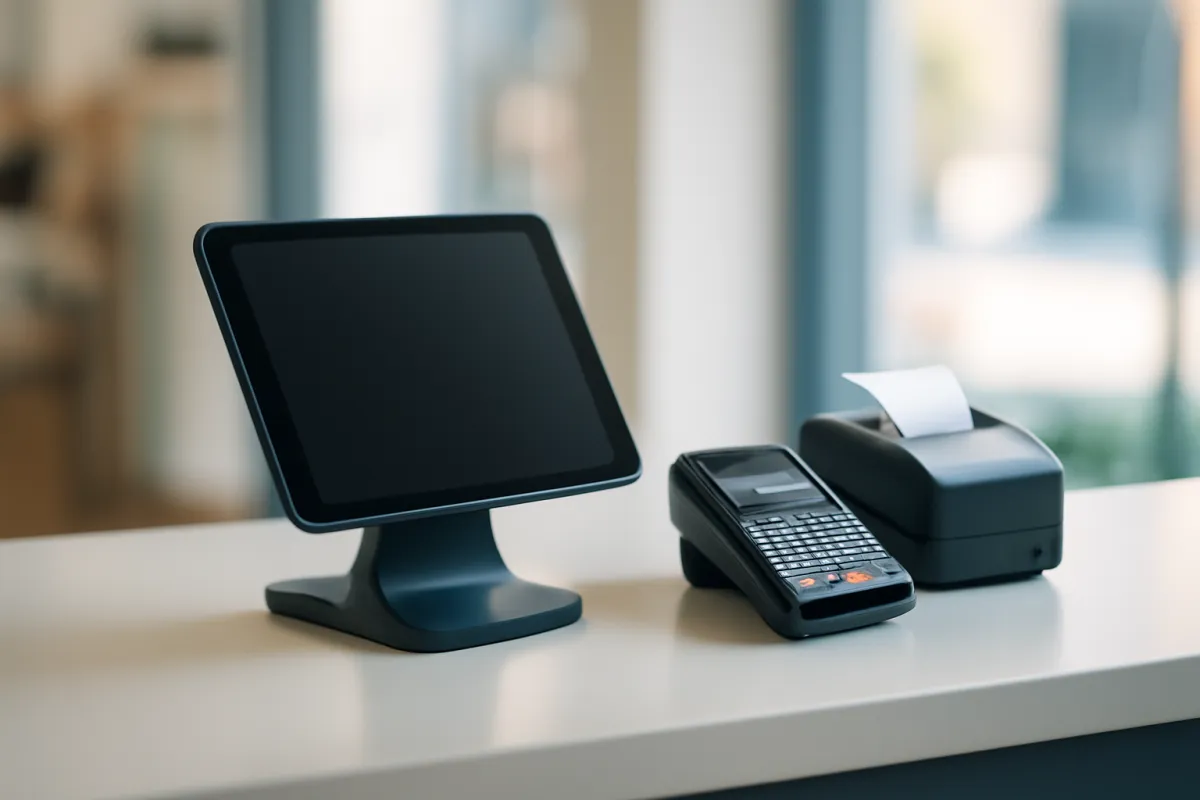
Hardware is the most tangible cost and, for most businesses, the least significant over time, because it is a one-time purchase that does not repeat the way software and processing do. Priced item by item, illustrative and commonly cited:
Card reader: a phone or tablet reader can be free (subsidized by processing) or roughly $30 to $50 for a better contactless model. Terminal or tablet stand: commonly $150 to $800 depending on whether it is a simple stand or an all-in-one smart terminal. Receipt printer: roughly $100 to $300. Cash drawer: roughly $100 to $200. Barcode scanner: roughly $50 to $200. Kitchen display or ticket printer (restaurants): $200 and up per station.
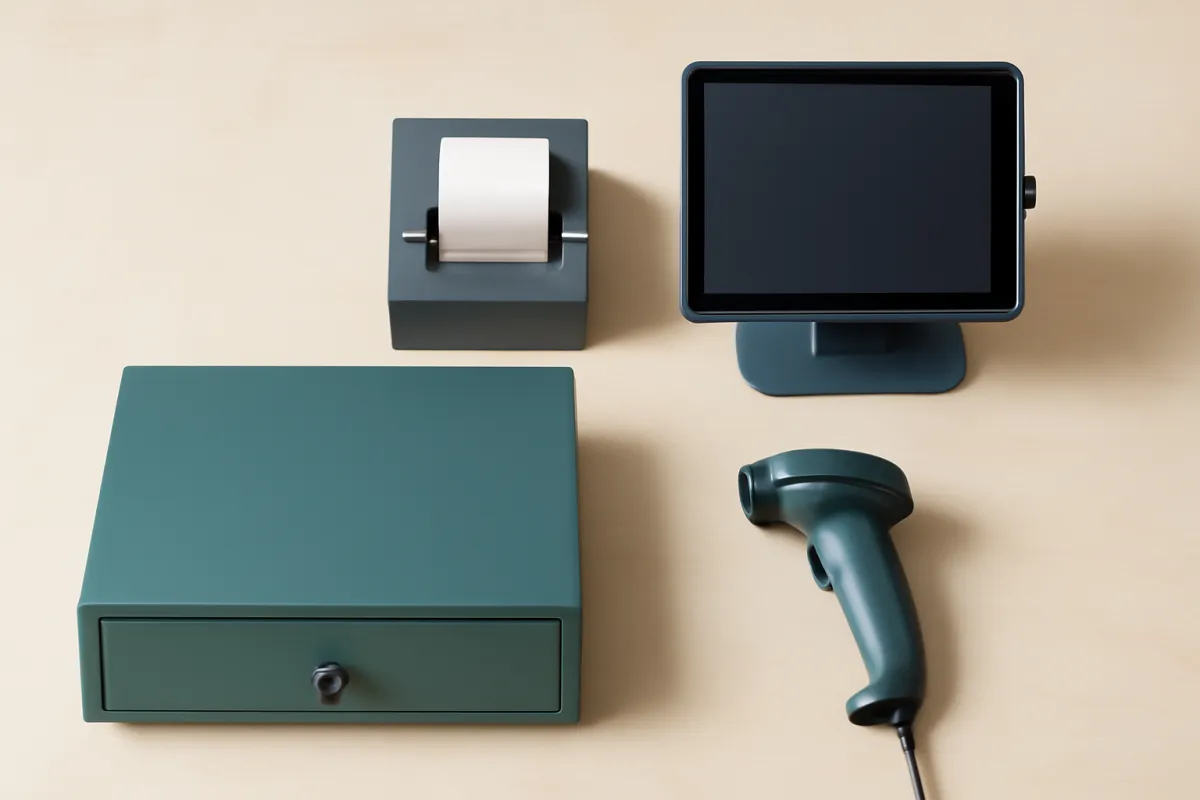
A full single-station retail counter with a stand, printer, drawer, and scanner commonly lands in the $600 to $1,500 range. A quick-service cafe running a tablet, reader, and printer can come in far lower. A multi-terminal restaurant multiplies the per-station cost by the number of stations, plus kitchen screens, which is where hardware becomes a genuinely large line.
Two structural notes. First, some providers offer free or heavily subsidized hardware, which is rarely charity: they recover it through the processing rate, so cheap hardware and a higher percentage can cost more than paid hardware and a lower rate over a year. Second, watch for leasing. A hardware lease spreads the cost into a monthly charge that frequently totals far more than buying outright, and it can lock you to one processor. Price hardware as a one-time capital cost where you can, and treat any “free” gear as a signal to check the processing rate that pays for it.
POS terminal and POS machine cost
“POS machine” and “POS terminal” usually mean the box on the counter rather than the whole system, and the gap between those two ideas is where a lot of confused shopping happens. A POS system is software plus processing plus hardware. A POS terminal, or POS machine, is one piece of that hardware: the device that reads the card, prints or emails the receipt, and passes the sale to the software. Pricing the machine is not pricing the system, and a quote for one is not a quote for the other.
There are three shapes of machine, priced on the same illustrative bands used above. A mobile reader that pairs with a phone or tablet is the cheapest, frequently free or roughly $30 to $50, and it suits a market stall, a mobile trade, or a counter that takes a handful of sales a day. A countertop terminal or tablet stand commonly runs $150 to $800, depending on whether it is a simple stand around a tablet you already own or an all-in-one device with its own screen, printer, and reader built in. A full lane, meaning a terminal plus receipt printer, cash drawer, and barcode scanner, commonly lands in the $600 to $1,500 range, and every additional lane repeats most of that.
The cost of a point of sale machine also depends on who is selling it to you and why. A processor that hands you the machine at or near zero is recovering that cost through the processing rate, so a free terminal at a higher percentage frequently costs more across a year than a bought terminal at a lower one. A leased machine is worse again on the same arithmetic: the monthly lease charge often totals well above the purchase price over the term, and the lease is what keeps you on the processor you signed with.
Two questions settle a machine quote quickly. Is the device locked to one processor, or will it keep working if you move your processing elsewhere? And what is the full effective rate that comes attached to it? Ask both before you compare terminal prices, because on a POS the machine is a small one-time number and the rate attached to it is the large repeating one. Price the terminal you need in the companion on this page alongside the plan and the rate, and treat the hardware line as the least decisive of the three.
Payment processing fees: the real cost
This is the section the pricing pages do not want to be the headline, and it is the headline. The payment-processing fee is the single largest cost of owning a POS for any business with real sales volume, because it is a percentage of every dollar you take, paid forever, while software and hardware stay roughly flat.
The fee has two common shapes. Flat-rate pricing charges one simple percentage plus a fixed amount per transaction, commonly cited around 2.6 percent plus $0.10 for card-present sales and around 2.9 percent plus $0.30 for online or keyed sales. It is predictable and easy to understand, which is why small businesses are steered toward it. Interchange-plus pricing passes through the card networks’ actual interchange cost and adds a fixed markup, which is more transparent and often cheaper at higher volume, but harder to compare at a glance.
The arithmetic is what makes this the real cost. A shop doing $30,000 a month at 2.6 percent pays about $780 a month, or roughly $9,360 a year, in processing alone, against a software plan of perhaps $948 a year and hardware of perhaps $800. The fee is not a little larger than the other two; it is several times larger, and it grows every time the business does. This is the exact dynamic our true-cost verdict describes when a metered cost outruns a fixed one, and on a POS it is the metered cost that defines the whole bill. When you compare providers, the processing rate deserves the attention most buyers spend on the monthly plan.
Where a POS system's first-year cost goes
Illustrative first year for a small shop at $30k/mo sales: software $948, hardware $800, processing ~$9,360. Shares sum to 100.
In this illustrative first year, processing is roughly five in every six dollars the POS costs. The software plan buyers compare on is one dollar in twelve, which is why comparing on the monthly plan alone misleads.
The shape of that chart is the practical reason a cheaper monthly plan can be the more expensive POS. A provider that saves you $20 a month on software but charges half a point more on processing loses you money the moment volume climbs. Price the processing, or price nothing.
POS fees, line by line
Fees are where a POS bill becomes hard to compare, because the same charge travels under different names on different statements. Naming them line by line is the fastest way to make two quotes comparable, and to see which ones grow with the business.
- Software subscription. The flat monthly or annual plan fee, charged per location and sometimes per register.
- Per-terminal or per-register fee. A charge for each device beyond the first, so a second lane is rarely free.
- Add-on module fees. Loyalty, gift cards, online ordering, advanced inventory, and marketing are frequently priced on top of the plan.
- The percentage on each sale. The headline processing rate, usually quoted separately for card-present and for keyed or online sales.
- The per-transaction amount. A small fixed charge on top of the percentage, which bites hardest when your average sale is small.
- Interchange and card scheme fees. The card networks’ own costs, passed through openly on interchange-plus pricing and bundled invisibly into a flat rate.
- Processor markup. What the provider adds above interchange, and the part that is genuinely negotiable.
- Monthly minimum. A floor on processing fees, charged when your volume falls below it.
- Statement or account service fee. A flat monthly charge that has nothing to do with volume.
- Payment-card compliance fee. A recurring charge tied to card-data compliance programs, sometimes with a non-compliance surcharge behind it.
- Chargeback fee. A per-dispute charge, whether you win the dispute or lose it.
- Batch or settlement fee. A small charge each time the day’s takings are settled.
- Gateway or integration fee. For connecting the POS to a separate processor, an online store, or accounting.
- Early termination and hardware lease. Contract exit costs and financed gear, both of which outlive the decision that created them.
Two structural notes make that list usable. Flat-rate pricing bundles interchange, scheme fees, and markup into one percentage, which is what makes it easy to compare and hard to negotiate, while interchange-plus separates them, which is harder to read and easier to push on. And a POS rate quoted as a single percentage is rarely the whole story, because the per-transaction amount, the monthly minimum, and the fixed account charges sit outside it.
The one number that makes a POS fees comparison honest is the effective rate: total fees for a month divided by total card volume for the same month, written as a percentage. It folds every line above into a single figure, which is the only way two providers with different fee structures can be set side by side fairly. Ask each provider for a full line-item quote, work the effective rate on your own volume rather than on their example, and read it beside the plan price rather than instead of it. If the account side of this is unfamiliar, our merchant account explainer covers where most of these charges originate, and the true-cost calculator totals them across a year.
The truth about free POS systems
Yes, and the free POS is one of the most-searched terms in the category, so it deserves a straight answer: free POS software genuinely exists, it is a real option for the right business, and it is not free in the way the word implies. Both things are true at once.
A free tier covers a basic register, simple inventory, card acceptance, and reporting, at $0 a month. For a small, low-volume shop with simple needs, that can be entirely enough, and paying for a subscription would buy features the shop will not use. There is no virtue in a monthly plan you do not need.
The catch is in how a free POS makes its money, and it is not a secret so much as an unread footnote: the provider earns on payment processing instead of a subscription. Free is the offer that gets you onto the processing meter, and the per-transaction fee is where your cost lives from then on. For a low-volume business that is a fair trade; for a busy one, the processing on high sales can far exceed what a paid plan with a lower rate would have cost. Free tiers also cap the features a growing business needs, in exactly the on-ramp pattern our free-versus-paid coverage describes for CRMs: free is real for the right team and a deferred bill for the wrong one. Use free deliberately, watch your processing cost as volume grows, and treat the eventual paid plan or better rate as a known future cost rather than a surprise.
What a restaurant POS system costs
A restaurant POS commonly costs more than a basic retail one, because a restaurant asks more of the software and the counter. Where a retail shop needs a register, inventory, and a card reader, a full-service restaurant needs table maps, coursing and modifiers, kitchen display screens or ticket printers, tip handling, and frequently several terminals plus handheld devices for tableside ordering. Most modern restaurant systems are now cloud-based, so a cloud-based POS system for a restaurant is priced as a monthly software subscription plus the same per-sale processing fee, not a one-time software purchase.
Each of those raises a different part of the bill. Software plans for full-service restaurants commonly start around $60 a month for a single terminal and climb into the hundreds once you add stations and modules like online ordering, reservations, and loyalty. Hardware multiplies with every screen, printer, and handheld: a multi-terminal restaurant with kitchen displays can run several thousand dollars in gear where a cafe runs a few hundred. And processing, still the largest lifetime line, is fed by higher check averages and by tips, which push more dollars through the percentage.
The spread inside “restaurant” is as wide as the spread between retail and restaurant. A quick-service coffee cart with one tablet and a reader is closer to a small retailer than to a white-tablecloth restaurant with six terminals, tableside handhelds, and a kitchen wall of screens. So the category label sets expectations but does not fix the price; the number of stations, the modules, and above all the sales volume feeding the processing fee are what determine it. Price a restaurant POS by counting terminals and modeling a full year of processing on realistic covers, not by reading a single plan price.
Retail versus restaurant POS cost
Setting the two side by side clarifies what actually drives the difference, and it is not the software plan as much as the hardware count and the way each business generates processing volume.
A retail POS is typically leaner. One or two terminals, a scanner for barcoded stock, a receipt printer and cash drawer, and a software plan focused on inventory and reporting. Hardware for a single retail counter commonly lands in the $600 to $1,500 range, software in the small-business band, and processing tracks retail sales volume. The complexity lives in inventory: many SKUs, variants, and stock counts. Our retail POS system verdict takes the store-side choice apart in full.
A restaurant POS is typically heavier. Multiple terminals, handheld ordering devices, kitchen display screens or printers, and a software plan that handles tables, courses, modifiers, and tips. Hardware scales per station and can reach several thousand dollars, software climbs with terminals and modules, and processing is fed by tips and higher checks. The complexity lives in service flow rather than inventory.
For both, the constant is that payment processing tends to be the largest lifetime cost, and the variable is how much hardware and software the format demands. A useful way to plan: a retailer should watch inventory-module and per-terminal costs and negotiate the processing rate hard, while a restaurant should count every station and screen before it prices, then negotiate the same rate just as hard. Neither should compare providers on the monthly plan alone, because that is the one line that barely differs and the one that matters least.
The monthly software tiers
The software subscription is the part buyers understand best, so it is worth walking the tier ladder briefly, because each rung withholds something the rung above unlocks, the same structure our other pricing verdicts describe.
Free covers a basic register, simple inventory, and card acceptance, funded by processing rather than a subscription. It suits a small, simple, low-volume operation and caps the features a growing business needs.
Core small-business plans, commonly $60 to $80 a month per location, add real inventory management, staff logins and permissions, better reporting, and access to some add-on modules. This is where most single-location shops and cafes settle.
Advanced or multi-location plans, commonly $150 and up into the hundreds, add multi-store management, advanced inventory and purchasing, richer analytics, and the depth larger or full-service operations require.
The discipline mirrors the one in our CRM verdict: buy for the workflow you run now, not the tier a demo made attractive, and climb a rung only when a named, real need requires it. A tier chosen for features you will not open is money paid every month for nothing. But keep the tier decision in proportion: even the gap between the small-business and advanced plans is small next to the processing fee, so the software tier is where you avoid waste, not where you win or lose the POS budget. That contest is decided on the processing rate. Model both the tier and the rate together in the true-cost calculator before you commit.
The hidden costs of a POS system
Beyond the three headline parts sit the costs that do not appear on the plan comparison and surface later on the statement. The biggest hidden cost is the processing fee itself, already covered, because it is quoted as a small percentage and never as a monthly software price, so buyers systematically underweight it. Past that, the usual line items:
Add-on modules. Loyalty programs, online ordering, advanced inventory, gift cards, marketing, and payroll are frequently priced on top of the base plan, each a modest monthly charge that together can rival the subscription. Per-terminal or per-register fees. Some plans charge per additional device, so a second till is not free. Premium support. Faster response and dedicated help are often a paid upgrade, and support quality matters most in year two when something breaks mid-service. Payment gateway or integration fees. Connecting the POS to accounting, ecommerce, or a separate processor can carry its own charge. Hardware repair and replacement. Terminals fail and need replacing, an ongoing cost the one-time purchase price hides. Compliance. Card-data compliance programs sometimes carry a monthly fee.
The structural warning is the same one that runs through all our pricing coverage: watch anything that scales with sales or terminals rather than sitting flat. A flat module fee is predictable; a per-transaction surcharge or a per-terminal charge grows with your success and is the hardest to forecast. Before you sign, ask for a full line-item quote, identify every charge that is metered rather than fixed, and price the modules you will actually use into the comparison. The add-ons you ignore in the demo are the ones that surprise you on the merchant statement.
How POS cost scales with your sales volume
The defining feature of POS pricing, and the one that separates it from most software, is that a large part of the cost scales directly with your revenue. Software is roughly fixed, hardware is one-time, but processing is a percentage of every sale, so the more successful the business, the larger the POS bill, without a single change to the plan.
That has a practical consequence for how you should think about the cost at different stages. At low volume, the fixed costs dominate: a $79 plan and $800 of hardware loom large against modest processing, and a free plan with a slightly higher rate can be the cheapest overall. As volume climbs, processing takes over completely, and a fraction of a percent on the rate outweighs the entire software plan. The provider that is cheapest for a startup market stall is frequently not the one that is cheapest for the same business three years later doing ten times the volume.
The strategic move is to price the POS at the volume you expect to run, not the volume you run today, and to revisit the processing rate as you grow, because rate is negotiable at volume in a way it rarely is at the start. A higher-volume business has genuine leverage to push the rate down or move to interchange-plus pricing, and even a small reduction returns real money because it applies to every sale. Load your expected monthly volume and rate into the companion on this page to see how the total moves, and rerun it whenever the business grows.
How the POS fits your software stack
A POS rarely stands alone. It sits at the center of a small business software stack and either integrates with the rest of it or forces you to run parallel systems, and that connection is part of its true cost.
The POS generates the data other tools consume. Sales feed accounting, which we price in our accounting coverage. Customer records feed a CRM or a loyalty program. An online store needs the POS and the business website to share inventory and payments so the shelf and the storefront agree. Email and marketing tools, priced in our email software verdict, draw on the customer list the POS builds. Each integration is either included, a paid add-on, or a manual export you do by hand, and the difference between those changes both the cost and the hours the tool actually saves you.
The lesson from pricing the rest of the stack applies here directly: buy for how the pieces fit, not just how each one looks alone. A POS with a slightly higher plan that integrates cleanly with your accounting and online store can be cheaper in total than a cheaper POS that forces duplicate data entry across three systems, because the hidden cost of that duplication is loaded staff hours our true-cost verdict measures and no pricing page shows. Map which of your other tools the POS must talk to before you choose, and price the integrations, or their absence, into the comparison.
How to compare POS providers
With the three parts named, comparing providers becomes a disciplined exercise rather than a plan-price beauty contest. The rule is simple: compare all three parts at your real numbers, and weight the processing rate most heavily, because it is the largest and the least visible.
The checklist. Software: get the specific tier you need in writing, with every required add-on module priced in, not the headline plan. Processing: get the full effective rate, including per-transaction fees and any markup, and confirm whether it is flat-rate or interchange-plus, because the cheaper structure depends on your volume. Hardware: total the gear for every terminal you will actually run, and check whether it is purchase or lease and whether it locks you to one processor. Contract: check length, early-termination fees, and rate-change rights, because a low introductory rate that resets is not a low rate.
Then do the one thing most buyers skip: model a full year at your real sales volume, not a month at the plan price. A provider with cheaper software but a higher processing rate loses to a pricier plan with a lower rate the moment your revenue is large enough, and only the annual model at your volume reveals where that crossover sits. As with negotiating any SaaS deal, the advertised number is an opening position, and the processing rate in particular is often negotiable at volume. Run each provider’s real three-part cost through the true-cost calculator and the companion here, and let the annual total decide, not the monthly sticker.
The total cost of ownership over a year
Pulling the pieces together into a single first-year number is the only comparison that means anything, because it is the number that leaves your bank account. The total cost of ownership for a POS in year one is the software subscription for twelve months, plus the processing fee on a year of sales, plus the one-time hardware.
For an illustrative small shop doing $30,000 a month, that is roughly $948 in software (a $79 plan), plus roughly $9,360 in processing (2.6 percent of $360,000 in annual sales), plus roughly $800 in hardware, for a first-year total near $11,100. The striking part is the split: processing is about 84 percent of it, software about 8 percent, and hardware about 8 percent. Year two, with the hardware gone, the ongoing cost settles to roughly $10,300, still overwhelmingly processing.
That shape is the whole lesson of this verdict in one number. The cost buyers compare on, the software plan, is one dollar in twelve. The cost that decides the total, processing, is five in six, and it grows every year the business does. A POS is not expensive because of its subscription or its hardware; it is expensive because of the fee on every sale, and the only way to control that expense is to treat the processing rate as the main event. Model your own first-year and steady-state totals in the companion on this page, and revisit them whenever your volume changes, because the number that matters is the one that moves with your revenue.
A worked example: a retail shop and a cafe
Numbers make the three parts concrete, so here are two small businesses priced end to end, every figure illustrative.
A retail shop. A single-location boutique does $40,000 a month in sales, all by card. It runs a small-business software plan at $79 a month, buys a full counter (stand, printer, drawer, scanner) for $1,200 one-time, and pays a flat 2.6 percent processing rate. Processing is 2.6 percent of $40,000, or about $1,040 a month. First-year cost: software $948, plus processing about $12,480, plus hardware $1,200, for roughly $14,600. Processing is about 85 percent of the total. Half a point off the rate, to 2.1 percent, would save about $2,400 in the first year alone, far more than switching to a cheaper software plan ever could.
A cafe. A quick-service coffee shop does $22,000 a month. It runs a $69 plan, buys a tablet, reader, and printer for $500 one-time, and pays 2.6 percent plus tips that lift the effective processed volume. Processing on $22,000 is about $572 a month. First-year cost: software $828, plus processing about $6,864, plus hardware $500, for roughly $8,200. Processing is about 84 percent of the total, the same dominant share at a smaller scale.
Two different businesses, the same finding: the software and hardware are the small, visible costs, and the processing fee is the large one that decides the total. In both cases the highest-leverage move is not choosing a cheaper plan but shaving the processing rate, because it applies to every sale all year. Load each business’s own volume, rate, plan, and hardware into the companion on this page to run this exact math on your numbers before you sign anything.
The mistakes that inflate a POS bill
Most POS overspending traces to the same handful of avoidable errors.
Comparing on the monthly plan alone. The software subscription is one dollar in twelve of the real cost. Two POS systems with the same plan can cost wildly differently once processing rates diverge. Compare the annual all-in at your volume.
Ignoring the processing rate. The rate is the largest cost and the least advertised. A fraction of a percent is real money on a year of sales, so it deserves more scrutiny than the plan price, not less.
Falling for free hardware. Subsidized gear is usually recovered through a higher processing rate. Cheap hardware and an expensive rate can cost more than paid hardware and a cheap rate. Price them together.
Leasing hardware. A lease spreads a one-time cost into a monthly charge that frequently totals far more than buying, and it can lock you to one processor. Buy outright where you can.
Buying the tier a demo sold you. The advanced plan holds features that photograph well and go unused. Buy for the workflow you run, and climb only against a named need.
Missing the add-ons. Loyalty, online ordering, per-terminal fees, and premium support stack on top of the plan. Get a full line-item quote and price the modules you will actually use.
Pricing today’s volume, not tomorrow’s. Processing scales with sales, so the cheapest provider for a startup is often not the cheapest at ten times the volume. Price the business you expect to be, and renegotiate the rate as you grow.
The bottom line
A POS system costs three things at once, and only one of them is on the pricing page. The software subscription, whatever illustrative band it sits in, from free to a few hundred a month, is the floor and the smallest part. The hardware, from a near-free reader to a $1,500 counter, is a one-time cost that fades. And the payment-processing fee, a percentage of every sale, is the largest lifetime cost by a wide margin for any business with real volume, because it scales with revenue while the other two stay put. Software plus processing plus hardware, with processing dominating, is the equation the advertised plan is designed to keep you from writing.
The finding of this verdict is not that POS systems are overpriced; the right one earns its keep many times over. It is that a POS must be priced whole, and weighted toward the processing rate, before it is compared, because the gap between the monthly plan and the annual all-in is wide enough to reverse a decision. Buy the software tier your workflow needs, price the hardware once, and then spend your real attention on the processing rate, because that is where the money goes and where providers compete least visibly. Do that, and a POS becomes a deliberate, well-understood cost of doing business instead of a merchant statement that grows every year for reasons the pricing page was careful never to explain.
VetLoft works for the businesses that buy software, not the companies that sell it, and this verdict is written in that spirit: it is educational material, not financial, tax, or merchant-services advice for any specific POS or payment-processing decision. Every software band, processing percentage, hardware figure, and dollar total here is an illustrative planning number rather than a quote, and POS and payment pricing change often enough that a figure that was typical when we wrote this may not be typical when you read it. Your real cost turns on your sales volume, your negotiated processing rate, the plan and modules you choose, and the hardware your format needs, so confirm current pricing, effective rates, and contract terms directly with each provider, and have any processing agreement or lease reviewed by the person who owns those numbers in your business before you sign.
Frequently asked questions
How much does a POS system cost per month?
The monthly software subscription is the small, predictable part, and commonly cited illustrative bands run from $0 on a free plan, to roughly $60 to $80 a month for a small retail or cafe plan, up to a few hundred a month for a multi-location or full-service restaurant plan. That subscription is only one of three cost pieces, and usually not the biggest. The payment-processing fee, a percentage of every sale, typically dwarfs the software line once real volume runs through the till. When someone asks how much a POS costs per month, the honest monthly number is the software plus the processing on that month's sales, and the second part moves with your revenue.
What is the average cost of a POS system?
There is no single average that survives contact with a real business, because a POS bill is built from a subscription, a per-transaction processing cut, and one-time hardware, and each one swings widely. As an illustrative planning picture: hardware commonly lands between $0 for a phone-based reader and $1,500 or more for a full counter setup, software between $0 and a few hundred a month, and processing around the mid-2 to low-3 percent range per sale. For a typical small shop, the first-year all-in is frequently dominated by processing fees rather than the software or hardware. Treat any single average as a starting point and price your own three pieces before you compare providers.
How much does a restaurant POS system cost?
A restaurant POS commonly costs more than a basic retail one because it does more: table maps, coursing, kitchen display screens, tipping, and often several terminals and handheld devices. Illustrative software plans for full-service restaurants frequently run from around $60 a month for a single terminal into the hundreds once you add stations, and hardware climbs with every screen, printer, and handheld you place. The payment-processing fee still tends to be the largest lifetime cost, and tips and higher check averages push more money through it. A quick-service cafe sits far cheaper than a full-service, multi-terminal restaurant, so the category alone does not fix the price.
Are there free POS systems?
Yes, several providers offer a genuinely free software tier with no monthly subscription, and for a small shop with simple needs it can be a real option. The catch is how free POS software makes its money: it earns on payment processing rather than a subscription, so the per-transaction fee is where your cost lives, and free is the offer that gets you onto that meter. Free tiers also cap the features growing businesses come to need, in the same on-ramp pattern our free-versus-paid coverage describes for CRMs. Free is a real answer for a low-volume, simple business and a deferred bill for a busy one, because the processing fee scales with every sale you make.
What are the hidden costs of a POS system?
The largest hidden cost is the payment-processing fee itself, because it is quoted as a small percentage and paid on every sale, so it compounds into the biggest lifetime line while never appearing as a monthly software price. Beyond it sit add-on modules (loyalty, online ordering, advanced inventory, payroll), per-terminal or per-register fees, premium support, integration or gateway charges, hardware repair and replacement, and payment-card compliance. Each looks minor next to the headline subscription, and together they can rival or exceed it. The pattern to watch is any charge that scales with sales or terminals rather than sitting flat, because those are the ones that grow with your success.
How much does POS hardware cost?
POS hardware ranges from almost nothing to a few thousand dollars depending on how much of a counter you are building. Illustrative figures: a phone or tablet card reader can be free or around $30 to $50, a countertop terminal or tablet stand commonly runs $150 to $800, a receipt printer $100 to $300, a cash drawer $100 to $200, and a barcode scanner $50 to $200. A full retail counter with a stand, printer, drawer, and scanner frequently lands in the $600 to $1,500 range, and a multi-terminal restaurant multiplies that per station. Hardware is a one-time cost, which is why it fades against the processing fee you pay every month.
Which usually costs more, the software or the payment processing?
For almost any business with real sales volume, the payment-processing fee costs far more over time than the software subscription. A percentage of every sale, even at a low-single-digit rate, adds up faster than a flat monthly plan once thousands of dollars a day cross the counter. As an illustration, a shop doing $30,000 a month at roughly 2.6 percent pays around $780 a month in processing, against a software plan that might be $79. The software is the number on the pricing page and the processing is the number on your merchant statement, and the second one is where the real money goes. This is the same true-cost lesson that runs through all of our software pricing coverage.
How do I compare POS providers on cost?
Compare all three pieces together, not the advertised monthly plan alone. Get the software tier you actually need in writing, get the full effective processing rate including per-transaction fees and any markups (not just the headline percentage), and total the hardware for every terminal you will run. Then model a full year at your real sales volume, because a provider with cheaper software but a higher processing rate can cost more overall once your revenue runs through it. Watch for flat-rate versus interchange-plus pricing, contract length, early-termination fees, and whether the hardware locks you to one processor. The cheapest sticker rarely wins once you price the whole thing.