What's in this verdict
- Before you start
- Step 1: Map your business needs and industry
- Step 2: List your must-have POS features
- Step 3: Understand pricing across hardware, software, and processing
- Step 4: Check the integrations you depend on
- Step 5: Evaluate your hardware options
- Step 6: Test support and reliability
- Step 7: Run a real trial and decide
- Cloud-based vs traditional POS systems
- How to weight POS system criteria
- Worked example: a cafe and a retail shop choose a POS
- Common mistakes when choosing a POS system
- Troubleshooting: what to do when it gets complicated
- Your POS system checklist
- When to revisit your POS choice
- The bottom line
Short answer: Choose a POS system from your own counter work outward: map your needs and industry format, list the few features you genuinely must have, price software, hardware and the payment-processing fee across a full year at your real volume, check integrations, evaluate hardware, test what the register does when the internet drops, then run a real trial. The processing fee is usually the largest lifetime cost, so never compare on the monthly sticker alone.
The point-of-sale system you should buy is almost never the one with the longest feature list or the friendliest monthly sticker. It is the one that takes payments quickly and reliably for the way your business actually sells, that your staff can run at speed during a rush, and that fits your budget once you add the two costs the pricing page leaves out: the hardware on the counter and the payment-processing fee taken from every single sale. Most owners get this backward. They pick a system on a low advertised plan, buy the hardware bundle, and discover a month later that the processing rate quietly costs several times the subscription, that a module they are paying for sits unused, and that the register locks up when the internet drops during the lunch rush. The system becomes a cost that gets in the way instead of a tool that speeds the counter.
This verdict is a step-by-step walkthrough that runs the other direction, from your own business outward. Over seven steps you will map your needs and industry format, list the few features you genuinely must have, price all three parts of the cost honestly, check the integrations that keep the system from becoming an island, evaluate your hardware options, test support and reliability, and run a real trial before you decide. It builds on our POS cost verdict for the full pricing model, our true-cost verdict for the money method, and our software trial walkthrough for the trial itself. It sits alongside our companion walkthroughs for choosing a CRM, accounting software, and project management software, because the method is the same even when the category is not. Keep the true-cost calculator and the companion on this page open as you read, and price your own choice as you go.
Key takeaways
- Choose from your own counter work and format outward, not from a vendor feature list inward. The right POS handles the payments, inventory, or tables you actually deal with, not the modules that demo well and sit unused.
- A POS costs three things at once: software (monthly), hardware (one-time), and the payment-processing fee (a percent of every sale). The processing fee is usually the largest lifetime cost, so price all three across a full year at your real volume.
- Industry and format shape the choice more than almost anything. A retail, cafe, and full-service restaurant POS do different work, and starting from a tool built for how you sell saves configuration and training.
- Reliability is a real criterion, not a detail. Test what the register does when the internet drops, because a POS that cannot take a payment during an outage costs you sales at the worst moment.
- The whole seven-step process takes a focused week or two, and it costs far less than a year on a system that mishandles payments, that your staff fight, or that locks you to hardware you cannot reuse.
Before you start
Choosing a POS well is mostly preparation, and the preparation is cheap. Before you open a single pricing page or start a single trial, gather three things about your business. They take an afternoon to write down and they change every decision that follows.
First, your format and how you sell: whether you run retail, a quick-service cafe, a full-service restaurant, a mix, or a mobile or pop-up operation, and how customers pay, in person by card and tap, online, or both. This drives which POS category fits and which features are native rather than bolted on. Second, your real counter jobs: which of payment acceptance, inventory or menu management, table service, employee management, reporting, and customer loyalty you actually need, and which you handle another way today. Mark each as a must-have or a nice-to-have. Third, your numbers and current tools: your rough monthly sales volume, because the processing fee scales with it, and the accounting system, ecommerce store, or other tools the POS has to connect to.
Time and difficulty: expect a focused week or two end to end, most of it spent running a real trial rather than reading, plus setup time after you choose. The thinking is not hard, but it is easy to skip, and skipping it is how businesses end up paying for modules they never open while the processing rate quietly runs high. Write these three inputs down now, enter your sales volume, a processing rate, a software plan, and your hardware budget into the companion on this page, and let the rest of this walkthrough turn them into a decision.
Step 1: Map your business needs and industry
Before you look at any product, write down what your business does at the counter and the format it does it in. This is the honest filter for every step that follows, and it is the step buyers most often skip in their hurry to compare systems. Watch a normal day of selling and list what it involves: taking payments and which types, ringing up items or a menu, tracking inventory or ingredients, seating and turning tables if you have them, managing staff on shift, and pulling the numbers you report on. Mark each as a must-have you need on day one, a nice-to-have you would use later, or a not-needed you handle another way.

Then pin down your industry format, because it shapes the choice more than almost anything else. A full-service restaurant POS is built around table maps, coursing, tipping, and kitchen display screens; a retail POS system leans on inventory, product variants, and barcode scanning; a quick-service cafe prizes speed at the counter and a simple menu. A system built for your format has the features you need native and the ones you do not need absent, rather than forcing you to bolt a restaurant flow onto a retail tool or the reverse. You can sometimes make a general POS work, but starting from one designed for how you sell saves configuration, training, and daily friction.
Watch out for buying to a wish list instead of a needs list. A polished loyalty program or an advanced analytics module can tempt a small shop into paying for a tier it will not use for a year. Describe your real counter jobs first, name your format honestly, and let the shiny extras stay on the nice-to-have shelf until an actual need pulls one down. Enter your sales volume and format thinking in the companion so every later step prices against your real business.
Step 2: List your must-have POS features
With your needs and format mapped, turn them into a short, honest list of features you genuinely must have, separated from the ones that merely sound good. This list is what you will score providers against, so it has to reflect the way your business actually sells rather than the way a demo flows. Keep it short. A must-have is a feature without which the POS cannot do your daily work; a nice-to-have is one you would enjoy but could live without for a year. Most businesses have only a handful of true must-haves and a long tail of nice-to-haves that vendors will happily reframe as essentials.
Start with the non-negotiable core: fast, reliable payment acceptance for the card types and methods your customers use, including tap and mobile wallets, because a POS that fumbles payment is failing at its one core job. Then add the handling your format demands, inventory with variants and low-stock alerts for retail, a menu with modifiers and coursing for restaurants, table management if you seat guests, and employee logins and permissions if you have staff. Add the reporting that answers the questions you are actually asked, on sales, on stock, on labor. Only then weigh the customer-facing extras, loyalty, gift cards, online ordering, and an ecommerce tie-in, against whether you will really use them.

Watch out for the long feature list that impresses in a demo and slows the counter in real life. Every module you add is one more thing to configure, train staff on, and pay for, and a system crowded with functions you never open is harder to run than a focused one that takes payments and tracks stock well. Rank your list, mark the true must-haves, and use it as the rubric you will score finalists against in the trial. Enter your needs in the companion so the cost of covering them stays visible as you read.
Step 3: Understand pricing across hardware, software, and processing
A POS is priced in three parts that never appear as one number on a pricing page, and budgeting for only the one you can see is the classic mistake. There is a monthly software subscription, there is one-time hardware, and there is the payment-processing fee taken as a percentage of every sale. The software plan is the number on the marketing page, easy to compare and usually the smallest of the three. The processing fee is the number on your monthly merchant statement, harder to see up front, and for any business with real volume it is the one that dominates the lifetime cost by a wide margin. Our POS cost verdict takes this stack apart in detail.
Commonly cited illustrative bands, which move constantly and vary by provider and volume: software from $0 on a free tier to roughly $60 to $80 a month for a small retail or cafe plan and into the hundreds for multi-terminal setups; hardware from a near-free phone reader to around $1,500 for a full counter with a stand, printer, drawer, and scanner; and processing around the mid-2 to low-3 percent range per sale plus a small per-transaction charge. Treat those as planning ranges, and always confirm the provider’s current pricing and the full effective processing rate directly, because plan structures and rates change often and the headline percentage is rarely the whole rate.
Where a POS system's first-year cost goes
Illustrative split of a small shop's first-year POS cost across the payment-processing fee, the software subscription, and one-time hardware. Shares sum to 100.
For a business with real sales volume, the processing fee is typically the largest first-year line, not the software plan or the hardware. The exact split depends on your volume and rate, which is why the advertised plan alone is a poor budget.
Watch out for pricing one part and ignoring the other two. A POS advertised at an illustrative $79 a month feels modest until you multiply the processing fee across a busy month: a shop doing an illustrative $30,000 a month at roughly 2.6 percent pays around $780 a month in processing, roughly ten times the software line, plus the hardware you buy once. Because processing scales with revenue, half a point off the rate usually saves more over a year than any cheaper plan. Price all three parts across a full year at your real sales volume in the true-cost calculator and the companion here, so the budget is a real number rather than the smallest slice of it.
Step 4: Check the integrations you depend on
A POS does not live alone. It sits at the center of your business’s data about what you sell and what you take in, and its value depends heavily on how cleanly it connects to the other systems that data has to reach. A POS that cannot feed your accounting system, sync with your online store, or share customer data with your marketing tool becomes a place someone re-keys numbers by hand, and hand-keyed sales and tax figures are exactly where costly errors creep in. So before you get attached to any candidate, go back to the current-tools list you wrote before you started and check each connection, one at a time.
Start with the connection that matters most for almost every business: accounting. Your POS produces the sales, tax, and fee numbers your books depend on, so confirm it posts them cleanly into your accounting software, in the detail your bookkeeper needs, rather than as a lump you have to break apart by hand. Then check the online side, if you sell both in person and online, so inventory and orders stay in sync across the counter and the store rather than drifting into two different stock counts. If you run email or loyalty marketing, check whether customer data flows there too.

Watch out for the word integration on a feature page, because it covers a wide range of reality. Some integrations are deep two-way syncs that keep both systems current automatically; others are a one-way export or a shallow link that moves a single field and leaves the rest to you. Ask exactly what data flows, in which direction, and how often, and confirm the connection you need is included in the plan you are pricing rather than gated to a higher tier or metered as an add-on. Note any integration cost as a line in your first-year budget from Step 3, because a connector you assumed was free can carry its own charge.
Step 5: Evaluate your hardware options
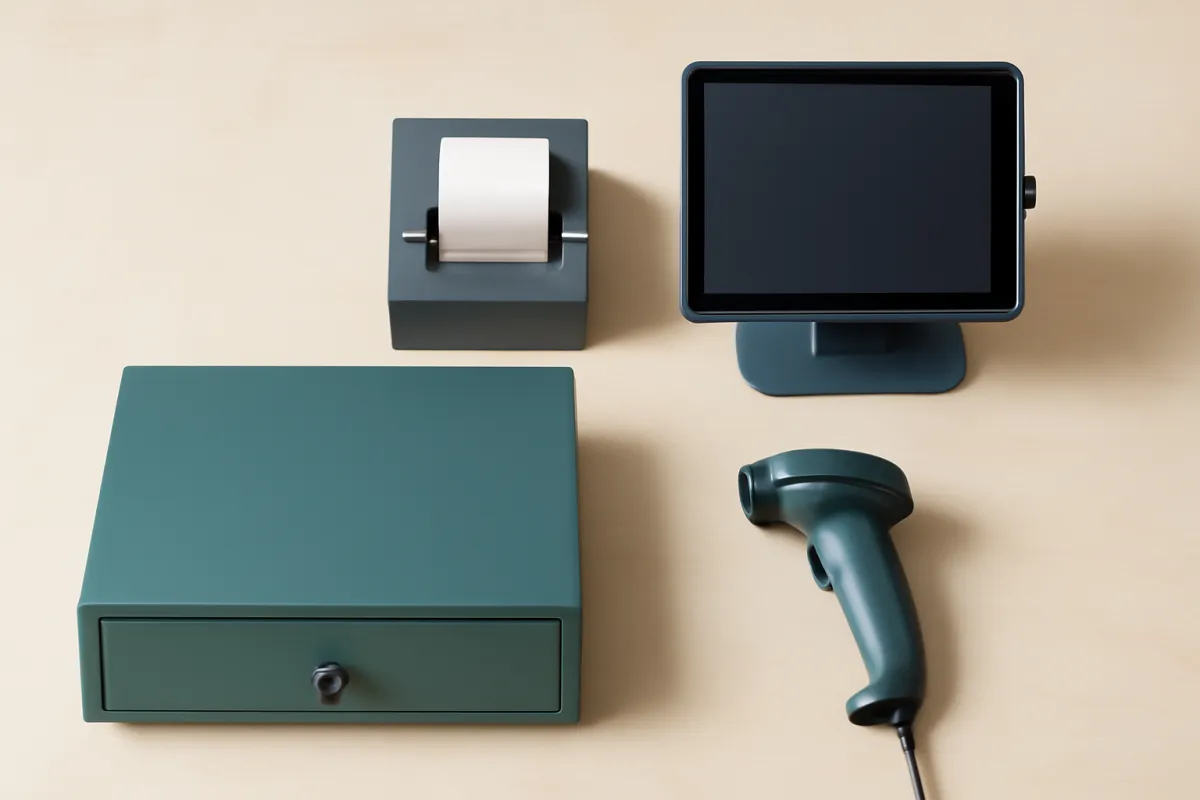
Hardware is the part of a POS you can see and touch, and it is where two decisions hide that outlast the purchase: how much you spend once, and whether that spend locks you to a single provider. Start from the format and needs you mapped in Step 1, because a mobile pop-up, a single-register cafe, and a multi-terminal restaurant need very different kits. A phone or tablet card reader can be near free and serve a market stall; a countertop terminal or tablet stand with a receipt printer, cash drawer, and barcode scanner builds a full retail counter for an illustrative several hundred dollars up to around $1,500; and a restaurant multiplies that per station with handhelds and kitchen screens.
The first decision is how much hardware you genuinely need on day one. It is tempting to buy the full bundle a provider offers, but many businesses can start lean, a reader and a tablet you already own, and add a printer or scanner when the volume justifies it. Buy the hardware your daily work needs now, and let the rest wait, because hardware is a one-time cost you can add to later without redoing the whole decision. Match the kit to your counter, not to the provider’s most complete package.
The second decision matters more and is easy to miss: whether the hardware is locked to one payment processor. Some POS providers sell or require hardware that only works with their own processing, which means the rate you agreed to is the rate you are stuck with, because leaving the processor means replacing the hardware. Ask directly whether the hardware is proprietary or works with other processors, and whether you can bring your own compatible devices. Watch out for a cheap or free hardware offer that ties you to a high processing rate, because as Step 3 showed, the rate is where the real money goes, and locked hardware is how a provider protects a rate you might otherwise negotiate or leave.
Step 6: Test support and reliability
Two POS systems can look identical on a feature list and behave very differently at 12:30 on a busy Saturday, and the difference is support and reliability, the two things a pricing page never shows. A POS fails at the worst possible moments, mid-transaction, during a rush, when the internet drops, and slow help or a register that simply stops costs you sales you cannot get back. So before you sign, press hard on how the system behaves when things go wrong and how quickly a human helps you fix it.

Start with reliability, because it is the part a demo is least likely to reveal. Ask what happens when the internet connection drops: does the POS have an offline mode that still takes card payments and syncs them later, or does the register simply stop? For any business that cannot afford to turn customers away, offline capability is close to a must-have, not a nice-to-have. Ask about uptime and how payment outages are handled, and in the trial, deliberately test a weak or dropped connection rather than only the happy path on strong wifi.
Then test support the way you will actually need it. During the trial, file a genuine support question and time the response, because that one interaction previews the vendor you will live with on a bad day. Confirm what support your plan includes, since phone support, extended hours, and a dedicated contact are often gated to higher tiers, and a business that takes payments in the evenings or on weekends needs help available then. Watch out for a system that is pleasant when everything works and unreachable when it does not, because you will remember the second experience far longer than the first, and it will happen during a rush.
Step 7: Run a real trial and decide
Everything to this point is preparation. The trial is where you learn the truth, and it only works if it is real and if it tests the way your business actually sells. A casual tour of a demo account teaches you almost nothing, because the vendor drives, the sample data is clean, and none of your real complications, a refund, a split payment, a rush, a dropped connection, ever appear. A real trial, where the provider allows one, sets up a small slice of your actual catalog or menu and runs a normal day of transactions through it with the people who will actually use it.
Structure the trial around real tasks. Load a handful of your real products or menu items, ring up sales the way you do at the counter, and run the messy cases on purpose: a refund, a partial or split payment, a discount, and a void. Train a staff member on the checkout flow and watch whether they can run it at speed without coaching, because cashier ease of use during a rush is a real criterion, not a detail. Pull the report you rely on and confirm it gives you the numbers you need. Then test reliability from Step 6 by dropping the connection and seeing what the register does. Our software trial walkthrough lays out the full sequence, including probing support and checking the export before you commit.
Watch out for the trial that quietly rigs itself. Book a decision date before it starts, so it ends in a verdict rather than drifting into a default subscription when the trial converts to paid. Score each finalist on one rubric, using the weighting you will set below and the must-have list from Step 2, with reliability and cashier ease of use both included, not just the polish of the back-office dashboard. Then decide: bring your weighted scorecard, your three-part budget from Step 3, your integration and support checks, and your trial results together, and pick the system that scores highest on the criteria you set. Where the price came through a sales conversation, the rate in particular may be negotiable, and our negotiate-SaaS walkthrough covers that. Price the final choice one more time in the true-cost calculator before you sign.
Cloud-based vs traditional POS systems
One choice shapes the shortlist before any single feature does: whether you buy a cloud-based POS system or a traditional one. A cloud-based POS system runs its software over the internet on a tablet or terminal, stores your data on the provider’s servers, updates itself, and is billed as a monthly subscription. Most modern small-business systems work this way, and it is why a mobile POS system running on a phone or tablet is now realistic for a market stall or a pop-up. A traditional POS system, by contrast, is the older on-premise model: software installed on a dedicated register or server on site, often a heavier cash register POS system with its hardware and its data kept in the building. It can run without a live connection and gives you local control, but it usually costs more up front, updates less often, and ties you to that hardware.
For most small businesses the cloud-based route wins on cost and flexibility, though a traditional system still suits an operation that cannot depend on connectivity or that already owns working register hardware. Weigh the two against the reliability question from Step 6: a cloud system needs an offline mode to keep taking cards when the internet drops, while a traditional one keeps ringing sales but cannot sync live.
Your format narrows the choice further, because providers tend to specialize. A retail shop, a quick-service cafe, a full-service restaurant, and a POS system for hotels each ask different things of the software: some systems are built around retail inventory and barcode scanning, others around restaurant tables, coursing, and kitchen screens, and hotel systems add room charges and property-management links. Name your format first, as Step 1 urged, then judge whether a cloud-based or traditional system, and which provider’s specialty, matches the way you actually sell.
How to weight POS system criteria
The seven steps are not equal, and part of choosing well is knowing which trade-offs to accept. The weighting below puts reliable payment acceptance and total cost at the top for a reason: a POS that fumbles payments or that quietly runs a high processing rate fails at the jobs that decide whether it helps or hurts your business, no matter how many modules it lists. Ease of use at the counter sits high too, because a system your staff fight during a rush is a system that slows every sale. When two finalists are close, break the tie on the trial behavior and the effective processing rate, not on the module that impressed you in the demo.
How to weight POS system criteria
An illustrative starting weighting, out of 100, for scoring POS candidates. Adjust the numbers to your own business before you score anything.
Widths are drawn from each weight against the largest one (28). Reliability and total cost together carry more than half the decision here, because a POS that drops payments or runs a high rate fails at the jobs that matter most to a business.
Cost and capability pull against each other in a predictable way. The plan that unlocks the module or the multi-terminal support you need also raises the monthly price, and the provider with the lowest software plan sometimes carries the highest processing rate, which costs far more over a year. When you hit that fork, ask whether the gated capability is a genuine must-have from Step 2 or a nice-to-have that has crept up the list, and price the rate difference across a full year before you let a cheap plan decide. Simplicity and depth trade off too: a lean, focused POS is faster to learn and run but may lack a specialist feature, while a feature-rich platform does more but asks more configuration and training. A good POS covers your real jobs cleanly, runs reliably at the counter, and is still affordable once the processing fee is counted, and holding all three requirements at once is what keeps a cheap sticker from becoming an expensive year.
Worked example: a cafe and a retail shop choose a POS
Consider two small businesses running the seven steps with illustrative numbers so the process is concrete. A quick-service cafe does an illustrative $30,000 a month and wants speed at the counter, a simple menu with modifiers, and tipping. A retail shop does an illustrative $45,000 a month and needs inventory with variants, barcode scanning, and a tie-in to its small online store. Every figure here is illustrative and internally consistent; your own numbers will differ, and current provider pricing and processing rates should be confirmed directly.
In Step 1 both map their format and needs. The cafe names itself quick-service and marks payment speed, menu modifiers, and tipping as must-haves, with loyalty a nice-to-have. The retail shop marks inventory, variants, scanning, and online sync as must-haves, with advanced analytics a nice-to-have. In Step 2 each turns that into a short must-have list and drops the extras a demo would push. In Step 3 both price all three parts. The cafe pairs a modest software plan with a near-2.6 percent processing rate and light hardware, and finds, as expected, that processing on $30,000 a month is by far its largest line, around $780 a month against a software plan of an illustrative $79 and a one-time counter kit. The retail shop, at $45,000 a month, finds processing larger still, so both spend their negotiating attention on the rate rather than the plan.
In Step 4 the retail shop presses hard on the accounting and online-store connections, because its inventory has to stay in sync across the counter and the web, and drops one provider whose online sync is a shallow one-way export. In Step 5 both keep hardware lean, and the cafe specifically confirms its reader is not locked to a single processor before accepting a cheap hardware offer. In Step 6 both test reliability by dropping the wifi; the cafe, which cannot afford to turn away a lunch line, treats offline card acceptance as a near must-have and rules out a system that simply stops. In Step 7 they each trial the two survivors through a normal day, running refunds, split payments, and a rush, and train a cashier on the flow. The cafe picks the faster counter; the shop picks the cleaner inventory sync. Both choices arrive boring and well-evidenced, which is exactly the goal. Model your own version in the companion on this page.
Common mistakes when choosing a POS system
The same handful of mistakes sink most POS decisions, and all of them come from letting the vendor or the advertised plan set the terms instead of your own needs and numbers.
- Pricing only the software and ignoring processing. The monthly plan is the smallest and most visible of the three costs, and the payment-processing fee is usually the largest over time. Choosing on the plan alone means comparing the wrong number, so price all three parts across a full year at your real volume, and treat the effective rate as the line that matters most.
- Buying more system than your format needs. A feature-rich platform looks impressive in a demo and adds cost, configuration, and training you carry every day. Match the POS to your few must-have features and your format, because a focused tool your staff run at speed beats a broad one you pay to ignore.
- Skipping a real trial. Choosing on demos and reviews means choosing on the vendor's clean sample data and someone else's counter. Without a trial that runs real transactions, including refunds, split payments, a rush, and a dropped connection, you are guessing, and the guess is locked into a plan and often into hardware.
- Overlooking the accounting integration. A POS that cannot post sales, tax, and fees cleanly into your books turns every close into hand-keyed re-entry, which is slow and error-prone. Confirm the connection you need is included in the plan you are pricing before you buy, not gated to a higher tier.
- Getting locked into hardware. Accepting a cheap or free hardware bundle that only works with one processor means the rate you agreed to is the rate you are stuck with, because leaving means replacing the hardware. Ask whether the hardware is proprietary before you take the offer.
- Ignoring reliability. A POS that is pleasant on strong wifi and helpless when the connection drops fails exactly when a lost sale hurts most. Test offline behavior and support response in the trial, because those are the moments you will remember and the ones a demo hides.
Troubleshooting: what to do when it gets complicated
Even a careful choice runs into harder cases. Here are the common ones and what to do about each.
You run more than one location. Multi-location adds real complexity, because you need consistent pricing and reporting across sites, centralized inventory or menu management, and per-location permissions. Weight the reporting and central-management features higher, confirm the plan you are pricing genuinely supports multiple locations rather than treating each as a separate subscription, and in the trial test how a change made centrally reaches each site. Ask specifically how consolidated reporting works, because a system that makes you pull numbers site by site and add them up by hand will cost you time every single week.
You sell both in person and online. An omnichannel business lives or dies on inventory staying in sync between the counter and the store, because two drifting stock counts lead to overselling and disappointed customers. Weight the ecommerce integration as a real must-have, not a nice-to-have, and confirm it is a genuine two-way sync rather than a one-way export. In the trial, sell an item online and at the counter and watch whether the stock count stays correct in both places. If your online store is central to the business, a POS built for omnichannel from the start usually beats bolting a store onto a counter-first tool.
You are growing fast. A business adding volume or locations quickly should size the POS for where it is heading, not where it is, because both the processing cost and the feature needs change with scale. Look one stage ahead: confirm the plan you are pricing still fits at your projected volume, ask about a better processing rate as your volume grows since the rate is often negotiable at scale, and check that the system can add terminals or locations without a painful migration. Choosing a POS you will outgrow in six months just means running this whole process again, plus moving your data and possibly your hardware, so build the growth in now.
You are on a tight budget. A small or new business can start lean and add later, and doing so deliberately is smart rather than a compromise. A free software tier with a phone reader can genuinely run a low-volume shop, as our POS cost verdict describes, though remember a free plan earns on the processing rate, so the fee is where its cost lives. Cover payment acceptance and your core format needs first, keep the hardware to what the day actually requires, and defer loyalty, analytics, and extra terminals until real need pulls them down. Price the paid tier you will grow into before you commit, so the cheap start does not become an expensive forced switch the moment your volume climbs.
Your POS system checklist
Use this as the save-this asset. Work top to bottom before you commit to any plan or hardware.
- Mapped your business needs and format, the must-have jobs (payments, inventory or menu, tables, staff, reporting), how your customers pay, and your rough monthly sales volume.
- Listed your must-have features separated from nice-to-haves, starting from reliable payment acceptance and the handling your format actually needs.
- Priced all three cost parts, software monthly, hardware one-time, and the effective processing rate on every sale, across a full year at your real volume, and confirmed current pricing with each provider.
- Confirmed the integrations you depend on, accounting above all, plus any online store and marketing tools, and checked each is included in the plan you are pricing.
- Evaluated hardware honestly, buying only what the day needs, and confirmed whether the hardware is locked to one payment processor before accepting any offer.
- Tested reliability, asked what happens when the internet drops, and confirmed offline card acceptance if you cannot afford to turn customers away.
- Checked support for how fast it responds and whether it is available during your business hours, not just what tier hides it.
- Ran a real trial through a normal day, with refunds, split payments, a rush, and a dropped connection, and trained a staff member on the flow.
- Scored finalists on one rubric using your weighting, with reliability, total cost, and cashier ease of use carrying real weight, not just the back-office dashboard.
- Sized for growth, confirmed the plan and rate fit your projected volume and locations, and asked what is negotiable before you commit.
When to revisit your POS choice
A POS decision is not permanent, and treating it as final is how businesses end up paying for a system, and a processing rate, that stopped fitting stages ago. Put a reminder on the calendar to reassess once a year, when you have a full year of real use and a clear memory of what your staff actually used, what quietly went unopened, and how the effective processing rate looked on twelve merchant statements rather than one sales quote. The questions are simple: did the register run reliably through your busiest days, did staff run it at speed, and has the total cost, above all the rate, stayed matched to the value it delivers?
Reassess sooner if any of three things happen. Your sales volume changes sharply, because the processing fee scales with it and a higher volume can earn a better rate simply by asking, while a rate that looked fine at low volume can become your largest line as sales climb. You add a location or a sales channel, because multi-location and online selling raise the stakes on reporting and inventory sync that your current system may handle poorly. Or your format changes, adding table service, a kitchen, or a full online store that your current tool covers awkwardly, at which point the format question from Step 1 is worth reopening. Revisiting on a schedule, with the same criteria you used to choose, keeps the decision honest and keeps you from defaulting into a renewal, and a rate, you would not choose fresh. Run the current setup through the true-cost calculator each time, so the renewal is a decision rather than a habit.
The bottom line
Choosing a POS system is not a matter of finding the system with the most features. It is a matter of finding the best fit, and fit only reveals itself when you run the decision from your own business outward: the way you actually sell and your format, the few features you genuinely must have, an honest price across all three parts with the processing rate front and center, the integrations you depend on, the hardware that does not lock you in, and your real day run through a trial that tests reliability and speed at the counter. The seven steps here are simply the order that keeps the vendor and the advertised plan from setting your criteria for you. Map your needs and format, list your must-haves, price all three cost parts, check integrations, evaluate hardware, test support and reliability, and trial it before you decide. Do it in that order and the choice arrives calm and well-evidenced instead of loud and regretted after the first busy Saturday the register drops a sale. The demo belongs to the vendor. The decision, made this way, and above all whether payments run reliably and the rate stays fair, belongs entirely to you. Price your own choice in the true-cost calculator and the companion before you sign a thing.
VetLoft works for buyers and never for vendors, and this verdict reflects that: it is educational material, not procurement, payments, tax, or financial advice, and no step or figure here is a rule for your specific business. The right POS depends on your format, your sales volume, the way you take payments, and the deal on the table, all of which shift over time. Payment-processing rates, plan structures, hardware options, and trial terms change often and vary by provider and volume, so treat every number in these pages as illustrative and confirm the current figures, especially the full effective processing rate, directly with the provider before any plan, hardware, or signature is committed.
Frequently asked questions
How do I choose the right POS system for my business?
Start from what your business actually does at the counter, not from a vendor feature list. Write down your industry and format, retail, quick-service cafe, or full-service restaurant, the way you take payments, what you have to track like inventory or tables, and your monthly sales volume. Then list the few features you genuinely must have, price the whole thing across all three parts, hardware, software, and the payment-processing fee on every sale, and check that it connects to the accounting and other tools you already run. Shortlist two or three providers that cover your must-haves, run a real trial through a normal day of transactions, and confirm support and a clean data export before you sign. The right POS is the one that handles your real transactions reliably at a total cost you have actually priced, not the one with the longest feature list.
What features should I look for in a POS system?
Look for the features your actual counter work needs, in roughly this order: fast, reliable payment acceptance for the card types your customers use, the inventory or menu handling your format requires, reporting that answers the questions you are actually asked, and employee or table management if you have staff or seating. Beyond those, weigh customer-facing extras like loyalty and online ordering against whether you will really use them. Keep the must-have list short and tied to the way you sell. A long feature list mostly serves the vendor's upsell, and a system crowded with modules you never open is slower to run and harder to train staff on than a focused tool that takes payments and tracks stock well.
How much does a POS system cost and how should I budget for it?
A POS costs three things at once, and budgeting for only one is the classic mistake. There is a monthly software subscription, commonly cited illustrative bands running from $0 on a free tier to roughly $60 to $80 a month for a small retail or cafe plan and into the hundreds for multi-terminal setups; there is one-time hardware, from a near-free phone reader to around $1,500 for a full counter; and there is the payment-processing fee, a percentage of every sale commonly cited around the mid-2 to low-3 percent range. For most businesses with real volume the processing fee is the largest lifetime cost because it scales with revenue while software stays roughly flat. Price all three across a full year at your real sales volume, and always confirm current pricing and the effective processing rate directly with the provider. Our POS cost verdict takes the full pricing model apart.
Which matters more when choosing a POS, the software price or the processing rate?
For almost any business with real sales, the payment-processing rate matters more to total cost than the advertised software price, because a percentage of every sale compounds far faster than a flat monthly plan. As an illustration, a shop doing an illustrative $30,000 a month at roughly 2.6 percent pays around $780 a month in processing, against a software plan that might be $79. That does not make software irrelevant, the features and reliability still decide whether the system works for you, but when you compare cost, half a point off the rate usually saves more over a year than the cheapest plan. Get the full effective processing rate in writing, including per-transaction fees and any markup, not just the headline percentage, and price a full year at your real volume before you choose.
Do I need a POS system that matches my industry?
Industry and format shape the choice more than almost anything else, because a POS built for full-service restaurants does different work than one built for retail. A restaurant POS handles table maps, coursing, tipping, and kitchen display screens; a retail POS leans on inventory, variants, and barcode scanning; a quick-service cafe sits somewhere between and prizes speed at the counter. Choosing a system built for your format usually means the features you need are native rather than bolted on, and the ones you do not need are absent rather than in the way. You can sometimes make a general POS work, but starting from a tool designed for how your business actually sells saves configuration, training, and the friction of forcing a retail flow onto a restaurant or the reverse.
Should I choose a named POS system like Clover, Square, Toast, or Aloha?
A brand name is a starting point for your shortlist, not a substitute for the method here. Well-known systems tend to specialize: Clover and Square are widely used general and retail systems, while Toast, Aloha, and Micros lean toward restaurants with tables and kitchen screens, and some options connect tightly to tools you may already run, such as QuickBooks for accounting or Shopify for an online store. The right one for you is still whichever covers your must-have features for your format, prices well across all three cost parts including the processing rate, integrates with your accounting, and survives a real trial, rather than whichever name you recognize. Use the brand to discover candidates, then score them on your own criteria, and confirm each provider's current pricing and processing rate directly before you commit.
How do I check that a POS system will integrate with my other tools?
Go back to the tools you already run, your accounting software above all, and confirm the POS moves the data you need in the direction you need it. Ask specifically whether sales, tax, and fees post cleanly into your books, whether inventory syncs with any ecommerce store you run, and whether the connections you need are included in the plan you are pricing rather than gated to a higher tier or metered as an add-on. The word integration covers everything from a deep two-way sync to a shallow one-way export, so ask exactly what data flows, in which direction, and how often. A POS that cannot feed your accounting system becomes a place someone re-keys numbers by hand, which is slow and error-prone, so treat the accounting connection as a real selection criterion, not a detail.
How long should I trial a POS system before buying?
Long enough to run a normal day of real transactions through it, which usually means more than a guided demo. Where the provider allows it, set up a small slice of your actual catalog or menu, run real sales including a refund and a split payment, train a staff member on the checkout flow, and pull the report you rely on. A POS is used at speed by the people at your counter, so cashier ease of use and how it behaves during a rush are real criteria, not details. Test what happens when the internet drops, because a register that cannot take a payment in an outage costs you sales. Book a decision date before the trial starts so it ends in a verdict rather than drifting into a default subscription, and confirm support response and a clean data export before you commit.
How do I avoid choosing the wrong POS system?
The common wrong turns are pricing only the software and ignoring the processing fee, buying more system than your format needs, skipping a real trial, overlooking the accounting integration, and getting locked into hardware that only works with one processor. All of them come from letting the vendor set the criteria. You avoid them by writing your real needs and format down first, keeping the must-have feature list short, pricing all three cost parts across a full year at your real volume, confirming the integrations and support you depend on, and running a trial through a normal day before you sign. A POS chosen this way can still need adjusting as you grow, but it rarely ends up as an expensive system that mishandles payments, that your staff fight, or that you cannot leave without replacing the hardware.