
What's in this verdict
- What social media management software actually costs
- Per user, per channel, or both, how this category gets metered
- Illustrative per user pricing by tier
- What actually unlocks at each rung
- Connected channels, the cap that decides your real plan
- Overage, what happens when you connect one more profile than your plan allows
- Content approval workflows and why they gate the upper rungs
- Analytics and reporting depth behind the top plans
- Social listening is a separate, pricier product
- Ads management is a different billing meter entirely
- Stock image and design tool bundling
- Agencies and client workspaces, a different pricing axis
- Free and solo creator tiers, and where the ceiling sits
- Minimum seats and the channel count penalty
- Annual prepay against monthly billing
- Implementation, channel connection and the content calendar migration
- The content creation cost the software bill never shows
- Ongoing admin, scheduling, approvals and the reporting hour
- A worked three year total at three business shapes
- Signs your social media software bill has drifted
- How to trial social media management software properly
- What to ask a vendor before you sign
- The bottom line
Short answer: Social media management software costs an illustrative $12 per user per month on a team plan, around $25 on business and around $40 on enterprise, layered with a per channel cap and an overage fee of roughly $3 to $5 a month for every connected profile beyond it. A flat solo plan commonly runs around $15 a month for one person. Illustrative three-year totals run about $15,443 for a three person team, $54,488 for a ten person team and $137,760 for a twenty two person agency team, and in every one of them the scheduling and approval time around the software outweighs the licence itself.
Social media management software is unusual among the categories this site prices, because the subscription is rarely the number that decides the bill. The per user rate looks familiar, the per channel overage looks like a normal upsell, and then the real cost shows up somewhere the pricing page never mentions: the hours spent scheduling posts, routing them for approval, and pulling the report somebody asked for on a Friday afternoon. A team that budgets only the licence has budgeted the smallest part of what this category actually costs.
This verdict prices social media management software the way it actually lands. It works through the two axes this category meters on, users and connected channels, maps the team, business and enterprise rungs and what each jump buys, prices the channel overage and the agency workspace fee as the separate meters they are, names the content creation cost the software bill never shows without inventing a figure for it, and carries three worked totals across three years that make the admin time visible rather than hidden. It sits next to our verdict on how to build an email list, which covers the adjacent audience building channel, and our verdict on CRM software cost, which shares the same per seat plus per connected account pricing shape. Put your own team size and channel count through the true-cost calculator and the companion on this page before you shortlist anything.
Key takeaways
- Illustrative per user bands: team around $12 a month, business around $25, enterprise around $40, with a flat solo plan around $15 and a free tier that is usually capped at a handful of channels.
- This category meters on two axes at once, users and connected channels. A plan's channel cap and its overage fee, commonly $3 to $5 a month per extra channel, belong in every comparison alongside the per user rate.
- Agencies pay a third meter: a per client workspace fee, illustratively around $49 a month each, on top of the normal seat and channel charges.
- The scheduling, approval and reporting time around the software, illustratively about three hours a month per user, is larger than the licence at every size modelled here. Content creation itself is a separate and usually bigger cost this verdict does not estimate because it varies too much to assign an honest number.
- Three year totals: about $15,443 for a three person team, about $54,488 for a ten person team, about $137,760 for a twenty two person agency team. Admin time dominates the total at every size.
What social media management software actually costs
Ask what social media management software costs and the honest answer has five parts, and the smallest of the five is the one printed on the pricing page.
There is the per user subscription, the number every comparison table leads with. There is the per channel charge, what a business pays once its connected social profiles exceed the cap its rung includes. There is the agency workspace fee, a separate meter for teams managing more than one client’s accounts from a single login. There is the one time implementation, connecting channels, migrating a content calendar and writing a brand voice guide. And there is the standing admin line: scheduling, routing for approval, and pulling the reports somebody will ask for, which this verdict prices, and the actual writing, designing and filming of the content, which it names honestly as a real cost without inventing a figure for it.
Those lines scale differently. Seats scale with how many people need to log in and schedule or approve. Channels scale with how many platforms and regional or brand accounts the business actually runs, which is frequently unrelated to headcount. The workspace fee scales with client count for an agency and is zero for almost everyone else. Admin time scales with how much content actually goes out, which is the number that decides most of this category’s real cost.
Everything below takes these apart with illustrative planning figures, and the companion on this page reprices the whole programme against your own numbers as you read.
Per user, per channel, or both, how this category gets metered
Most categories on this site meter on one axis: seats. This one meters on two at once, and missing the second is the most common way a comparison goes wrong.
The user axis is familiar. Every person who needs to log in, draft a post, approve someone else’s draft, or pull a report needs a seat, and the per user rate is what most pricing pages lead with.
The channel axis is specific to this category and easy to underestimate. A connected channel is one social profile, a Facebook page, an Instagram account, a LinkedIn company page, a regional Twitter or X account, linked into the platform so it can be scheduled to directly. Plans include a set number of channels at each rung, and a business with more brands, more regions or more individual platform presences than its plan anticipated pays an overage fee for every channel past the cap, independent of how many human seats it has.
A ten person team running eight channels and a three person team running twenty five channels can land on very different plans despite the headcount difference running the other way. Price a quote against both your real seat count and your real channel count, never one alone.
Illustrative per user pricing by tier
Start with the numbers people search for, framed as planning bands rather than quotes, because pricing in this category moves and varies by vendor, channel mix, region and contract length.
Free tiers cost nothing and are commonly capped around three connected channels for one user, with scheduling available but no approval workflow and limited reporting.
Solo or creator plans commonly land around $15 a month flat for one person, outside the per user ladder, and are built for an individual rather than a team.
Team rungs commonly land around $12 per user per month and typically include around ten connected channels, with a basic approval step and standard analytics.
Business rungs commonly land around $25 per user per month, typically include around twenty five connected channels, and add deeper approval workflows, custom reporting and a wider integration set.
Enterprise rungs commonly land around $40 per user per month, typically include around sixty connected channels, and add custom roles, single sign on and advanced reporting built for a larger organisation.
Illustrative social media management pricing per user per month
Plan rungs and one flat solo plan, before channel overage, agency workspace fees, implementation or admin time. Bar widths are drawn from each figure against the enterprise band.
The gap from team to business is about $13 a user and mostly buys a higher channel cap plus deeper approval workflows. The gap from business to enterprise is about $15 more and buys custom roles, single sign on and reporting built for scale. None of these gaps changes how long a post takes to write.
Read that ladder against the channel count the business actually runs, not only against headcount. A three person team running eight channels is shopping team. A ten person team running thirty channels needs to compare the business rung’s channel cap and overage rate just as closely as its per user rate, because the channel line can move the real cost more than the seat count does.
What actually unlocks at each rung
Feature placement varies by product and shifts between releases, so treat this as a shape to verify rather than a specification. The pattern holds well enough to plan against.
The team rung buys scheduling across the included channels, a content calendar, a single level approval step, and standard engagement analytics. For a small business running a handful of channels with one person signing off on posts, this is frequently the correct and final answer.
The business rung buys workflow depth: multi stage approval chains, custom reporting that can answer a stakeholder’s actual question rather than only display a dashboard, a wider integration set with design and asset tools, and a materially higher channel cap.
The enterprise rung buys organisational scale: custom roles so permissions can be scoped tightly, single sign on against a company directory, advanced reporting and export, and the contractual terms a larger procurement process requires.
The gate that catches most buyers here is the channel cap rather than any single feature, because it is easy to size a plan against today’s channel count and just as easy to add three more regional accounts within the year without revisiting the plan. Check the cap against a twelve month channel forecast, not against the current list, before committing to a rung.
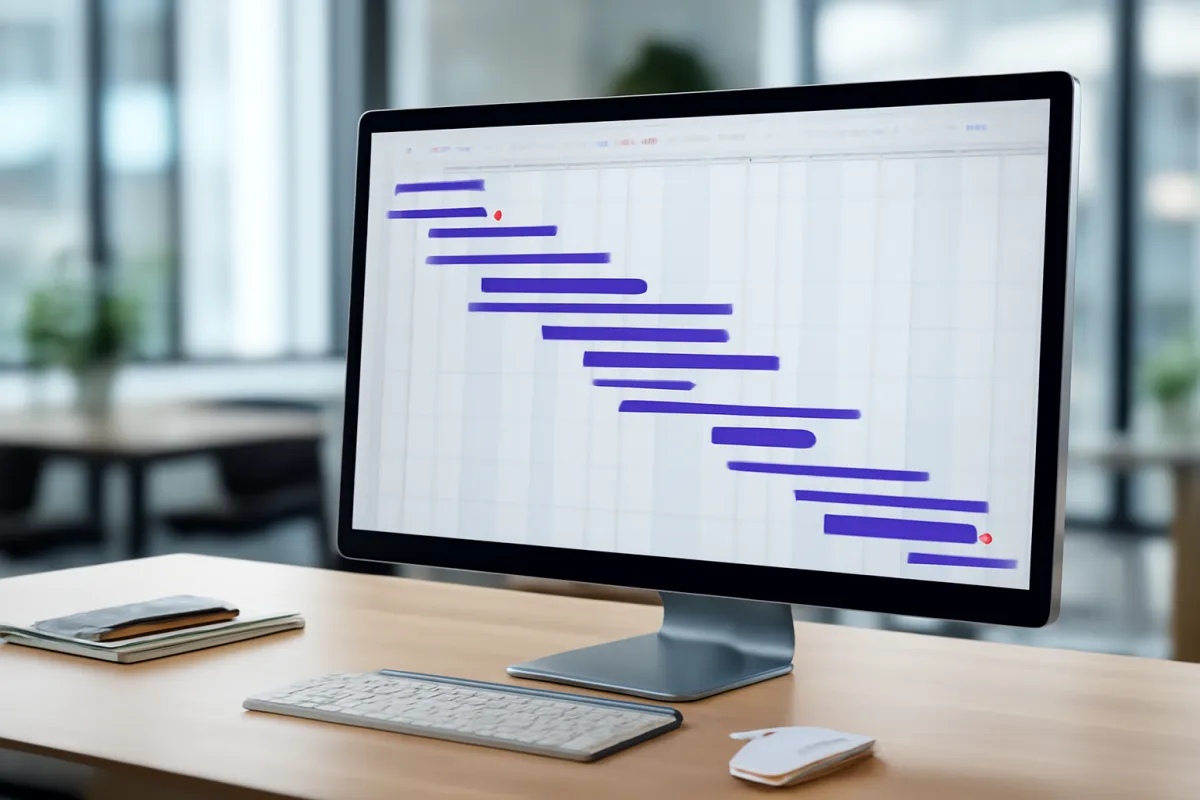
Connected channels, the cap that decides your real plan
The channel cap is the detail most likely to be skimmed past on a pricing page, and it is frequently the number that decides the real monthly bill more than the per user rate does.
A connected channel in this context is one social profile linked for direct scheduling, not one post, so a business with a main brand account, a regional account, a careers page, and a second brand’s accounts can reach a double digit channel count well before it has a double digit team. Plans bundle a channel allowance into each rung, illustratively around ten at the team rung, twenty five at business, and sixty at enterprise, and connecting more than the allowance triggers the overage fee covered next.
The practical sizing question is not how many channels the business runs today but how many it is likely to run in a year, because channel count in this category tends to grow through acquisition of new platforms, new regional presences and new sub brands far more often than it shrinks. A business that chooses its rung against today’s count alone is choosing a rung it will likely outgrow within the first renewal cycle.
Overage, what happens when you connect one more profile than your plan allows
Most products do not block a new connection once a plan’s channel cap is reached. They charge for it, and the overage rate is worth knowing before the first extra channel gets connected rather than after the invoice arrives.
Illustrative overage rates commonly run from about $5 a month per extra channel at the team rung down to about $3 a month per extra channel at enterprise, with business sitting in between around $4. The pattern, a lower rung charging a higher marginal rate, mirrors the logic behind most per unit pricing: a business already paying for scale gets a better marginal rate on the next unit of it.
On the mid sized example used throughout this verdict, a team on a business rung with a twenty five channel allowance connecting thirty channels pays an overage of $240 a year for the five extra. That is a modest number on its own and becomes a meaningful one when overage has been quietly accumulating for a year without anyone noticing that the business has effectively outgrown its rung. Review the channel list against the plan’s cap at each renewal rather than only when a new channel gets added.
Content approval workflows and why they gate the upper rungs
Approval workflows exist because the risk profile of a public post is different from almost anything else this network prices: a mistake is not a private cost, it is published, and it can be impossible to fully retract once seen.
A single level approval, common at the team rung, routes a draft to one approver before it goes live, which is adequate for a small team with one person ultimately accountable for what gets posted. A multi stage workflow, typically a business or enterprise feature, routes a draft through a defined sequence, for example a copy reviewer followed by a brand or legal reviewer, and can enforce that a post cannot be scheduled without every stage signing off.
The gate worth testing before buying is not whether approval exists but whether it can actually be made mandatory rather than optional, and whether an approver can reject with a specific comment rather than only approving or deleting. A workflow that can be bypassed under deadline pressure is not a control, it is a suggestion, and the moment it matters most is exactly the moment somebody is most likely to skip it.

Analytics and reporting depth behind the top plans
Every rung in this category shows some numbers. What differs sharply between rungs is whether those numbers can answer a question a stakeholder actually asked, or only display a number that sounds like an answer.
Standard analytics at the team rung typically covers engagement per post and basic follower growth, useful for a quick weekly check and thin for anything beyond it. Custom reporting at the business rung and above typically allows building a report around a specific metric set, exporting it on a schedule, and comparing performance across channels or campaigns rather than reading one channel at a time.
The honest caution here is the same one this network applies to every reporting feature: a dashboard answers the question it was built to answer and nothing else, and a team that needs to answer a new question every quarter will spend real hours building custom views regardless of which rung it bought. Price the reporting rung against the actual recurring questions the business needs answered, not against how impressive the default dashboard looks in a demo.
Social listening is a separate, pricier product
Social listening, monitoring mentions of a brand, a competitor or a topic across public social conversation rather than only managing a business’s own posts, is frequently sold as an entirely separate product rather than a feature bundled into the management platform, and it is priced on a different scale.
Where it is bundled, it is almost always gated to the enterprise rung and still limited in volume. Where it is a standalone product, which is common, pricing moves well outside the per seat ladder this verdict otherwise uses and is better described broadly than with a specific illustrative figure, because volume based listening pricing varies enormously by the number of mentions tracked and the breadth of sources monitored. Treat a listening requirement as its own line item and its own vendor conversation from the start, rather than assuming it rides along with a management platform purchase.
Ads management is a different billing meter entirely
A number of products in this category also offer to manage paid social advertising spend, and the billing model here breaks from everything else in this verdict because it is commonly tied to how much a business spends on ads rather than to seats or channels.
The two shapes seen most often are a flat per account monthly fee regardless of spend, and a percentage of managed ad spend, often in the low single digits, which rises and falls with the advertising budget itself. Neither is inherently better, and which one is cheaper depends entirely on how much the business actually spends on ads, a number worth pulling from the last year of ad platform bills before comparing quotes.
Because this meter is tied to spend rather than to the organic management side of the product, it is worth evaluating as its own decision even when buying both from the same vendor, and worth confirming in writing whether the ads module requires its own minimum commitment separate from the core platform’s seat and channel pricing.
Stock image and design tool bundling
Many products in this category now bundle a stock image library, a basic design tool, or both, directly into the upper rungs, and the value of that bundle depends heavily on what the business already pays for elsewhere.
Where a business already subscribes to a dedicated stock photo service or a design tool, a bundled equivalent inside the social platform is a convenience rather than a saving, because cancelling the standalone subscription to rely solely on the bundled version is rarely a clean swap once a team’s workflow is built around the dedicated tool. Where a business has no existing design or stock subscription, the bundle can be genuinely valuable and worth weighting into a rung comparison as real value rather than a marketing line.

Agencies and client workspaces, a different pricing axis
An agency managing several clients’ social accounts from one platform login runs into a third pricing axis that an in house marketing team for a single brand never encounters, and it is worth understanding before assuming the per user and per channel numbers above are the whole story.
Agency focused products, or agency tiers of a standard product, typically charge a per client workspace fee on top of the normal seat and channel charges, illustratively around $49 a month per additional workspace. A workspace in this context usually bundles a separate client level login, separate billing visibility, separate channel connections and separate reporting, which is the structure that keeps one client from seeing another client’s data.
On the agency shaped worked example in this verdict, six additional client workspaces add about $3,528 a year before any discount, a real and sometimes overlooked line in an agency’s own cost of service. Confirm that the workspace structure genuinely isolates each client’s data and billing before relying on it, because a workspace boundary that leaks reporting or channel access between clients is both a pricing failure and a confidentiality one.
Free and solo creator tiers, and where the ceiling sits
Free and solo tiers in this category are real products, not stripped down trials, and understanding exactly where they stop saves an argument later.
A free tier typically supports one user and a small number of connected channels, commonly around three, with basic scheduling and no real approval workflow or reporting depth. A solo or creator plan, commonly a flat rate around $15 a month, raises the channel count and adds slightly deeper analytics while remaining built for one person rather than a team.
Both are genuinely sufficient for a single founder or a very small operation running a handful of channels with nobody else needing to log in. The ceiling arrives the moment a second person needs to schedule or approve content, because neither tier is built with a multi person workflow in mind, and at that point the honest comparison is against the team rung rather than against staying on a free plan and sharing one login, which creates both an accountability gap and, on most platforms, a breach of the terms of service.
Minimum seats and the channel count penalty
Unlike most categories this site prices, the floor under a small team’s bill here comes less often from a minimum seat count and more often from the channel cap being undersized relative to how the business actually operates.
A genuine minimum seat count does exist on some products, typically around three seats on a team rung, which matters little to most small teams since most run at least that many people touching content. The more common trap is the channel cap: a three person team running fifteen channels across several regional pages and sub brands can find itself paying meaningful overage every month on a plan sized for its headcount rather than for its actual channel footprint.
The fix is the same in both cases: size the plan to the larger of the two numbers, seats and channels, with headroom for growth in whichever one is more likely to expand, rather than defaulting to whichever number looks smaller on the day the business signs up.
Annual prepay against monthly billing
Annual commitment discounts in this category follow the pattern seen across business software generally.
The common structure is roughly ten to twenty percent off monthly billing, often framed as two months free on a twelve month term, which is about seventeen percent. This verdict models seventeen percent throughout. On the ten user mid sized example, that is about $551 a year, a modest but real saving.
Take the discount once the team, the channel list and the workflow are settled. Decline it during the first few months while the business is still confirming the approval workflow and the channel connections actually work the way a demo suggested, because a prepaid year on a platform the team has not fully adopted is a worse outcome than a monthly bill that can simply be cancelled.
Implementation, channel connection and the content calendar migration
This line is smaller in this category than in most others this site prices, but it is not zero, and on the worked examples below it runs from about two to four percent of a three year total.
Channel connection itself is mostly mechanical, authorising the platform against each social account, and takes longer in practice than it sounds because platform level permission steps, particularly for business pages with multiple existing admins, can require coordination with people outside the immediate team. Migrating an existing content calendar, pulling scheduled and historical posts out of spreadsheets, shared calendars or whatever was used before, is the part that takes real time and is easy to underestimate.
The illustrative model here prices configuration, meaning channel connection, approval routing and a brand voice or style guide, at four hours plus an hour for every five connected channels at $85 an hour, and per person onboarding at thirty minutes each at a loaded $42 an hour. On the ten user, thirty channel mid sized example that is about $1,060 one time. Our manual on migrating to new software covers the sequencing that keeps a calendar migration from turning into a lost quarter of content history.
The content creation cost the software bill never shows
This is the single most important thing to understand about budgeting for this category, and it is deliberately not priced with a specific figure in this verdict, because doing so would be exactly the kind of invented precision this site refuses to produce.
Writing, designing, photographing or filming the content that actually gets scheduled is real work, is usually the largest cost associated with running social media for a business, and varies enormously by content format, by posting frequency, by whether it is produced in house or by a contractor or agency, and by the industry the business is in. A business posting three times a week with simple graphics has a dramatically different content cost than one posting daily with video across five platforms, and no illustrative band here would honestly represent both.
What this verdict does price is the software adjacent admin time: scheduling what is already written, routing it for approval, and pulling reports. That narrower line is covered in the next section and is, on its own, already larger than the licence at every size modelled. Content creation sits on top of that, a separate and usually larger line that belongs in a real budget even though it does not belong in a software cost comparison.
Ongoing admin, scheduling, approvals and the reporting hour
This is the line that makes this category behave differently from almost everything else this site prices, and it deserves to be stated plainly rather than buried in a chart note: in every worked example below, this line is larger than the subscription.
The work here is specifically the software adjacent admin, not content creation: scheduling posts that are already written, routing drafts through an approval chain, responding to the handful of comments or messages that land inside the platform’s inbox view, and pulling the report somebody asks for. The illustrative model prices this at roughly three hours a month per user at a loaded $42 an hour, which is $1,512 a year per user, a number that looks large next to a $12 to $40 monthly licence because it is measuring a genuinely different kind of cost: real staff time rather than a subscription fee.
On the ten user mid sized example, that is $15,120 a year against a licence of roughly $2,689 after discount, meaning admin time alone is more than five times the subscription. This is not a defect in any particular product. It reflects what this category actually is: a tool that makes a recurring task faster, sitting on top of a recurring task that still has to be done by a person. Our manual on auditing your SaaS spend is worth reading alongside this if nobody currently tracks where that time actually goes.
A worked three year total at three business shapes
Three illustrative scenarios, using the bands above throughout: seats and channels as listed, overage charged for channels beyond each rung’s allowance, annual prepay at seventeen percent below monthly where taken, configuration at four hours plus an hour per five connected channels at $85 an hour, per person onboarding at thirty minutes each at $42 an hour, and admin time at roughly three hours a month per user at a loaded $42 an hour.
A three person team, team rung, eight connected channels, billed monthly. Three seats at $12 is $432 a year, with no channel overage since eight channels sits under the ten channel allowance and no annual discount taken. Admin on three users is $4,536 a year, making the running cost $4,968. Configuration at 5.6 hours is $476 and onboarding three people at $21 each is $63, so the one time implementation is $539. Year one is $5,507 and each further year is $4,968. Three year total: about $15,443, of which admin time is the large majority and the licence itself is a small fraction.
A ten person team, business rung, thirty connected channels, annual prepay. Ten seats at $25 is $3,000 a year at monthly rates. The business rung includes twenty five channels, so five channels over the cap at an illustrative $4 a month each adds $240 a year, for $3,240 before discount and $2,689.20 after seventeen percent annual prepay. Admin on ten users is $15,120, so the running cost is $17,809.20 a year. Configuration at 10 hours is $850 and onboarding ten people is $210, so the implementation is $1,060. Year one is $18,869.20. Three year total: about $54,488, with admin time again the dominant share.
A twenty two person agency team, enterprise rung, seventy connected channels, six client workspaces, annual prepay. Twenty two seats at $40 is $10,560 a year at monthly rates. The enterprise rung includes sixty channels, so ten channels over the cap at an illustrative $3 a month each adds $360 a year, and six client workspaces at $49 a month each add $3,528 a year, for $14,448 before discount and $11,991.84 after prepay. Admin on twenty two users is $33,264, so the running cost is $45,255.84 a year. Configuration at 18 hours is $1,530 and onboarding twenty two people is $462, so the implementation is $1,992. Year one is $47,247.84. Three year total: about $137,760, with admin time still the large majority of the total even at this size.
Where three years goes for the ten user business rung team
Shares computed from the worked example against a $54,488 three year total, with business rung seats at $25, channel overage on five profiles, seventeen percent annual prepay, admin time at roughly three hours a month per user and a $1,060 one time implementation. Shares rounded to whole numbers.
This is the inverse of most software categories on this site, where licences dominate and time is the smaller line. Here the subscription is close to a rounding error next to the staff hours spent scheduling, approving and reporting, before content creation is even counted.
Read those three shapes together and the pattern holds at every size: the licence share runs from about eight percent at the smallest team to about twenty six percent at the largest, and admin time never drops below roughly seventy percent of the total. That is the single fact worth carrying out of this verdict. A business that budgets the subscription and forgets the hours has budgeted the smaller part of the real cost, in every shape this verdict modelled. Load your own team size and channel count into the companion on this page to see where your version lands.
Signs your social media software bill has drifted
Five signatures recur in this category, and most of them show up in the channel list and the seat list before they show up in a renewal invoice.
Channels have crept past the plan’s cap. Review the connected channel list against the rung’s allowance at least twice a year, because overage accumulates quietly and a rung that fit a year ago may no longer.
Seats exist for people who no longer touch content. A former employee or a contractor whose engagement ended is both an unnecessary seat and, on most platforms, a standing access risk to a brand’s public accounts.
The approval workflow is being bypassed. If posts are regularly going out without routing through the configured approval chain, the business is paying a rung premium for a control nobody is actually using.
Nobody reviews the custom reports being generated. Reporting depth bought at a higher rung only earns its premium if the reports it produces are actually read by whoever asked for them.
Admin time has grown faster than content volume. If scheduling and approval are taking longer per post than they used to, the workflow itself, not the software, is usually the thing that needs fixing. Our manual on cancelling a SaaS subscription covers doing the exit cleanly if the answer is that it is time to switch.
How to trial social media management software properly
Every product in this category demos beautifully, because scheduling one post to one channel is a demo that cannot fail. Structure a trial around what happens at real volume.
Connect the actual channel list, every brand and regional account the business runs, not just the flagship account, and confirm every connection authorises cleanly, including any pages with multiple existing admins.
Run a full approval chain on a real post, including a deliberate rejection, and confirm the workflow can be made mandatory rather than optional under deadline pressure.
Pull the report a stakeholder actually asked for last quarter, not the default dashboard, and see how long it takes to build and whether the platform’s custom reporting can actually produce it.
Time how long scheduling a week of real content takes against however the team schedules it today, because the honest measure of this category’s value is whether that time actually goes down.
Test the mobile app if anyone approves content from a phone, because approval on the go is common in this category and mobile experience varies more between products here than the desktop view suggests. Our manual on running a software trial covers setting success criteria before the trial starts rather than after.
What to ask a vendor before you sign
Nine questions, in writing, before any signature.
How many channels does this rung actually include, and what is the overage rate per channel beyond that?
Is approval truly mandatory, or can a user bypass it and publish directly?
If we manage multiple clients, is there a workspace model, what does an additional workspace cost, and does it genuinely separate each client’s data and billing?
Does this rung include social listening, or is that a separate product and a separate quote?
If ads management is offered, is it billed flat per account or as a percentage of managed spend, and is there a separate minimum commitment?
What is the minimum seat count on this rung, and does it change at renewal?
Is single sign on and custom role permissioning available, and at which rung?
What is the bulk export of our scheduled and historical content if we leave, and does it include analytics history?
What is retained in the approval and publishing log, for how long, and can it be exported on our rung?
The bottom line
Social media management software is cheap per seat by the standards of this site, and the licence is almost never the number that should drive a budget decision. The bands here are real and useful as a floor: around $12 at the team rung, around $25 at business, around $40 at enterprise, layered with a channel cap and an overage fee of roughly $3 to $5 a month per extra connected profile, plus an agency workspace fee of about $49 a month for teams managing more than one client.
What actually decides the bill is everything the pricing page does not show: the channel count, which grows faster than headcount in most businesses and is the real reason a rung gets outgrown, and the scheduling, approval and reporting time around the software, which ran from roughly seventy to eighty eight percent of the three year total in every shape this verdict modelled. Content creation itself sits on top of all of that as a separate, usually larger, and genuinely unpredictable cost this verdict deliberately does not price with a specific figure.
So budget this category as a staffing decision with a cheap subscription attached, not as a subscription with a staffing footnote. Size the rung to the channel count the business expects in a year, confirm the approval workflow can actually be made mandatory, ask any agency focused vendor about workspace pricing explicitly, and count the admin hours honestly before deciding the software itself is the expensive part.
Run your own user count and channel count through the companion above and the true-cost calculator before you shortlist, and get the channel allowance, the overage rate and the workspace pricing confirmed in writing before you commit to a term.
VetLoft is paid for by its readers rather than by the vendors it writes about, and this verdict is published on that basis: educational material only, and not marketing, legal or data privacy advice for your organisation. Every seat rate, channel allowance, overage rate, workspace fee, hourly rate, implementation estimate and multi year total on this page is an illustrative planning figure chosen to show how the meters in this category behave, not a quotation from any vendor, and pricing here moves often enough that a band which was typical when this was written may read differently by the time you shop. Where features sit on the rung ladder varies by product and shifts between releases, so treat the ladder above as a shape to verify rather than a specification. Platform terms of service, data handling rules and advertising disclosure requirements vary by social network and by jurisdiction and change over time, and nothing here states what any of them require of a particular business. Establish your own requirements with a qualified professional where relevant, and confirm the channel allowance, overage rate, workspace pricing, seat minimums, and export rights directly with each vendor in writing before you commit.
Frequently asked questions
How much does social media management software cost per user per month?
Illustrative planning bands, which move by vendor, number of connected channels, region and contract length, put a team rung around $12 per user per month, a business rung around $25, and an enterprise rung around $40. A flat solo or creator plan for one person commonly runs around $15 a month outside the per user ladder, and a free tier exists too, usually capped at a handful of channels with no approval workflow. Those numbers look modest next to most business software, and they are, because in this category the software is rarely the largest line. On the illustrative ten user build in this verdict, the licence itself is about fourteen percent of a three year total, and the scheduling and approval time around it is most of the rest.
Is this priced per user, per channel, or both?
Both, and knowing which axis a quote is really pricing matters more than the headline rate. Per user billing charges for every seat that needs to log in and schedule or approve content. Per channel billing, layered on top in most products, caps the number of connected social profiles included in a plan and charges an overage fee for every profile beyond that cap. A ten person team connecting thirty channels on a plan that includes twenty five pays the per user rate for ten seats and an overage fee for five channels, and both numbers belong in the comparison, not just the headline per user price.
What happens when we connect one more channel than our plan allows?
Most products charge an illustrative overage fee per extra connected channel rather than blocking the connection outright, commonly in a band from about $3 to $5 a month per channel depending on the rung, with higher rungs generally charging a lower per channel overage than lower ones. On the mid sized example in this verdict, a business on a twenty five channel plan connecting thirty channels pays an extra $240 a year for the five over the cap. The number worth tracking is not any single overage charge but whether the channel count keeps growing past what the current rung was sized for, because at some point the overage fees exceed the cost of simply moving up a rung.
What does the software bill not include, and why does it matter here more than in most categories?
It does not include the time spent actually writing, designing or filming the content that gets scheduled, and in this category that line is usually larger than the subscription by a wide margin. The illustrative model in this verdict prices only the time spent scheduling, routing for approval and pulling reports, which it estimates at roughly three hours a month per user at a loaded rate, and even that narrower slice of admin time runs well above the licence cost at every size modelled. Content creation itself varies too much by business, by content format and by how much is produced in house versus by a contractor to assign a credible illustrative figure, so this verdict names it as a real and usually dominant cost without inventing a number for it.
Do agencies pay differently from an in house marketing team?
Usually yes, through a second pricing axis most in house buyers never encounter. Agencies managing several clients' accounts from one login typically pay a per client workspace fee on top of the normal per user and per channel charges, commonly an illustrative $49 a month per additional workspace. On the agency shaped example in this verdict, six client workspaces add about $3,528 a year before any discount, a real line that an in house team managing one brand never sees. Confirm whether a vendor's workspace model separates billing, reporting and client level permissions cleanly, because a workspace structure built for one client bleeding into another is both a pricing problem and a confidentiality one.
What do minimum seats and channel caps do to a small team?
They set a floor under the bill that is easy to miss because it sits in the plan's fine print rather than in the headline rate. A small team that signs up for a rung sized to its current channel count can find the number creep upward every time a new platform or a new regional account gets added, well before headcount changes at all. The practical fix is sizing the rung to the channel count the business expects to run in a year, not the count it runs today, because a channel count that grows is close to certain in this category and an overage fee charged every month is a worse deal than a rung chosen with room to grow.
What should a business budget for social media management software over three years?
Three illustrative shapes from this verdict, using the bands throughout. A three person team on a team rung with eight connected channels billed monthly lands near $15,443 across three years, dominated by scheduling and approval time rather than the licence. A ten person team on a business rung with thirty connected channels and annual prepay lands near $54,488. A twenty two person agency team on an enterprise rung, seventy connected channels and six client workspaces, with annual prepay, lands near $137,760. In every shape here, admin time, not the subscription, is the largest line, which is the opposite of how most categories on this site behave and the single most important thing to budget correctly.