
What's in this verdict
- Before you start
- Step 1: Pick your platform and plan
- Step 2: Set up sender authentication (SPF, DKIM, DMARC)
- Step 3: Build your list the right way
- Step 4: Create a signup form and a welcome email
- Step 5: Set up your first automation
- Step 6: Design and send your first campaign
- Step 7: Measure and improve
- A worked example: a small business from zero to first campaign
- Common mistakes that send email to spam
- Troubleshooting your first sends
- Staying on the right side of email law
- Growing the program after your first campaign
- Your email marketing setup checklist
- The bottom line
Short answer: Set up email marketing in seven steps, in this order: pick a platform, authenticate your domain with SPF, DKIM and DMARC, build a permission-based list from opt-ins only, create a signup form and a welcome email, turn that welcome into a short automated series, send your first real campaign, then measure it. Sending before authentication and a clean list is the most common reason new senders land in spam. Budget three to four hours.
Setting up email marketing is less about the software and more about the order you do things in. Almost anyone can create an account and paste in some contacts, and almost anyone who does exactly that lands in the spam folder, because the steps that decide whether your email reaches real inboxes happen before you ever write a subject line. Do them in sequence and email becomes one of the most reliable channels a small business has. Do them out of order and you spend months wondering why a channel everyone praises is quietly failing for you.
This walkthrough sets up email marketing from zero in seven steps, in the order that actually works: pick a platform, authenticate your domain, build a permission-based list, create a signup form and a welcome email, turn that into an automation, send your first real campaign, and measure it so you can improve. For what the whole program and its tools cost at your list size, see our verdict on email marketing pricing. Whether the channel earns its keep at all is the question our is-it-worth-it verdict settles. Run your own list size through the companion below and the true-cost calculator before you commit to a plan.
Key takeaways
- The setup order is the strategy: platform, authentication, list, then sending. Sending before authentication and a clean list is the single most common reason new senders land in spam.
- Set up SPF, DKIM, and DMARC on your own domain before your first campaign. Inbox providers now expect authenticated mail, and skipping it is no longer tolerated.
- Build the list from opt-ins only. A smaller permission-based list beats a large bought one on every metric, and buying lists is the fastest way to wreck your sender reputation.
- Automate a short welcome series before you chase campaigns. It runs while you sleep and posts some of the strongest engagement you will ever see.
- Budget a focused weekend and roughly three to four hours of hands-on work to reach a live welcome automation and a first send.
Before you start
Email marketing has a low barrier to entry, but three things need to be in hand before step one, and gathering them first saves you from stopping halfway. You need a sending platform, a domain you control, and an offer worth subscribing for. Miss any one and the later steps stall.
- A platform: an email marketing tool sized to your list. Most have a free tier that carries a small list comfortably, so you do not need to spend anything to complete this walkthrough. Our software teardown covers how the tiers scale.
- A domain you control: ideally the same domain as your website, so you can authenticate it. Sending from a free consumer address is a deliverability dead end. If you do not own a domain, register one first; it is inexpensive.
- An offer or lead magnet: a concrete reason for someone to hand over an address, whether a useful download, a discount, or a newsletter with a clear promise. Without one, your list barely grows.
- A little content: at minimum, the text of a welcome email and one first campaign. Having these drafted before you start keeps the setup moving.
Time and difficulty: plan a weekend, expect roughly three to four hours of genuine hands-on work, and rate the difficulty as low to moderate. The authentication step is the only part that feels technical, and it is a paste-and-wait job, not real engineering. With those prerequisites gathered, the seven steps run in order.
Step 1: Pick your platform and plan
Start by choosing the tool, because everything downstream depends on it, and resist the urge to pick on brand recognition alone. The right choice is the platform whose pricing model and feature ceiling match your list a year from now, not just today. Match the plan to two numbers above all: your subscriber count, which sets the price under contact-based pricing, and whether you need automation, which is often gated behind a middle tier. Our email marketing cost verdict breaks down how those two variables move the bill, and the true-cost calculator prices a plan at your seat count.
For most small businesses starting out, a free tier is genuinely enough and the correct choice rather than a compromise, because it carries a small list while you learn the mechanics. An illustrative starter paid tier commonly lands in the low tens of dollars a month once you cross the free cap, climbing into the mid hundreds as the list grows and automation is added. Pick a tool that offers a clear upgrade path so you are not forced to migrate the moment you grow.
Before you commit, check three things the marketing page glosses over: which pricing model the tool uses (per-subscriber versus per-send changes the cost sharply for the same list), whether the automation you will need in step five is included at your tier, and how painful an export would be if you ever leave. Watch out for the free-tier trap, where the plan that fits today hands you to a steep paid step the day your list crosses the cap. Sign up, but treat the first paid tier as a known future cost rather than a surprise, and enter your real numbers before you compare a single competitor.
Step 2: Set up sender authentication (SPF, DKIM, DMARC)
Before you send anything, prove to inbox providers that you are a legitimate sender, because this single step decides more of your deliverability than any subject line ever will. Authentication is three DNS records added to your domain. SPF lists which servers may send on your behalf, DKIM adds a cryptographic signature that proves the message was not altered in transit, and DMARC ties the two together and tells receivers what to do with mail that fails the checks. Your platform generates the exact values; your job is to paste them into your domain’s DNS settings.
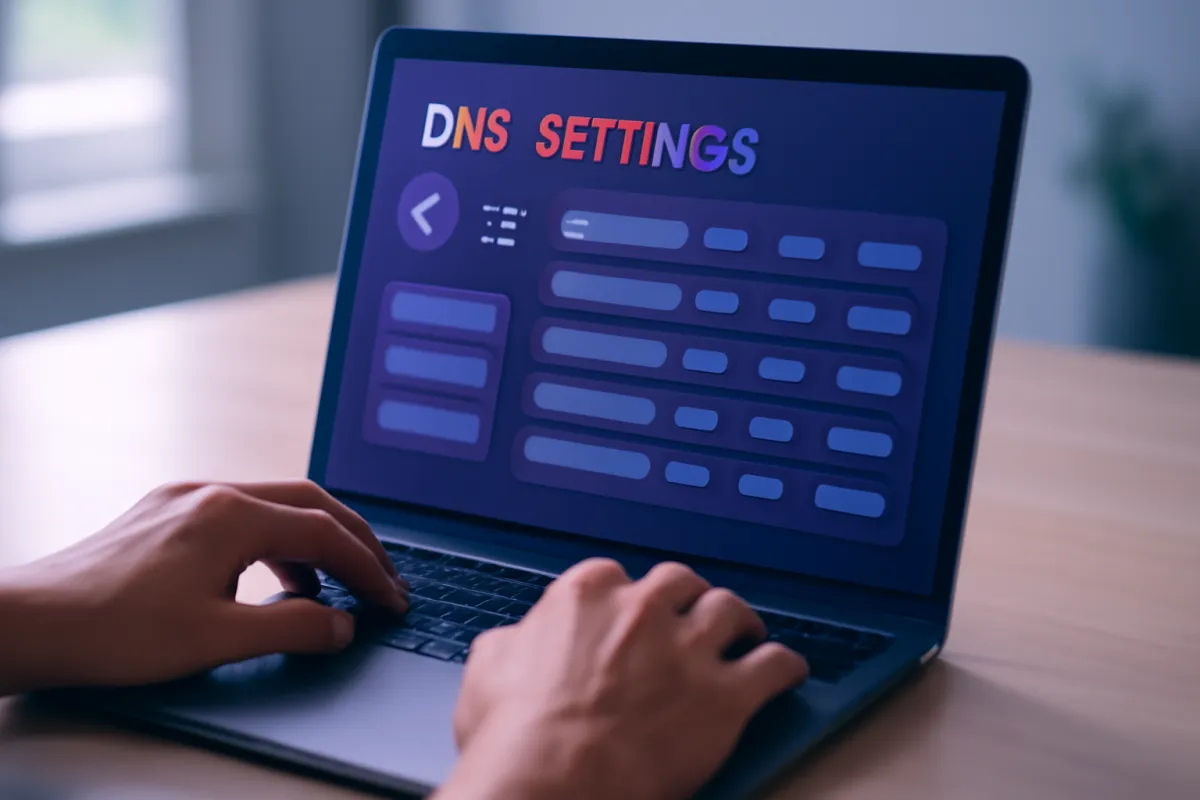
The mechanics are simple even if the acronyms are not. In your platform’s settings, find the sending-domain or authentication section, copy the SPF, DKIM, and often DMARC records it provides, log into wherever your domain’s DNS lives, and add them as new records. Changes can take anywhere from a few minutes to a day to propagate, so authenticate before you plan to send, not the hour of. When the platform shows a green verified status, you are done.
Watch out for two traps. First, skipping this step entirely: it was tolerated years ago, but major inbox providers now expect authenticated mail from anyone sending in volume, and unauthenticated marketing email is increasingly filtered or rejected outright. Second, a too-strict DMARC policy set before SPF and DKIM are fully working, which can block your own legitimate mail. Start DMARC in a monitoring posture, confirm the other two pass, then tighten. Fifteen minutes here prevents the spam-folder problem that dooms most new senders.
Step 3: Build your list the right way
With sending authenticated, turn to the asset that determines everything downstream: the list itself. Build it from opt-ins only, meaning every address belongs to someone who actively asked to hear from you. This is not merely good manners; it is the mechanical foundation of deliverability, because permission is what keeps spam complaints low, and low complaints are what keep you in the inbox. A list built any other way undermines every later step.

The engine of ethical list growth is a lead magnet: a concrete reason to subscribe, such as a useful guide, a template, a discount code, or a newsletter with a clear and specific promise. Place the signup offer where your traffic already is, on your highest-traffic pages, in your site header, and after content people found valuable. Every subscriber should have taken a deliberate action, and where required you should use confirmed opt-in, which sends a quick confirmation email so only genuine, reachable addresses join.
The one rule that overrides all growth tactics: never buy, rent, or scrape a list. Purchased contacts did not consent, they generate spam complaints that train filters against you, they can violate anti-spam law, and they crater the sender reputation you just protected in step two. A list of a few hundred people who opted in will out-earn a bought list of ten thousand on open rate, click rate, and deliverability, every time. Grow slowly and honestly; the compounding is worth it, and our worth-it verdict shows why an engaged small list pays. For the list itself, from lead magnets and opt-in forms to growth tactics and segmentation, see our step-by-step on how to build an email list.
Step 4: Create a signup form and a welcome email
Now make the list collectable and the first impression automatic by building two things: a signup form and the welcome email it triggers. The form is the visible front door and the welcome email is what greets everyone who walks through it. Both live inside your platform, and both should exist before you drive any traffic, because a signup that leads to silence wastes the hardest-won moment in email, the instant someone chooses to hear from you.
Build the form first. Keep it short, ideally just an email address and perhaps a first name, because every extra field lowers completion. Write a headline that restates the lead magnet’s promise so the value is obvious, then embed the form on your key pages or use your platform’s hosted landing page if you lack a website section to place it. Set it to add new subscribers to the right list and, where appropriate, tag them by where they signed up, which pays off when you segment in step six.
Then write the welcome email that fires the moment someone confirms. Deliver whatever you promised at signup immediately, whether that is the download link, the discount code, or simply a warm introduction and a pointer to your best existing content. Set expectations plainly: who you are, what you will send, and how often. Watch out for the most common and most damaging omission in all of email marketing, which is having no welcome email at all, so new subscribers hear nothing until a random campaign weeks later, by which time they have forgotten they signed up and are primed to mark you as spam.
Step 5: Set up your first automation
Turn that single welcome email into an automation, because an automation runs while you sleep and posts some of the strongest engagement numbers you will ever see. Subscribers are most interested in the moment they join, so a short automated welcome series that meets them there, sent automatically, consistently, and in the right order, captures attention that a manual approach always lets cool. This is the step where email stops being a chore and starts compounding.

Keep the first automation deliberately simple: a welcome series of three or four emails triggered by a new subscriber joining. Email one, sent immediately, is the welcome from step four. Email two, a day or two later, delivers your single best piece of value or tells your story. Email three, a few days after, points to a product, service, or next step, and an optional fourth asks a question or invites a reply to boost engagement. In your platform’s automation builder, set the trigger to the signup, then space the emails with wait steps.
Watch out for two mistakes. Do not over-build: a sprawling ten-email sequence with branching logic is a project for later, not for your first automation, and complexity you cannot maintain is worse than simplicity you can. And do not set it and forget it; check that each email actually sends by subscribing with a test address yourself and walking the whole series. Once it works, it is the highest-leverage asset in your account, doing your best onboarding for every future subscriber without another minute of your time.
Step 6: Design and send your first campaign
With the list building and the welcome series live, send your first broadcast campaign to the subscribers you have. The goal of this send is not revenue, it is to confirm your deliverability is healthy and to begin a relationship, so lead with something genuinely useful rather than a hard pitch. Three levers decide how a campaign performs: the subject line, the segment you send to, and the timing, and getting the first one roughly right beats agonizing over any single element.
The subject line is what earns the open, so make it clear and honest rather than clever and vague, and avoid the spam-trigger habits of all-caps and rows of exclamation marks. Segmentation is the lever most beginners skip: instead of blasting the whole list identically, send to a defined group, for example the subscribers who came from a particular signup form or who have opened recent emails. Even a simple segment lifts relevance, and relevance lifts every downstream number. Send time matters less than people think, but sending when your audience is likely at a screen, often mid-morning on a weekday for business audiences, gives you a modest edge; your platform’s analytics will refine this over time.
Before you hit send, run the pre-flight checks: send a test to yourself, read it on a phone as well as a desktop, confirm every link works, and make sure the unsubscribe link is present and functional, because a missing one is both illegal in many places and a fast route to spam complaints. Watch out for spray-and-pray, the habit of sending everything to everyone with no segmentation, which drives the unsubscribes and complaints that quietly degrade your reputation. Send deliberately, to a segment, with a clear subject, and treat the result as your baseline.
Step 7: Measure and improve
A campaign is not finished when it sends; it is finished when you learn from it. This final step is a loop rather than a one-time task: read the metrics, form one hypothesis, change one thing, and measure again. Four numbers carry most of the signal. Open rate tells you whether your subject lines and sender reputation are working. Click-through rate tells you whether the content matched what subscribers actually wanted. Unsubscribe and spam-complaint rates warn you early when you are sending too often or to the wrong people. And deliverability, the share of email that reaches inboxes at all, sits underneath everything, because a brilliant campaign nobody receives scores as a failure.
Set a simple baseline in your first month and judge every later change against it rather than against someone else’s benchmark, because a healthy open rate varies widely by industry and list. Improve by changing one variable at a time: test a subject line against a variant, try a different send time, tighten a segment, and keep the change that moves the number. Run your own list size, sends, and open rate through the companion on this page to sanity-check where you stand.
The maintenance habit that protects all of it is list hygiene: periodically remove hard bounces, and re-engage or remove long-inactive subscribers, because under contact-based pricing you pay for every stored address, and unengaged contacts drag down both your averages and your deliverability. Watch out for the opposite failure, ignoring the metrics entirely and sending on feel, which is how programs slowly decay without anyone noticing until the open rate has halved. A weekly glance at four numbers is enough to keep a small program healthy for years.
Where email marketing effort pays off
Relative return per unit of setup effort, by activity. Illustrative.
The steps beginners skip, authentication and a welcome automation, return the most per hour, while the ones they obsess over, subject lines and send time, return the least. Effort spent in setup order pays better than effort spent tweaking.
A worked example: a small business from zero to first campaign
To see the order in motion, follow a small independent shop with no email program and a website that gets modest traffic. On a Saturday morning the owner completes step one by signing up for a platform’s free tier, which comfortably carries the few hundred subscribers she expects this year, and connects the shop’s existing domain. She checks that automation is available on the upgrade path so she will not have to migrate later.
Step two takes twenty minutes: the platform shows three DNS records, she pastes SPF, DKIM, and a monitoring DMARC record into her domain settings, and by lunchtime the status turns verified. For step three she creates a lead magnet, a ten-percent-off code for first-time subscribers, because a discount is a concrete reason to opt in for a retail audience. In step four she builds a short signup form, embeds it in the site header and on the two highest-traffic product pages, and writes a welcome email that delivers the code immediately and introduces the shop.
On Sunday she completes step five, turning that welcome email into a three-part automation: the code on signup, a day-two email featuring her best-selling products, and a day-five email inviting a reply with a question. She tests it with her own address and watches all three arrive. Step six is her first campaign, a short seasonal update sent not to the whole world but to the segment who signed up through the discount form, with an honest subject line, sent mid-morning Tuesday after a phone-and-desktop test. In step seven she records the opening numbers as her baseline. Total hands-on time across the weekend was under four hours, and the shop now has a live, authenticated, automated email program that grows itself. From here, every improvement is a small experiment against that baseline.
Common mistakes that send email to spam
Most email marketing failures are not exotic; they are a handful of predictable mistakes, and naming them is most of the cure.
- Buying or renting a list. Purchased contacts did not consent, they generate the spam complaints that ruin your reputation, and they can breach anti-spam law. A small opted-in list beats a large bought one on every metric.
- Skipping authentication. Without SPF, DKIM, and DMARC on your sending domain, inbox providers filter you before a human sees the message. This is the most common cause of a program that “just does not work.”
- No welcome email. Letting new subscribers hear nothing until a random campaign weeks later wastes the moment of peak interest and primes people to forget they signed up and mark you as spam.
- Spray-and-pray sending. Blasting everything to everyone with no segmentation drives unsubscribes and complaints, and it trains inbox filters against you one send at a time.
- Ignoring the metrics. Sending on feel with no baseline is how a program decays unnoticed until the open rate has quietly halved. Four numbers checked weekly prevent it.
- Sending too often, too soon. Warming a brand-new domain by blasting a large list on day one looks exactly like spammer behavior. Grow the volume gradually.
The through-line is that every one of these violates the setup order. Do the steps in sequence, to an opted-in list, from an authenticated domain, and the spam problem that afflicts most beginners never appears.
Troubleshooting your first sends
Even a careful setup throws the occasional surprise. Here are the four problems new senders hit most, and what each one usually means.
What if your open rates are low? First rule out a measurement quirk, since privacy features can undercount opens, then look at the two real causes: subject lines that do not earn the open, and a sender reputation that is filtering you toward the promotions tab or spam. If opens are very low across the board, suspect deliverability before content, and re-check your authentication from step two. If they are merely soft, test sharper, more honest subject lines against your baseline.
What if your email lands in spam? Return to the setup order. Confirm SPF, DKIM, and DMARC all pass, confirm every recipient genuinely opted in, check that your content is not triggering filters with all-caps subjects or a single giant image and no text, and make sure the unsubscribe link is present. A brand-new domain also needs warming, so send to your most engaged contacts first and grow volume gradually rather than blasting everyone at once.
What if signups are low? The offer or its visibility is usually at fault. Strengthen the lead magnet so the reason to subscribe is concrete, and move the form somewhere people actually look, your highest-traffic pages and site header, rather than a buried footer. A weak offer in a great location, or a great offer nobody sees, both produce the same empty list.
What if unsubscribes are high? You are usually sending too often, to the wrong segment, or not delivering what you promised at signup. A modest, steady unsubscribe rate is normal and even healthy, since it clears people who were never going to engage, but a spike after a specific campaign is direct feedback: reduce frequency, tighten your segments, and make sure every send earns its place in the inbox.
Staying on the right side of email law
Email marketing runs on consent, and consent is not only good practice but, in many places, the law, so a short pass over the rules belongs in any setup. The details vary by country and change over time, and nothing here is legal advice, but a few principles hold widely enough to build on and to confirm against the rules that apply to you.
Send only to people who genuinely opted in, because permission is both the deliverability foundation from step three and the core of most anti spam regimes. Identify yourself honestly: a real sender name, a genuine business address in the footer where required, and a subject line that does not mislead. Make unsubscribing easy and honor it promptly, since a working, one click unsubscribe is both a legal expectation in many regions and the difference between a quiet opt out and a spam complaint that damages your reputation. Keep a record of when and how each subscriber consented, because the ability to show consent is what protects you if a complaint ever arrives.
The rules tighten when you send across borders or to certain audiences, and some regions treat consent, data handling, and record keeping far more strictly than others. If your list spans countries, or if you handle sensitive data, treat this section as a prompt to check the specific regulations that govern your subscribers and, where the stakes are real, to ask someone qualified to advise. The setup order in this walkthrough keeps you compliant by default in most cases, because a permission based list mailed from an authenticated domain with a working unsubscribe is exactly what the rules are trying to require.
Growing the program after your first campaign
The first campaign is a starting line, not a finish, and the programs that pay off are the ones that build a steady habit on top of the setup rather than sending once and drifting. Once the baseline from step seven exists, the work shifts from building to running, and a few habits carry most of the return.
Settle on a cadence you can sustain and that your subscribers signed up for, because consistency beats intensity: a useful email every week or two, reliably, trains subscribers to open and keeps your sender reputation warm, while long silences followed by a sudden blast look like the behavior inbox filters punish. Feed that cadence with a simple content plan so you are never staring at a blank campaign the morning you meant to send, mixing genuinely useful content with the occasional offer rather than pitching every time.
As the list grows, deepen the segmentation you started in step six. Tag subscribers by what they signed up for and how they engage, and send more relevant email to smaller groups, because relevance lifts every number that matters. Watch for the disengaged, the people who have not opened in months, and run a re engagement campaign before you remove them, since a clean list of people who actually read you outperforms a large list padded with dead addresses, and under contact based pricing it costs less to maintain. The channel you built over a weekend becomes an asset only if you keep it fed, segmented, and clean, and our worth-it verdict shows how an engaged small list compounds into real return over time.
Your email marketing setup checklist
The whole walkthrough, compressed to the actions that matter.
- Pick a platform sized to your list, with an automation-capable upgrade path and a pricing model you understand.
- Authenticate your domain with SPF, DKIM, and DMARC, and confirm the platform shows verified before you send.
- Build the list from opt-ins only, powered by a real lead magnet, and never buy, rent, or scrape addresses.
- Create a short signup form and a welcome email, and place the form where your traffic already is.
- Automate a three-to-four-email welcome series, test it with your own address, and keep it simple.
- Send a first campaign to a defined segment, with an honest subject line, after a phone-and-desktop test.
- Measure open, click, unsubscribe, and deliverability, set a baseline, change one thing at a time, and keep your list clean.
A weekend of setup in this order buys a channel that then largely runs itself, which is the entire point.
A healthy email program by activity
Where ongoing effort goes once setup is done. Illustrative allocation, sums to 100%.
After the initial build, a healthy small program spreads a modest weekly effort across these five, rather than pouring everything into campaigns and neglecting the list, the automation, and the hygiene that keep deliverability high.
The bottom line
Setting up email marketing is a sequence, and the sequence is the whole trick. Pick a platform sized to where your list is heading, authenticate your domain before you send a single message, build the list from people who genuinely opted in, greet them with a welcome email you turn into a simple automation, send a first campaign to a real segment, and then measure so each send teaches the next. Done in that order, over a focused weekend, the result is a channel that reaches the inbox, engages the people who chose to hear from you, and compounds while you work on everything else. Done out of order, it is a spam-folder mystery. The software is the easy part; the order is the strategy, and now you have it. Price the plan for your own list in the true-cost calculator before you upgrade past free.
VetLoft works for buyers, never for vendors, and this walkthrough is written in that spirit: it is educational material, not marketing, legal, or deliverability consulting, and no step here is a rule for your specific situation. Email platforms, inbox-provider requirements, and anti-spam regulations change often and vary by country, so treat every figure, timeframe, and setting as illustrative and confirm the current details with your platform and, where consent and privacy law are involved, with someone qualified to advise on the rules that apply to you. Authenticate before you send, mail only people who asked to hear from you, and let your own metrics, not any benchmark on this page, guide what you change next.
Frequently asked questions
How do I set up email marketing from scratch?
Work in order rather than jumping straight to sending. First pick a platform sized to your list and connect your own domain, then set up sender authentication so your mail reaches the inbox, then build a permission-based list with an opt-in form and a lead magnet. Only after that do you write a welcome email, turn it into a short automation, and send your first campaign to a real segment. The order matters because each step depends on the one before it: sending campaigns before authentication and a clean list is the most common way new senders land in spam. Treat the whole thing as a weekend project, not a five-minute signup.
Do I need a custom domain to send email marketing?
You can start on a platform's shared sending domain, but a custom domain you control is strongly preferred for anything beyond a first test, because it lets you set up SPF, DKIM, and DMARC records that prove you are a legitimate sender. Sending marketing email from a free consumer address, or leaving the domain unauthenticated, is one of the fastest routes to the spam folder under current inbox-provider rules. If you already own a domain for your website, you use that same domain, adding a few DNS records the platform gives you. If you do not own one yet, registering a domain is an inexpensive and worthwhile first purchase before you send at any scale.
What is SPF, DKIM, and DMARC in email marketing?
They are three DNS records that together tell inbox providers your email is genuinely from you and not a spoof. SPF lists which servers are allowed to send on your behalf, DKIM adds a cryptographic signature that proves a message was not tampered with in transit, and DMARC ties the two together and tells receivers what to do with mail that fails. Your email platform generates the exact values and you paste them into your domain's DNS settings, usually a fifteen-minute job. Skipping them was tolerated years ago but is not anymore: major inbox providers now expect authenticated mail from bulk senders, and unauthenticated marketing email is increasingly filtered or rejected outright.
How do I build an email list the right way?
Collect addresses only from people who actively asked to hear from you, which almost always means an opt-in form paired with a reason to subscribe, such as a useful download, a discount, or a genuinely worthwhile newsletter. Never buy or rent a list, and never scrape addresses, because purchased contacts did not consent, damage your sender reputation, and often violate anti-spam law. A smaller list of people who opted in outperforms a large bought list on every metric that matters, from open rate to deliverability to unsubscribe complaints. Growth then comes from making the signup offer visible on your highest-traffic pages and consistently giving subscribers something worth staying for.
How long does it take to set up email marketing?
For a small business starting from zero, a focused weekend is a realistic estimate to reach a live welcome automation and a first campaign, with roughly three to four hours of genuine hands-on work spread across the steps. Platform signup and domain authentication take an hour or two including the wait for DNS changes to propagate, building a signup form and writing a welcome email another hour or two, and the first campaign an hour once the list exists. The list itself keeps growing after setup, so the initial build is the fast part and the ongoing habit is the real work. Treat the number as illustrative, because your pace depends on how much content you already have on hand.
Why do my marketing emails go to spam?
The usual causes, roughly in order, are missing or broken authentication, a low-quality or purchased list, spammy content and formatting, and a cold sending reputation. If SPF, DKIM, and DMARC are not set up correctly on your sending domain, many inboxes filter you before a human ever sees the message. Beyond authentication, sending to people who did not opt in generates spam complaints that train filters against you, and blasting a large list on day one from a brand-new domain looks exactly like spammer behavior. The fix is the setup order in this walkthrough: authenticate first, send only to opted-in contacts, warm up gradually, and keep your list clean so complaints stay low.
What should my first email campaign be?
Send something genuinely useful to the people who just subscribed rather than a hard sell, because the first impression sets your open rates for months. A strong first campaign is often a welcome or introduction that delivers the value you promised at signup, points to your best existing content, and sets expectations for how often you will email. Keep it short, write a clear and honest subject line, send it to a defined segment rather than the whole list blindly, and check the metrics afterward. The goal of the first send is not revenue, it is to confirm your deliverability is healthy and to start a relationship you can build on.
How do I measure if my email marketing is working?
Track open rate, click-through rate, unsubscribe rate, and deliverability, and watch trends over several campaigns rather than reacting to a single send. Open rate tells you whether your subject lines and sender reputation are working, click-through rate tells you whether the content matched what subscribers wanted, and a rising unsubscribe or spam-complaint rate is an early warning that you are sending too often or to the wrong people. Deliverability, the share of email that actually reaches inboxes, sits underneath all of it, because a great campaign nobody receives measures as a failure. Set a simple baseline in your first month and judge every change against it, using our companion on this page to sanity-check your own numbers.